Memory card / USB storage medium 15
5 Memory card / USB storage medium
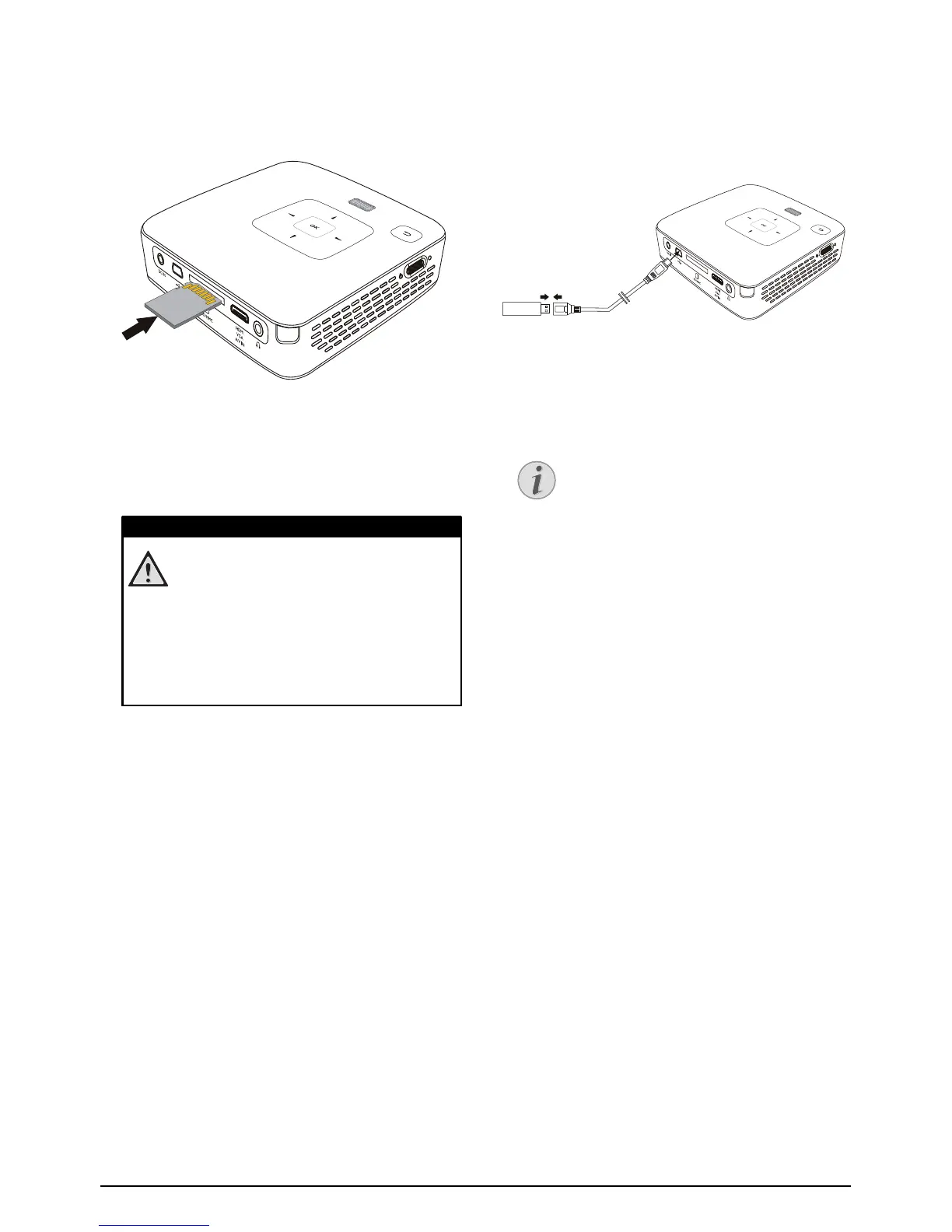
Inserting a Memory Card
1 Insert a memory card with the contacts facing
upwards into the / slot at the back of the
device. Your device supports the following memory
cards: SD/SDHC/MMC.
2 Insert the memory card into the slot until it snaps
into position.
3 Press lightly on the memory card to remove it.
4 The memory card is ejected.
Connecting USB Storage
Medium
1 Connect the USB adapter cable provided to the
mini-USB socket on the reverse side of the device.
2 Only connect the USB storage medium to the
adapter cable after the adapter cable has been con-
nected to the device.
Inserting a Memory Card!
Never pull out the memory card while the
device is accessing it. This could cause data
to be damaged or lost.
In order to make sure that the device does
not access the memory card, press the ¿
key in the main menu until the symbol for
the internal memory has been selected.
USB storage medium with mini-USB
connector
Ensure that the adapter cable is connected
to the projector and not to the USB sto-
rage medium. The signal is switched cor-
rectly between the computer connection
and the USB storage medium only when
using the adapter cable.










 To Next Page