36
10.10 Change Ambilight settings
Note: D This feature is only available for
certain models.
This section describes how to adjust your
Ambilight settings.
Confi gure Ambilight
The AMBILIGHT menu allows you
to select and configure the settings and
options for:
AMBILIGHT•
BRIGHTNESS•
MODE•
COLOR•
CUSTOM COLOR•
SEPARATION•
COLOR BOOST•
BALANCE•
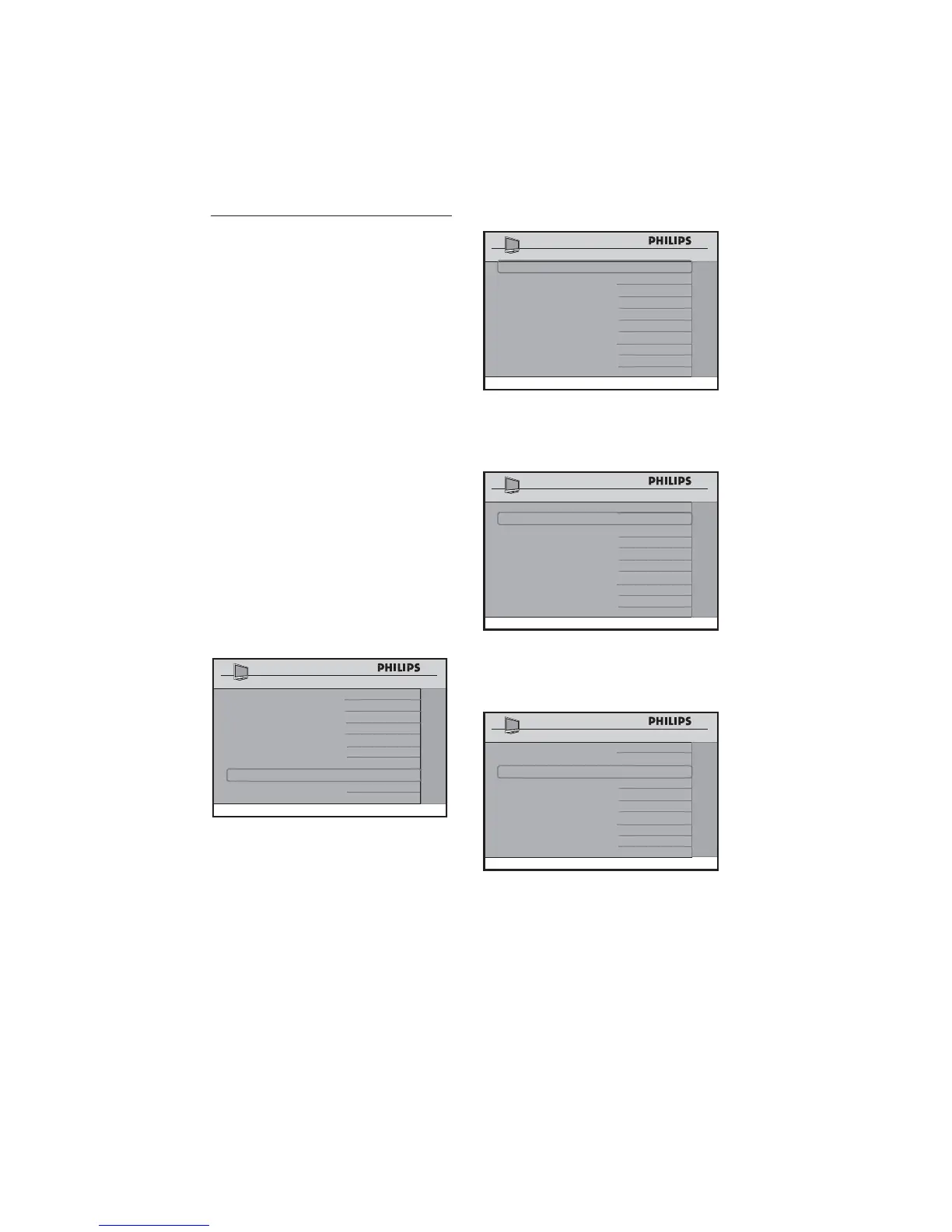
Press 1. Æ to enter the AMBILIGHT
menu.
CHANNEL INSTALL
CONFIGURATION
SWITCH ON / OSD >
PICTURE / SOUND
>
SECURITY >
CONTROL >
VIDEO
ADJUSTMENTS >
FEATURES >
CC / V-CHIP
>
>
AMBILIGHT
Press 2. Æ to turn amblight ON.
AMBILIGHT ON
BRIGHTNESS
50
MODE
MODERATE
SEPARATION MED
MED
COLOR BOOST
0
BALANCE
AMBILIGHT
The • BRIGHTNESS option allows you
to change the brightness of the ambilight.
Press Í Æ to make these adjustments.
AMBILIGHT ON
BRIGHTNESS
50
MODE
MODERATE
SEPARATION MED
MED
COLOR BOOST
0
BALANCE
AMBILIGHT
In the • MODE option, select between
COLOR, RELAXED, MODERATE,
DYNAMIC.
AMBILIGHT ON
BRIGHTNESS
50
MODE
MODERATE
SEPARATION MED
MED
COLOR BOOST
0
BALANCE
AMBILIGHT
If • COLOR is selected, a new menu item,
COLOR, appears. Choose from COOL
WHITE, WARM WHITE, BLUE and







 To Next Page