EasyManua.ls Logo

Philips RC369 - Installation; On;Off Logic

Philips RC369
23 pages
Print Icon
To Next Page IconTo Next Page
To Previous Page IconTo Previous Page
Loading...
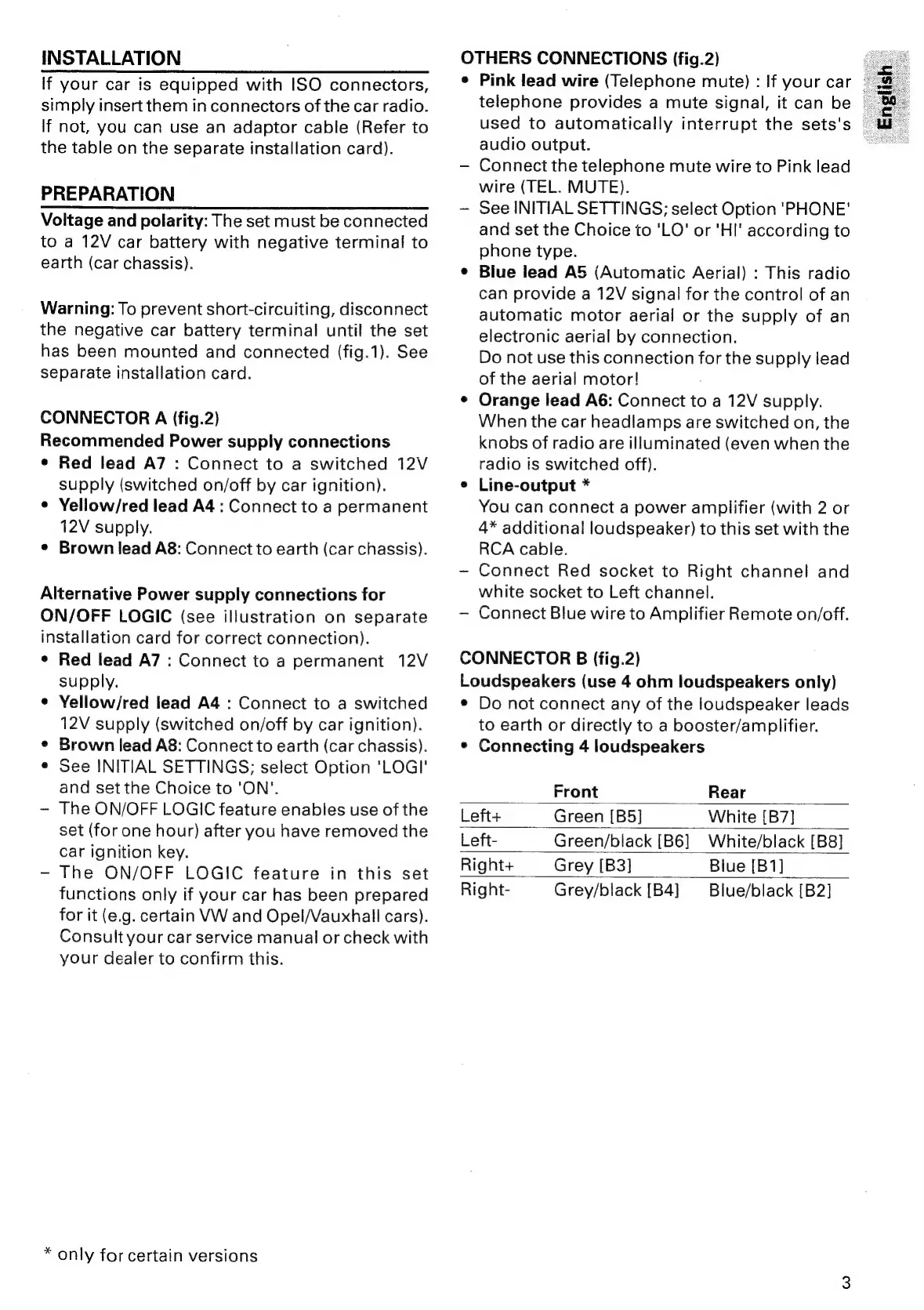
INSTALLATION
If
your
car
is
equipped
with
ISO
connectors,
simply
insert
them
in
connectors
of
the
car
radio.
If
not,
you
can
use
an
adaptor
cable
(Refer
to
the
table
on
the
separate
installation
card).
PREPARATION
Voltage
and
polarity:
The
set
must
be
connected
to
a
12V
car
battery
with
negative
terminal
to
earth
(car
chassis).
Warning:
To
prevent
short-circuiting,
disconnect
the
negative
car
battery
terminal
until
the
set
has
been
mounted
and
connected
(fig.1).
See
separate
installation
card.
CONNECTOR
A
(fig.2)
Recommended
Power
supply
connections
¢
Red
lead
A7
:
Connect
to
a
switched
12V
supply
(switched
on/off
by
car
ignition).
¢
Yellow/red
lead
A4
:
Connect
to
a
permanent
12V
supply.
¢
Brown
lead
A8:
Connect
to
earth
(car
chassis).
Alternative
Power
supply
connections
for
ON/OFF
LOGIC
(see
illustration
on
separate
installation
card
for
correct
connection).
¢
Red
lead
A7
:
Connect
to
a
permanent
12V
supply.
¢
Yellow/red
lead
A4
:
Connect
to
a
switched
12V
supply
(switched
on/off
by
car
ignition).
¢
Brown
lead
A8:
Connect
to
earth
(car
chassis).
e
See
INITIAL
SETTINGS;
select
Option
'LOGI'
and
set
the
Choice
to
'ON'.
~
The
ON/OFF
LOGIC
feature
enables
use
of
the
set
(for
one
hour)
after
you
have
removed
the
Car
ignition
key.
-
The
ON/OFF
LOGIC
feature
in
this
set
functions
only
if
your
car
has
been
prepared
for
it
(e.g.
certain
VW
and
Opel/Vauxhall
cars).
Consult
your
car
service
manual
or
check
with
your
dealer
to
confirm
this.
*
only
for
certain
versions
OTHERS
CONNECTIONS
(fig.2)
¢
Pink
lead
wire
(Telephone
mute)
:
If
your
car
©
telephone
provides
a
mute
signal,
it
can
be
used
to
automatically
interrupt
the
sets's
|
audio
output.
Connect
the
telephone
mute
wire
to
Pink
lead
wire
(TEL.
MUTE).
~—
See
INITIAL
SETTINGS;
select
Option
'PHONE'
and
set
the
Choice
to
'LO'
or
'HI'
according
to
phone
type.
¢
Blue
lead
AS
(Automatic
Aerial)
:
This
radio
can
provide
a
12V
signal
for
the
control
of
an
automatic
motor
aerial
or
the
supply
of
an
electronic
aerial
by
connection.
Do
not
use
this
connection
for
the
supply
lead
of
the
aerial
motor!
¢
Orange
lead
A6:
Connect
to
a
12V
supply.
When
the
car
headlamps
are
switched
on,
the
knobs
of
radio
are
illuminated
(even
when
the
radio
is
switched
off).
e
Line-output
*
You
can
connect
a
power
amplifier
(with
2
or
4*
additional
loudspeaker)
to
this
set
with
the
RCA
cable.
-—
Connect
Red
socket
to
Right
channel
and
white
socket
to
Left
channel.
Connect
Blue
wire
to
Amplifier
Remote
on/off.
CONNECTOR
B
(fig.2)
Loudspeakers
(use
4
ohm
loudspeakers
only)
¢
Do
not
connect
any
of
the
loudspeaker
leads
to
earth
or
directly
to
a
booster/amplifier.
¢
Connecting
4
loudspeakers
Front
Rear
Left+
Green
[B5]
White
[B7]
Left-
Green/black
[B6]
White/black
[B8]
Right+
Grey
[B3]
Blue
[B1]
Right-
Grey/black
[B4]
Blue/black
[B2]

Related product manuals