EasyManua.ls Logo

Philips RC759 RDS - Page 23

Philips RC759 RDS
26 pages
Print Icon
To Next Page IconTo Next Page
To Previous Page IconTo Previous Page
Loading...
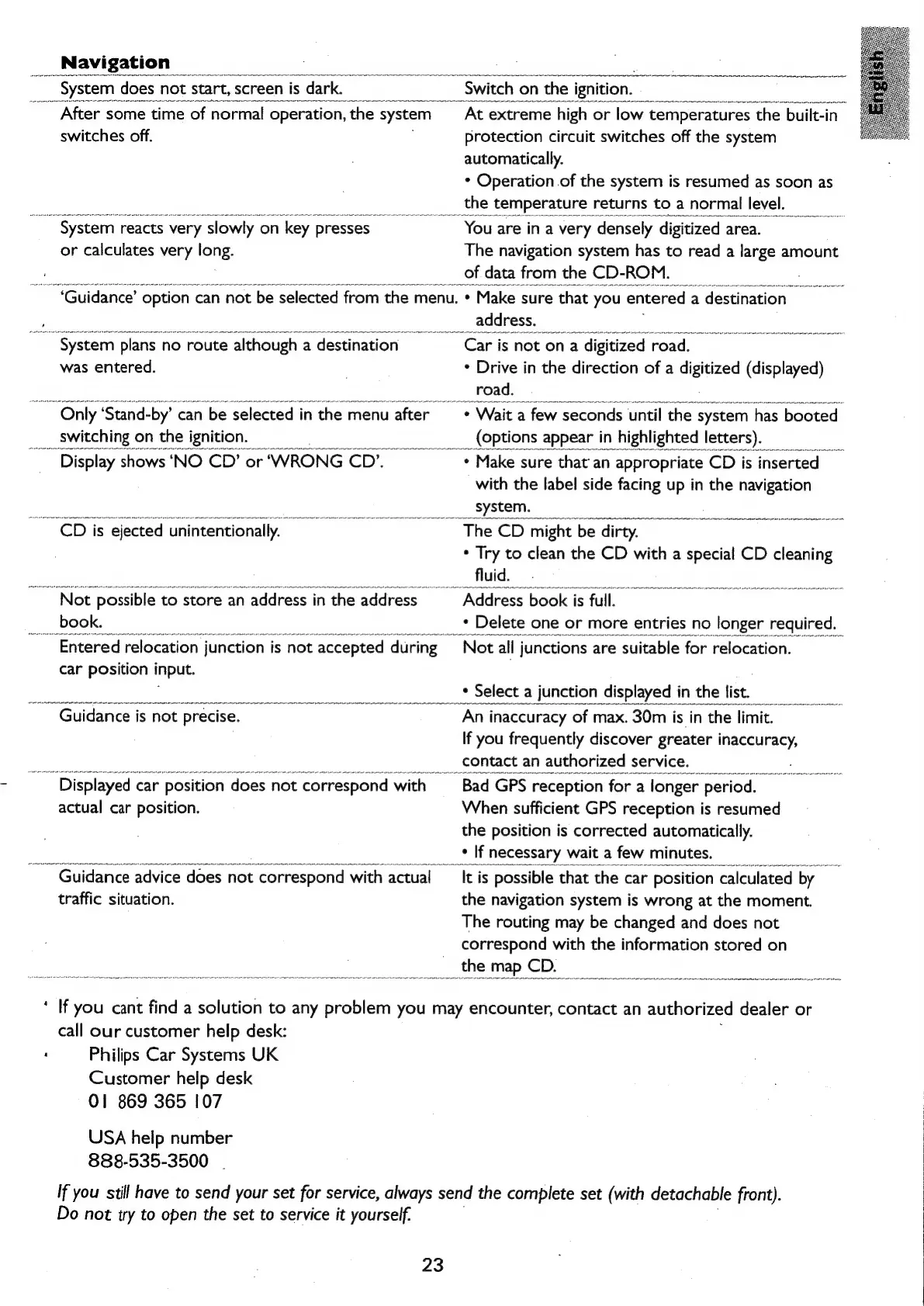
Navigation
After
some
time
of
Sor
operation,
oe
system
switches
off.
or
calculates
very
long.
~
System,
reacts
very
‘slowly
o
on
n
key
presses
At
extreme
high
or
ion
temperatures
the
built-in
protection
circuit
switches
off
the
system
automatically.
*
Operation
of
the
system
is
resumed
as
soon
as
_
the
temperature
returns
to
a
normal
level.
~
You
are
ina
very
‘densely
di
digitized
area.
The
navigation
system
has
to
read
a
large
amount
_of
data
from
the
CD-ROM.
“‘Guidance’
option
c
can
not
be
selected
from
the
menu.
Make
sure
that
you
‘entered
2
a
destination
ystem
plans
no
route
although
a
destination
was
entered.
~
Only
‘Stand-by’
can
be
selected
in
the
menu
after
_
switching
on
the
ignition.
Display
shows
‘NO
CD’
or‘WRONG
CD’.
CD
is
ejected
unintentionally.
Not
possible
to
store
an
address
in
the
address
_book.
~
Entered
relocation
junction
is
is
not
‘accepted
‘during
car
position
input.
address.
~
Car
is
not
on
a
digitized
r
road.
*
Drive
in
the
direction
of
a
clgcee
(displayed)
road.
*
Wait
a
few
seconds
until
the
system
‘has
booted
__
(options
appear
in
highlighted
letters).
*
Make
sure
that
an
appropriate
CD
is
inserted
_
with
the
label
side
facing
up
in
the
navigation
system.
The
CD
might
be.
dirty.
*
Try
to
clean
the
CD
with
a
special
CD
cleaning
fluid.
Address
book
is
full.
°
peste
one
Guidance
is
not
precise.
Displayed
car
position
does
not
correspond
with
actual
car
position.
uidance
advice
does
not
‘correspond
with
actual
traffic
situation.
An
inaccuracy
of
max.
<.
30m
is
in
the
imit.
If
you
frequently
discover
greater
inaccuracy,
contact
an
authorized
service.
Bad
GPS
reception
fora
longer
period.
When
sufficient
GPS
reception
is
resumed
the
position
is
corrected
automatically.
*
If
necessary
wait
a
few
minutes.
It
is
possible
that
the
car
position
calculated
by
the
navigation
system
is
wrong
at
the
moment.
The
routing
may
be
changed
and
does
not
correspond
with
the
information
stored
on
the
map
CD.
If
you
cant
find
a
solution
to
any
problem
you
may
encounter,
contact
an
authorized
dealer
or
call
our
customer
help
desk:
Philips
Car
Systems
UK
Customer
help
desk
01
869
365
107
USA
help
number
888-535-3500
If
you
still
have
to
send
your
set
for
service,
always
send
the
complete
set
(with
detachable
front).
Do
not
try
to
open
the
set
to
service
it
yourself.
23

Related product manuals