English
56
stand (if supplied) or in the Philips Quick Clean
Pod (if supplied).
How do I clean my appliance and the
attachments?
How do I use the Quick Clean Pod?
What does the icon on my Quick Clean Pod
mean?
Icon Behavior Meaning
Becomes visible on the
Quick Clean Pod
The Quick Clean Pod Cartridge
needs to be replaced (see 'How
do I use the Quick Clean Pod?').
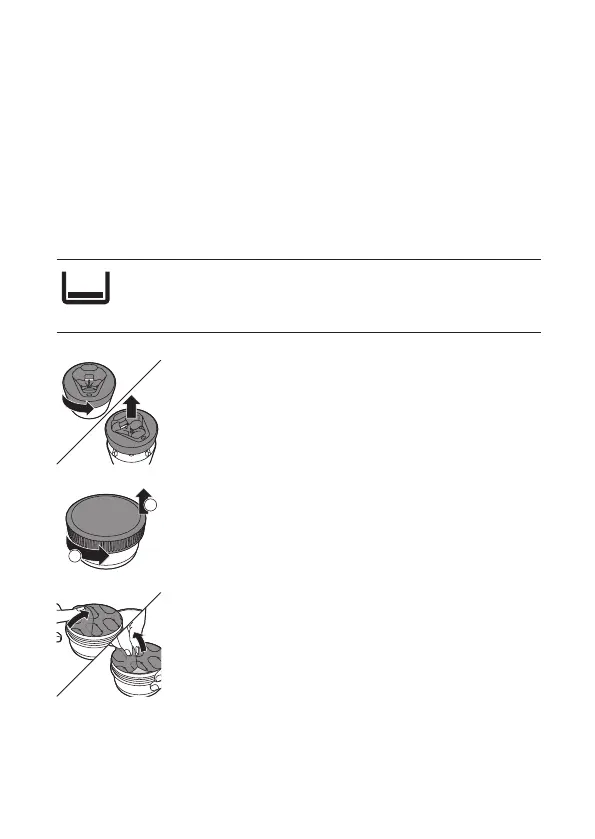
Preparing the Quick Clean Pod for use
1 Twist and remove the top of the Quick Clean Pod.
2 Twist the lid o of the Quick Clean Pod Cartridge.
3 Lift the tab on the seal and pull it by the corner
to remove the seal from the Quick Clean Pod
Cartridge.
2
1



 To Next Page