4EN
3 Get started
Always follow the instructions in this
chapter in sequence.
Charge the built-in
battery
The speaker is powered by a built-in
rechargeable battery.
Note
• The micro USB socket is for charging only.
• Rechargeable battery has a limited number
of charge cycles. Battery life and number of
charge cycles vary by use and settings.
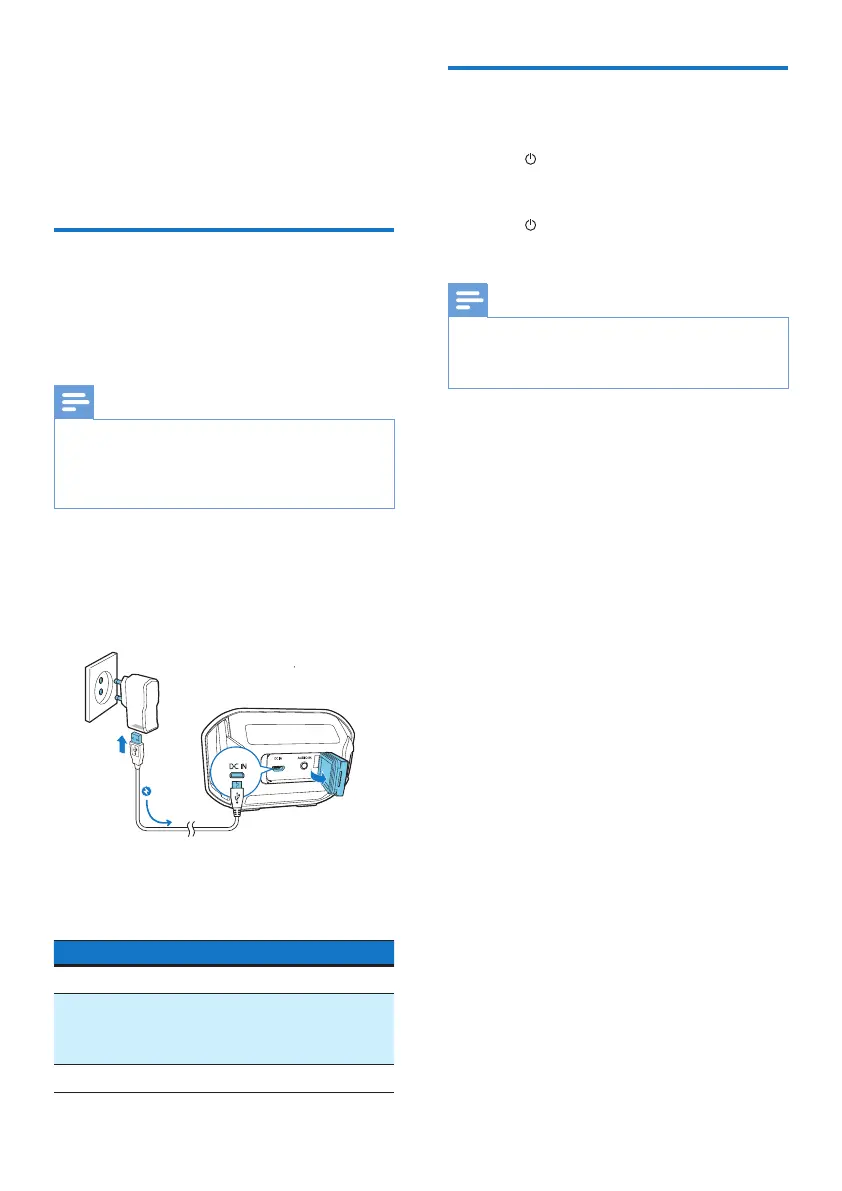
1 Flip open the cover on the back of
the speaker.
2 Connect the speaker to AC power
by using the adaptor (not supplied).
The battery LED indicator indicates the
battery status.
Battery Status Battery Indicator
Under charging Solid red
Low battery Flashing red for
10 minutes, then no
light
Fully charged O
Turn on/o
• To turn on the speaker, press and
hold until the blue LED indicator
ashes.
• To turn o the speaker, press and
hold until the blue LED indicator
turns o.
Note
• The speaker switches to standby mode
automatically when being idle for
15 minutes.



 To Next Page