5 EN
4 Play from
Bluetooth
devices
With this speaker, you can listen to
audio from Bluetooth-enabled devices.
Connect a device
Note
• Any obstacle between this speaker
and a Bluetooth device can reduce the
operational range.
• Keep away from any other electronic
device that may cause interference.
• The operational range between this
speaker and a Bluetooth device is
approximately 10 meters (30 feet).
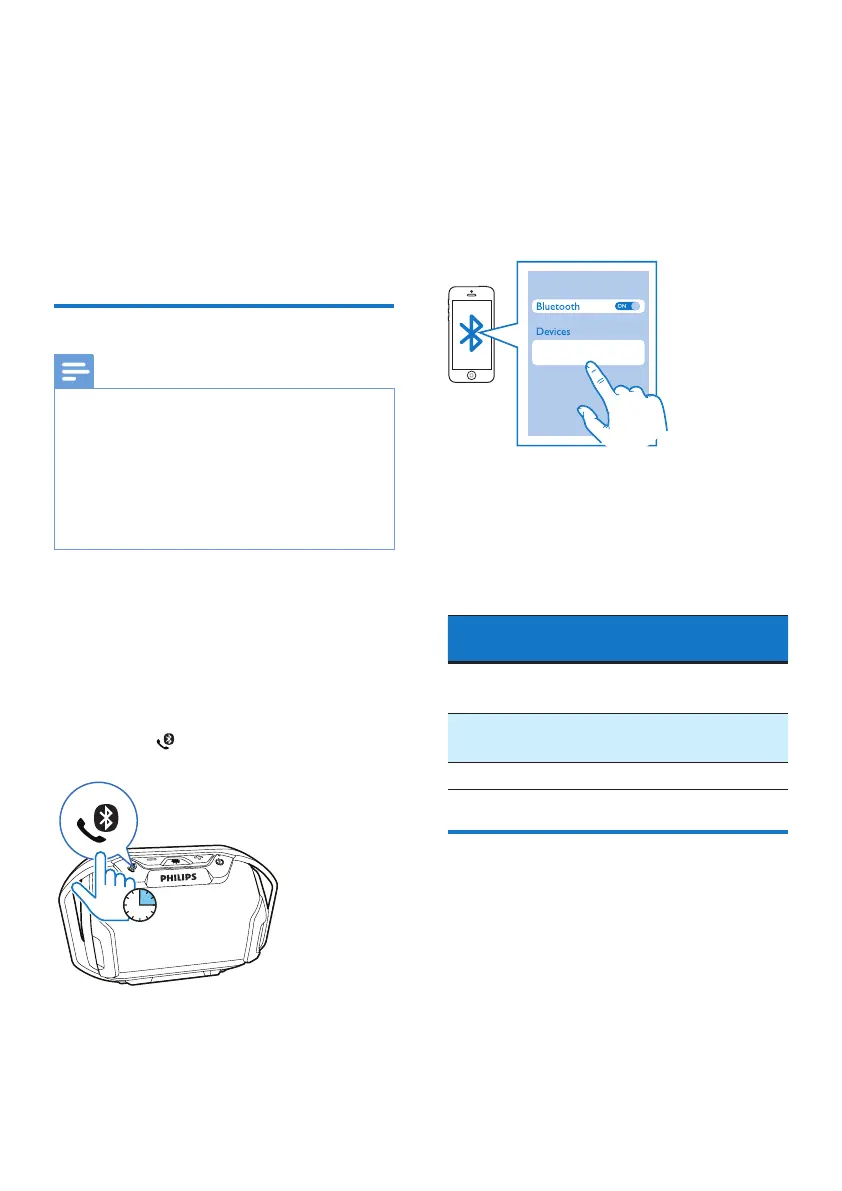
1 Make sure that the speaker is in
Bluetooth pairing mode.
• For rst-time use, the
speaker enters pairing mode
automatically.
• If the speaker has been paired with
other device before, press and
hold on the speaker for three
seconds to enter pairing mode.
» The Bluetooth indicator ashes
blue quickly.
3 sec.
2 On your Bluetooth device, enable
Bluetooth and search for Bluetooth
devices that can be paired (refer to
the user manual of the device).
3 Select [Philips SB300] displayed
on your device for pairing and
connection. If necessary, input
“0000” as the pairing password.
» After successful pairing and
connection, the speaker beeps
twice, and the Bluetooth LED
indicator turns solid blue.
Bluetooth LED indicator (blue):
Bluetooth
Indicator
Bluetooth Connection
Status
Flashing
quickly (2Hz)
Pairing
Flashing
slowly (1Hz)
Connecting
Solid blue Connected
Play from a Bluetooth-
enabled device
After successful Bluetooth connection,
play audio on your Bluetooth device.
» Music streams from your Bluetooth
device to the speaker.
Philips SB300



 To Next Page