10 EN
Listen to FM radio
Tune to FM radio stations
Note
• Keep the product away from other electronic devices
to avoid radio interference.
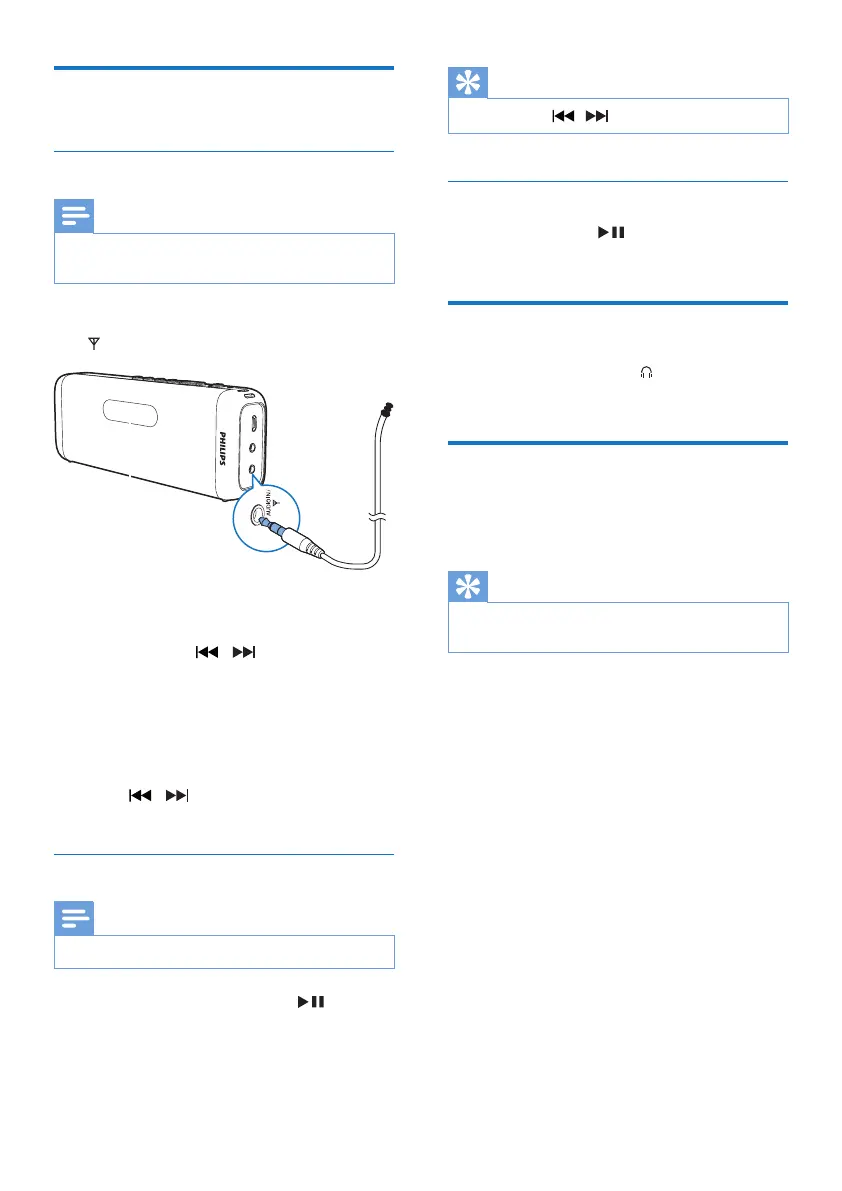
1 Plug the FM antenna into the AUDIO IN/
socket.
2 Press SRC repeatedly to select FM tuner
source.
3 Press and hold / for two seconds.
» The product tunes to a station with
strong reception automatically.
4 Repeat step 3 to tune to more radio
stations.
To tune to a station manually:
• Press / repeatedlyuntilyound
better reception.
Store FM radio stations automatically
Note
• You can store a maximum of 20 preset radio stations.
In FM tuner mode, press and hold for two
seconds.
» All available radio stations are stored
automatically,thentherststored
radio station is broadcast.
Tip
• You can press / to stop auto scan.
Select a preset radio station
In tuner mode, press repeatedly to select a
preset station.
Listen through a headphone
Plug a headphone into the socket on the
product.
Adjust volume
During play, press -/+ to increase or decrease
volume.
Tip
• You can press and hold -/+ for 2 seconds to increase or
decrease volume continuously.



 To Next Page