5EN
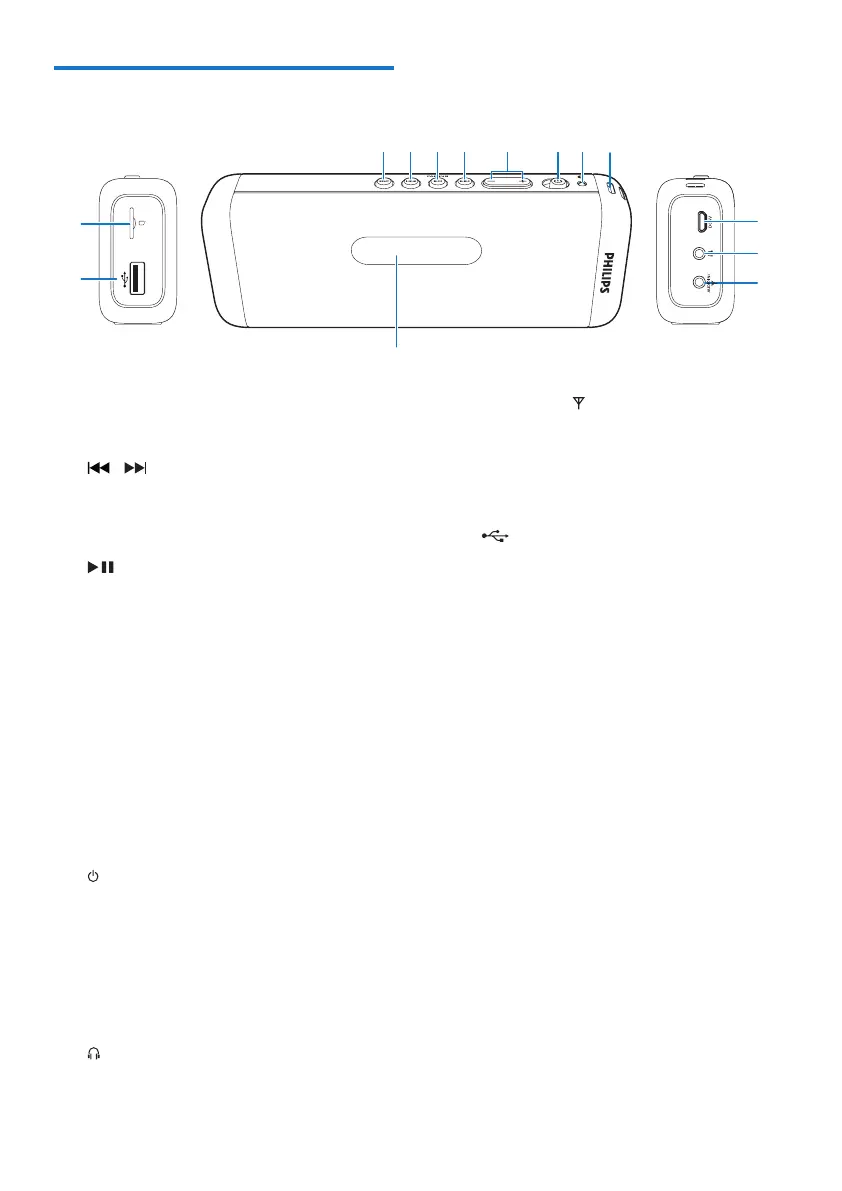
Overview of the product
a SRC
• Select an audio source.
b /
• Select a track.
• Search within play.
• Tune to FM radio stations.
c /PAIRING
• In SD, USB, or Bluetooth mode, press
to pause or resume play.
• In Bluetooth mode, press and hold for
three seconds to disconnect Bluetooth
connection or enter pairing mode.
• In FM mode, press and hold for two
seconds to store FM radio stations
automatically.
• In FM mode, press to select a preset
radio station.
d -/+
• Adjust volume.
e
• Turn the product on or off.
f Bluetooth indicator
g Hole for attaching the string
h DC 5V
• Recharge the built-in battery.
i
• Connect a headphone.
j AUDIO IN/
• Connect an external audio device.
• Connect FM antenna.
k Display panel
• Show current status.
l
• Connect a USB storage device.
m SD slot
• Connect a Micro SD card.



 To Next Page