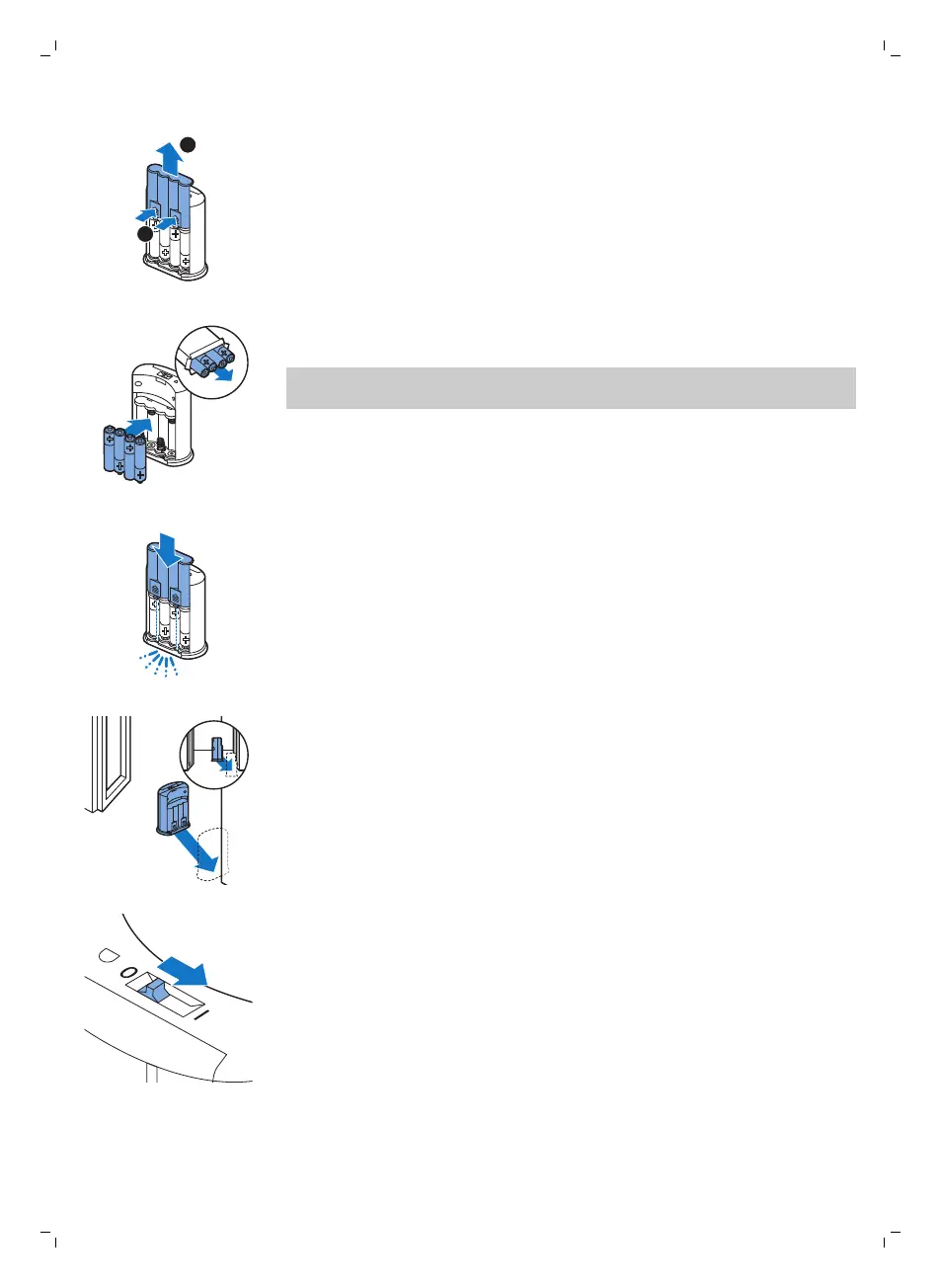
2 Take four new AA batteries from the pack and insert them into the
battery compartment of the invisible wall.
Note: Make sure the + and - poles of the batteries point in the right
direction.
3 Slide the back cover onto the invisible wall again.
Positioning the invisible wall to stop the robot
You can use the invisible wall to prevent the robot from entering a room or
area that you want to keep it out of.
1 Place the unit at a point you do not want the robot to cross, e.g at an
open door to a room that is off-limits to the robot.
2 Switch on the invisible wall with the on/off slide on top of the unit.
3 Start the robot.
20
English
1
Push the two release tabs at the bottom of the back cover (1) and slide
the back cover upwards and off the invisible wall (2).







 To Next Page