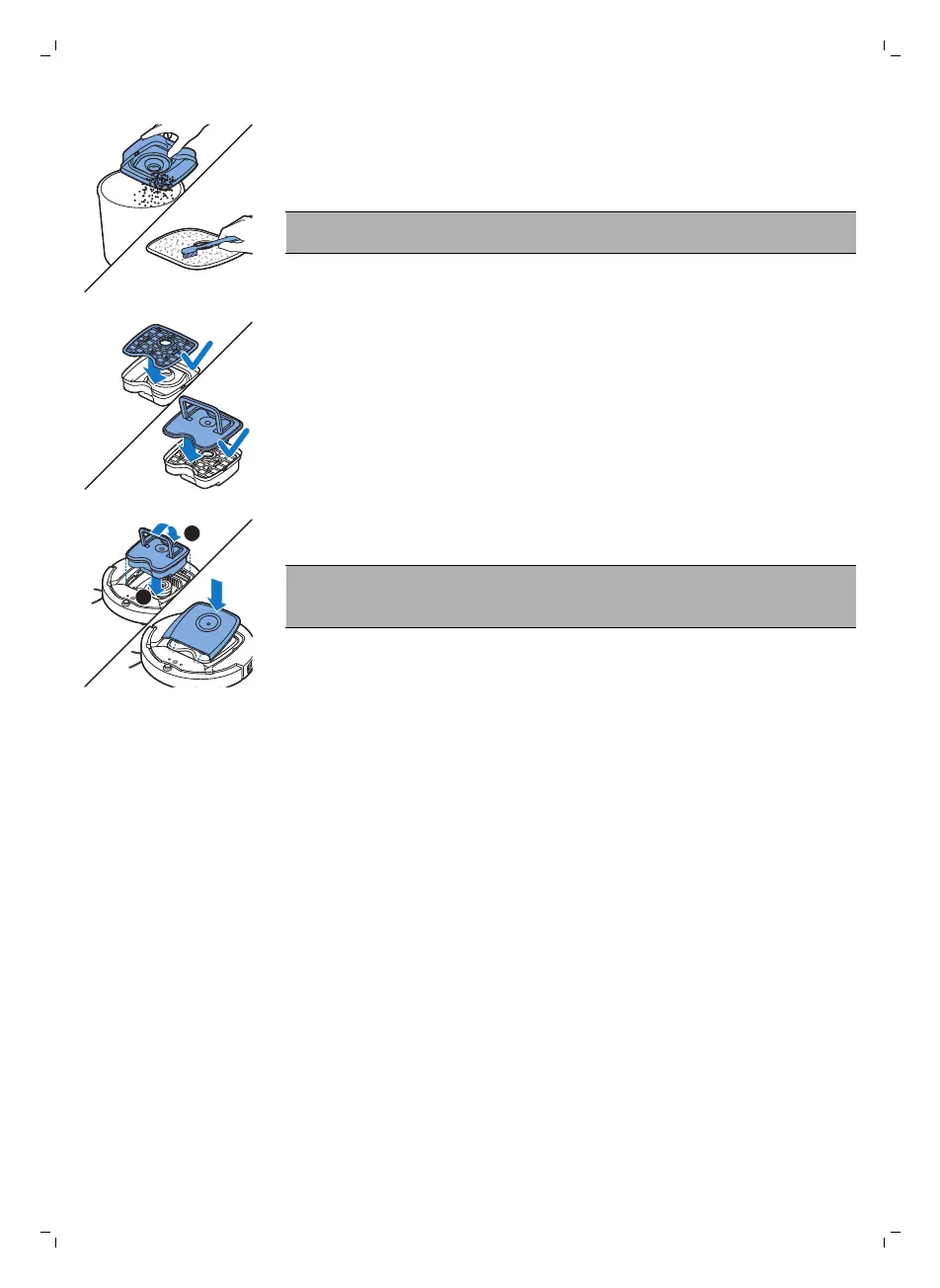
5 Shake the dust container over a dustbin to empty it. Clean the filter and
the inside of the dust container with a cloth or a toothbrush with soft
bristles. Also clean the suction opening in the bottom of the dust
container.
Caution: Do not clean the dust container and the filter with water or in
the dishwasher.
6 Put the filter back into the dust container (1). Then place the lid on the
dust container(2).
7 Put the dust container back into the dust container compartment and put
the top cover back on the robot.
Caution: Always make sure the filter is present inside the dust
container. If you use the robot without the filter inside the dust
container, the motor will be damaged.
Replacement
Ordering accessories
To buy accessories or spare parts, visit www.shop.philips.com/service or go
to your Philips dealer. You can also contact the Philips Consumer Care
Center in your country (see the international warranty leaflet for contact
details).
Replacing the filter
Replace the filter if it is very dirty or damaged. You can order a new filter kit
under type number FC8066. See 'Emptying and cleaning the dust container'
in chapter 'Cleaning and maintenance' for instructions on how to remove
the filter from the dust container and how to place it in the dust container.
Replacing the side brushes
Replace the side brushes after some time to ensure proper cleaning results.
Always replace the side brushes when you notice signs of wear or damage.
We also recommend that you replace both side brushes at the same time.
23
English






 To Next Page