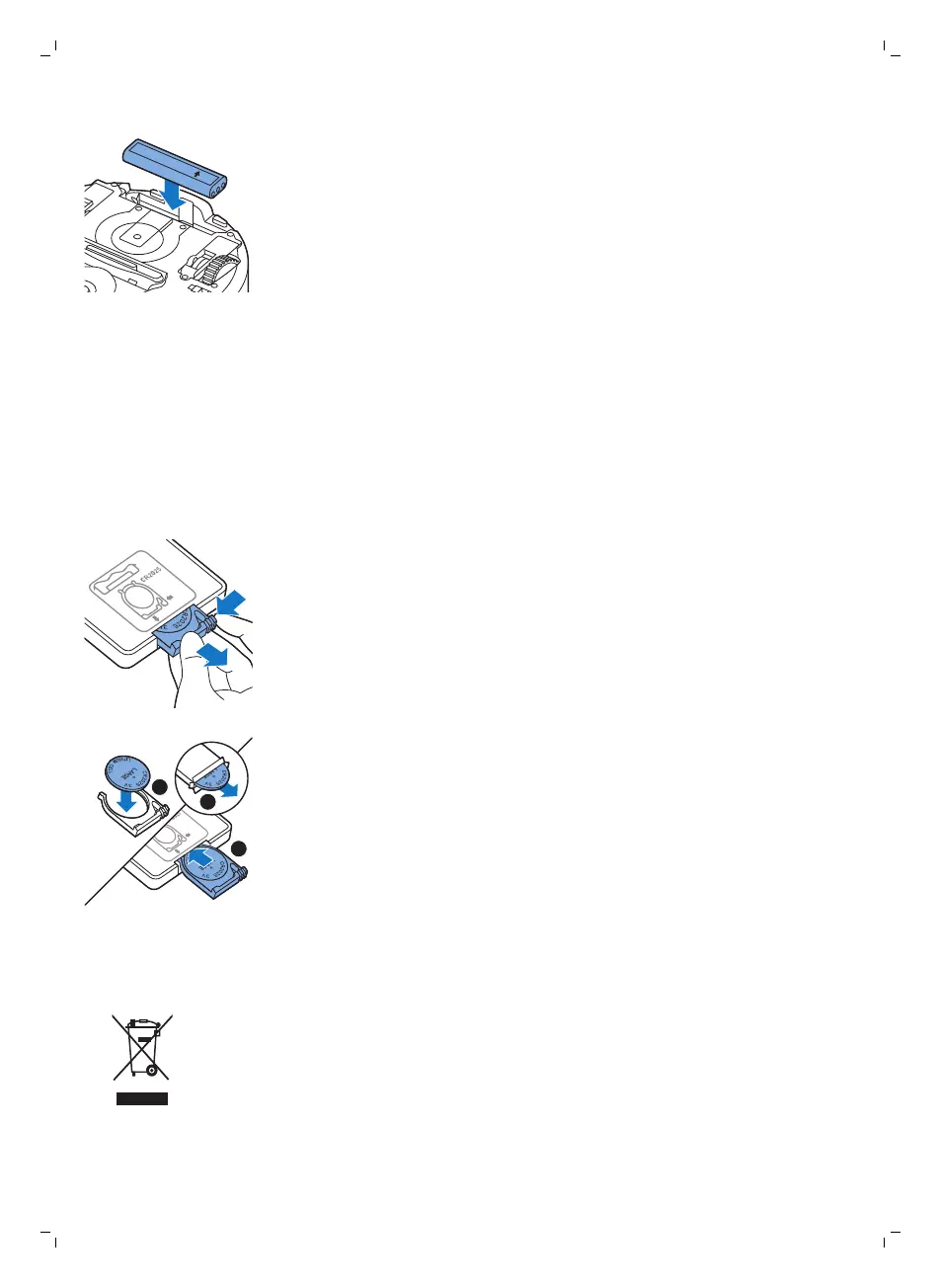
5 Insert the new rechargeable battery into the battery cavity.
6 Slide the battery cavity cover back onto the robot.
Replacing dry wipes
You can order new dry wipes. They are part of replacement kit FC8068. This
replacement kit also contains two side brushes and two filters.
Replacing the battery of the remote control
The remote control works on a CR2025 coin-shaped battery. Replace the
battery when the robot no longer responds when you press the buttons on
the remote control.
1 Hold the remote control upside down. Push the release button on the
battery holder and at the same time slide the battery holder out of the
remote control.
2 Remove the empty battery from the battery holder and place a new
battery in the battery holder. Then slide the battery holder back into the
remote control.
Recycling
-
This symbol means that this product shall not be disposed of with normal
household waste (2012/19/EU).
25
English






 To Next Page