EN
12
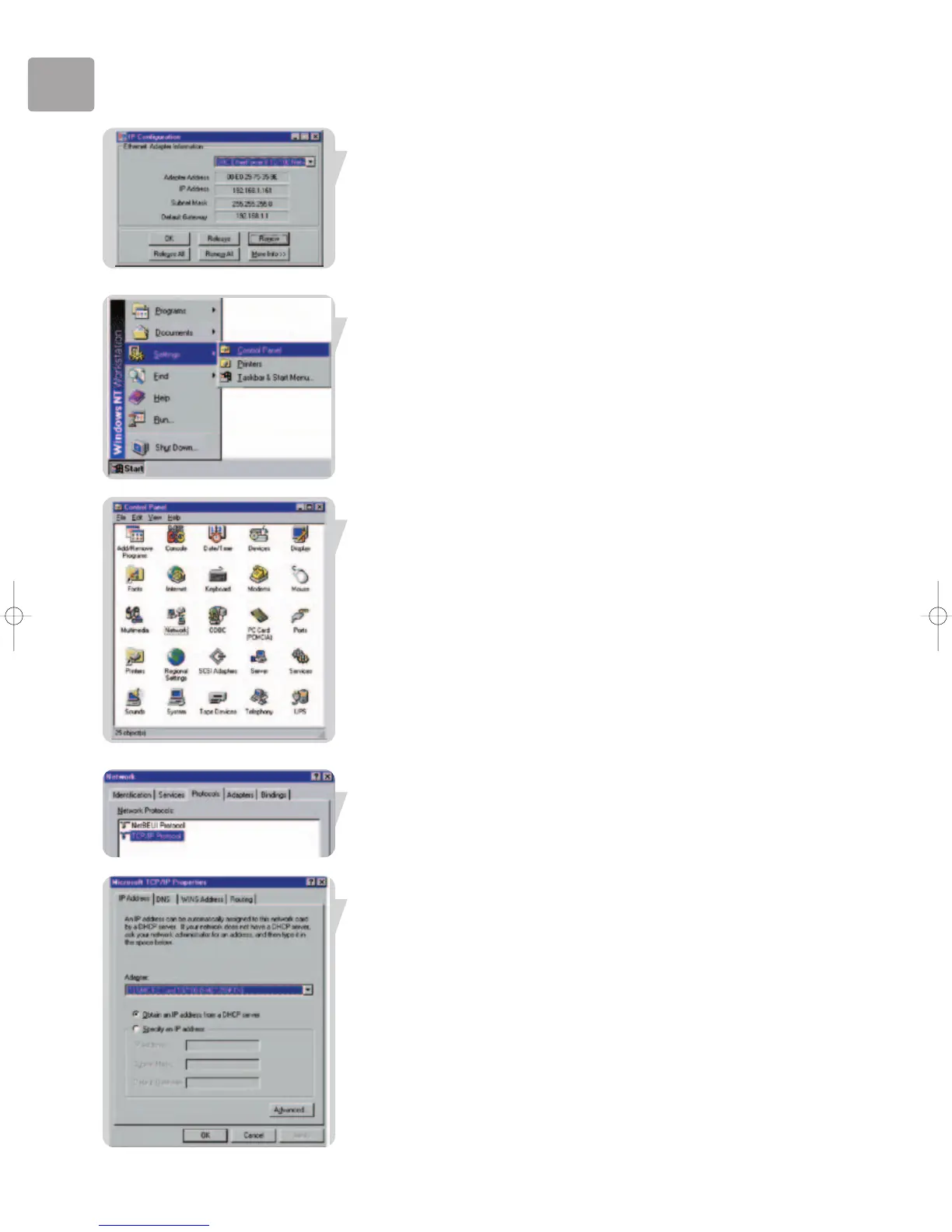
3 In the IP Configuration window, select your network card from the drop-down
menu. Click Release and then click Renew. Verify that your IP address is now
192.168.2.xxx, your Subnet Mask is 255.255.255.0 and your Default Gateway is
192.168.2.1. These values confirm that your ADSL Wireless Base Station is
functioning. Click OK to close the IP Configuration window.
Windows NT 4.0
1 On the Windows desktop, click Start/Settings/Control Panel.
2 Double-click the Network icon.
3 In the Network window, select the Protocols tab.
Double-click TCP/IP Protocol.
4 When the Microsoft TCP/IP Properties window opens,
select the IP Address tab.


 To Next Page