EN
34
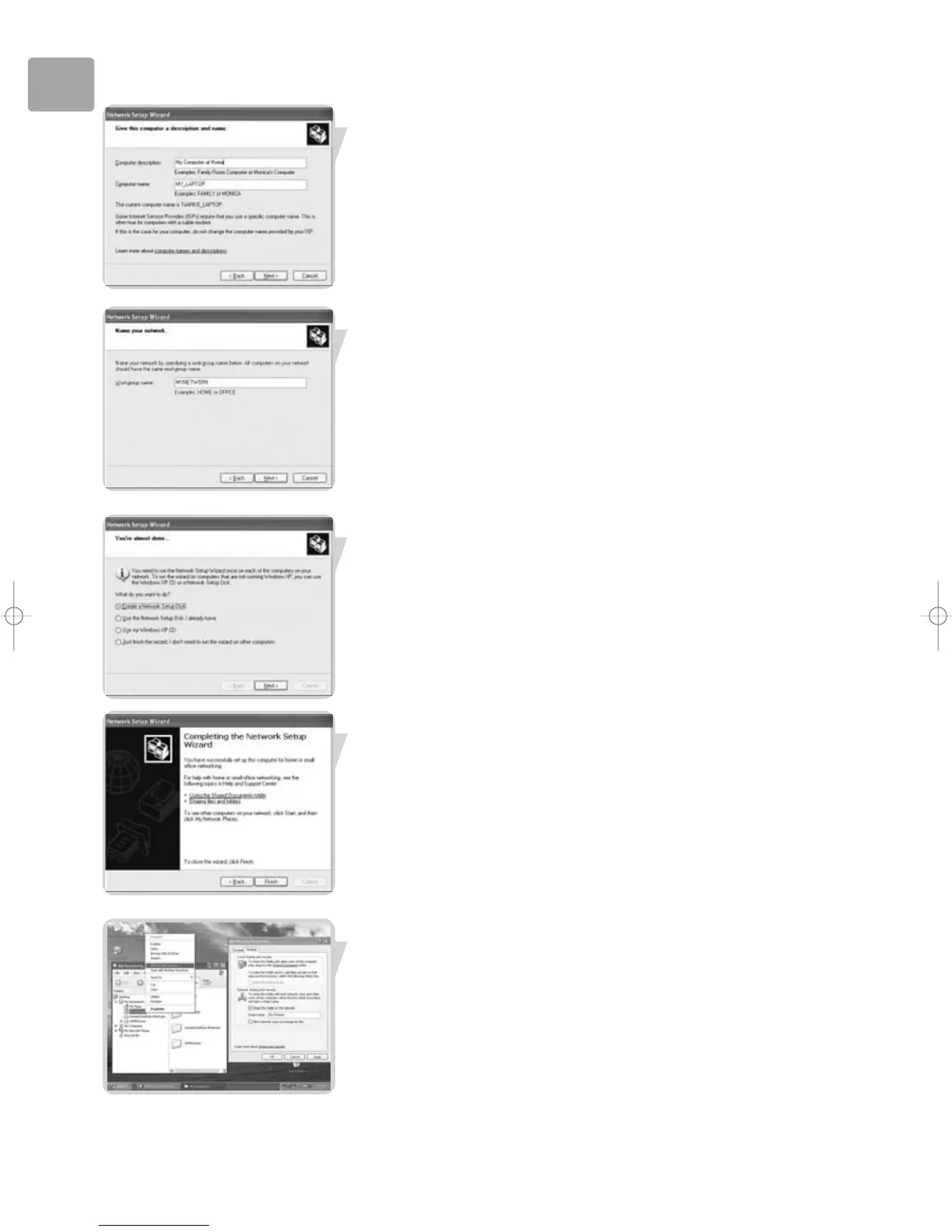
1. Enter a description that helps you recognize the computer.
2. Enter a name that is different for each computer.
3. Click ‘Next’ to continue.
Enter the same workgroup name for all computers in the network, then click ‘Next’
to continue.
Choose to make a networking setup disk. Then click 'Next'.
Click ‘Finish’ to close the Wizard, and then use the disk you made to set-up your
other computers.
To share folders with the network: Start Windows Explorer and right-click the folder
you wish to share with the network. Click the ‘Sharing’ tab and adapt the settings.


 To Next Page