42 ENGLISH
Enabling Internet Connection Sharing for Windows 2000
You must have administrative rights to enable ICS in Windows 2000.
1 Before you begin, check if you have a working Internet connection and if your home
network is working properly (if you have one)
• Check the Internet connection by opening a web page with your browser.
2 Click Start, Settings, and Control Panel.Then double-click 'Network and Dial-Up
Connections' and then double-click 'Home Networking Wizard'.
3 Right-click the connection you want to share.
Then, click Properties.
> The Properties window for this network connection will appear.
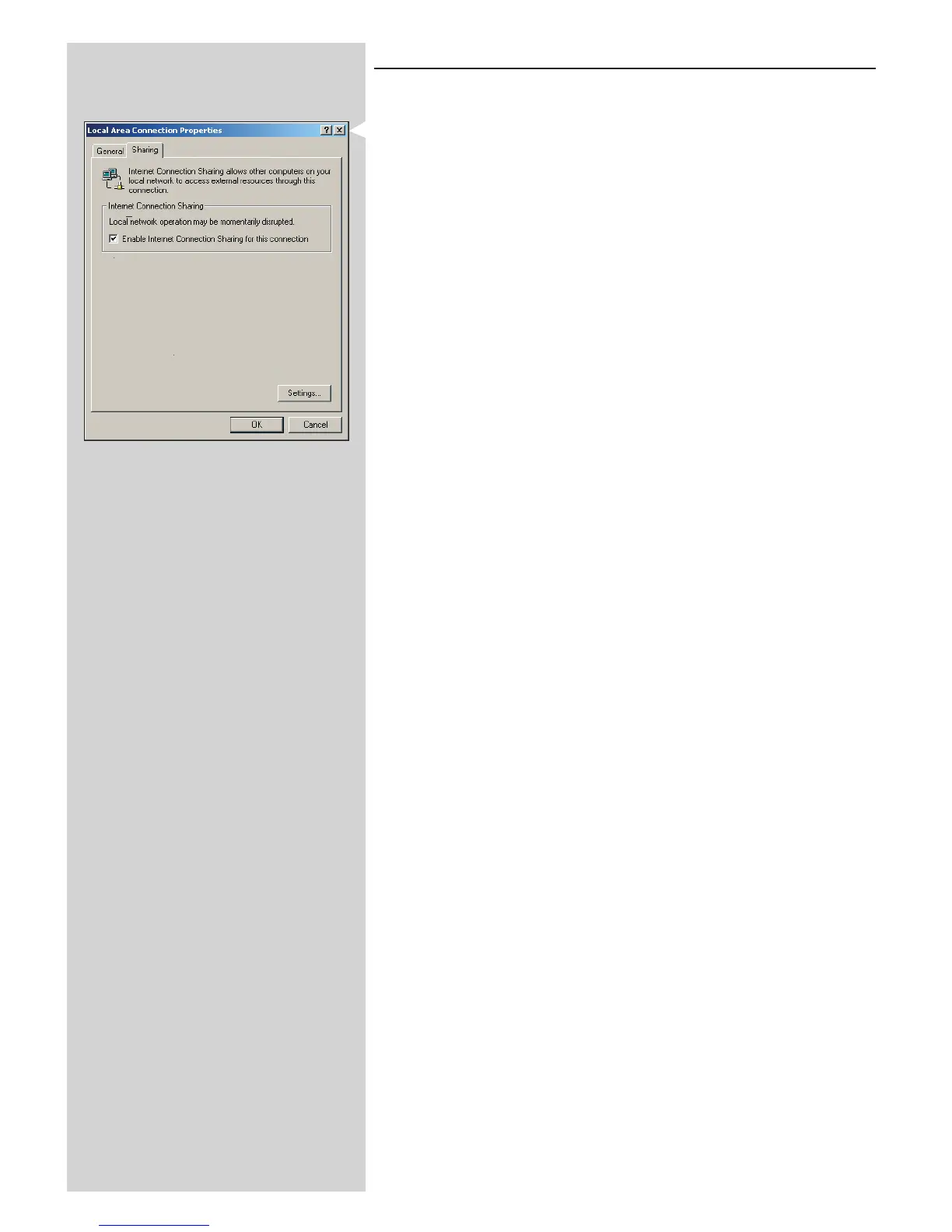
4 Click the Sharing tab, and then select 'Enable Internet Connection Sharing for this
connection'.
> This enables the ICS feature.



 To Next Page