Press HOME to go to the Home
menu.
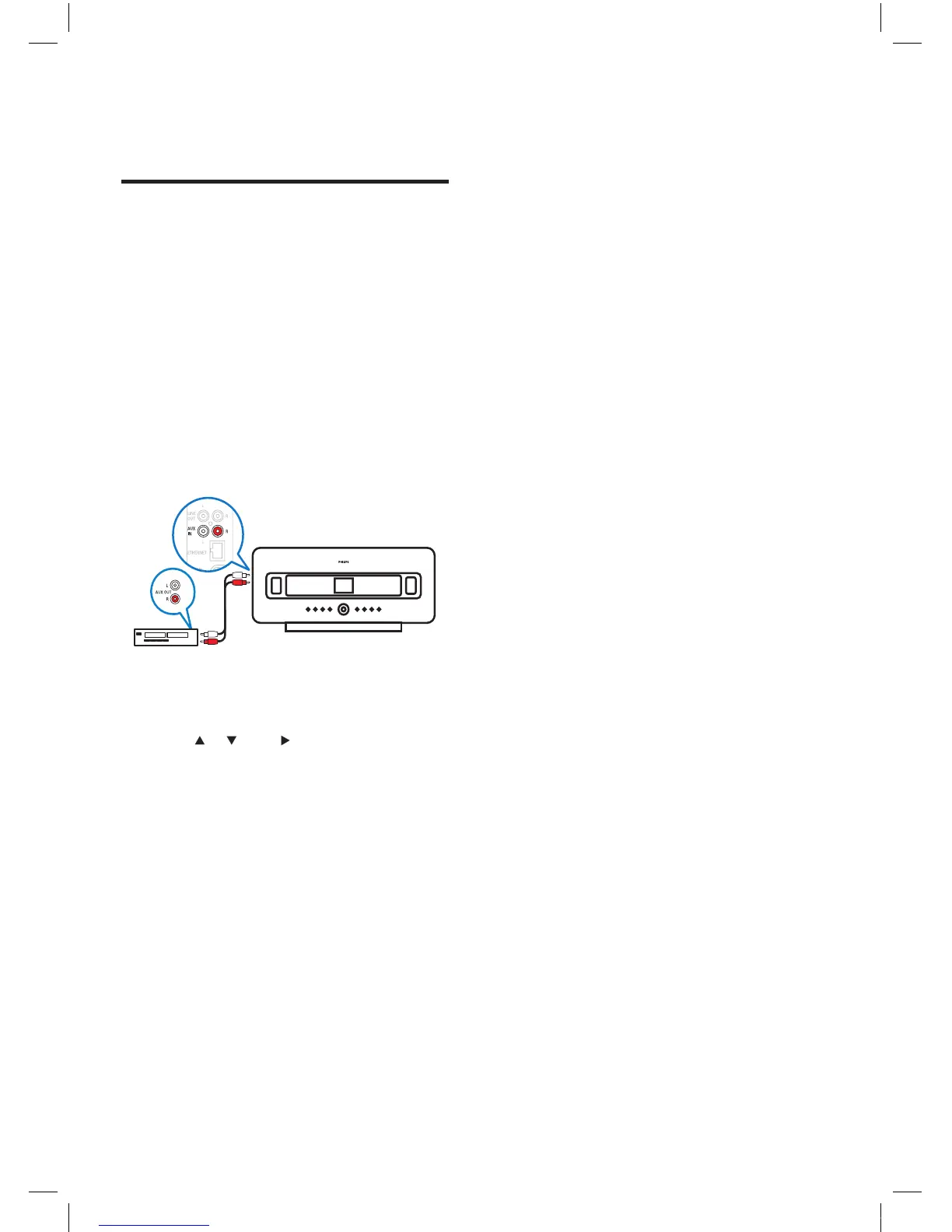
Connect audio devices
(AUX)
You can play music from an external appliance
that is connected to the AUX input of the
WAC7500.
1 Consult the user manual of the external
appliance to connect the supplied audio
cable to the audio output jack of the
external appliance.
2 Connect the other end of the audio cable
to the AUX IN
jack of the WAC7500.
3 On the remote control of the WAC7500,
press HOME .
4 Press or , then to select[AUX].
5 Operate the controls of the external
appliance to play music.
•
EN














 To Next Page