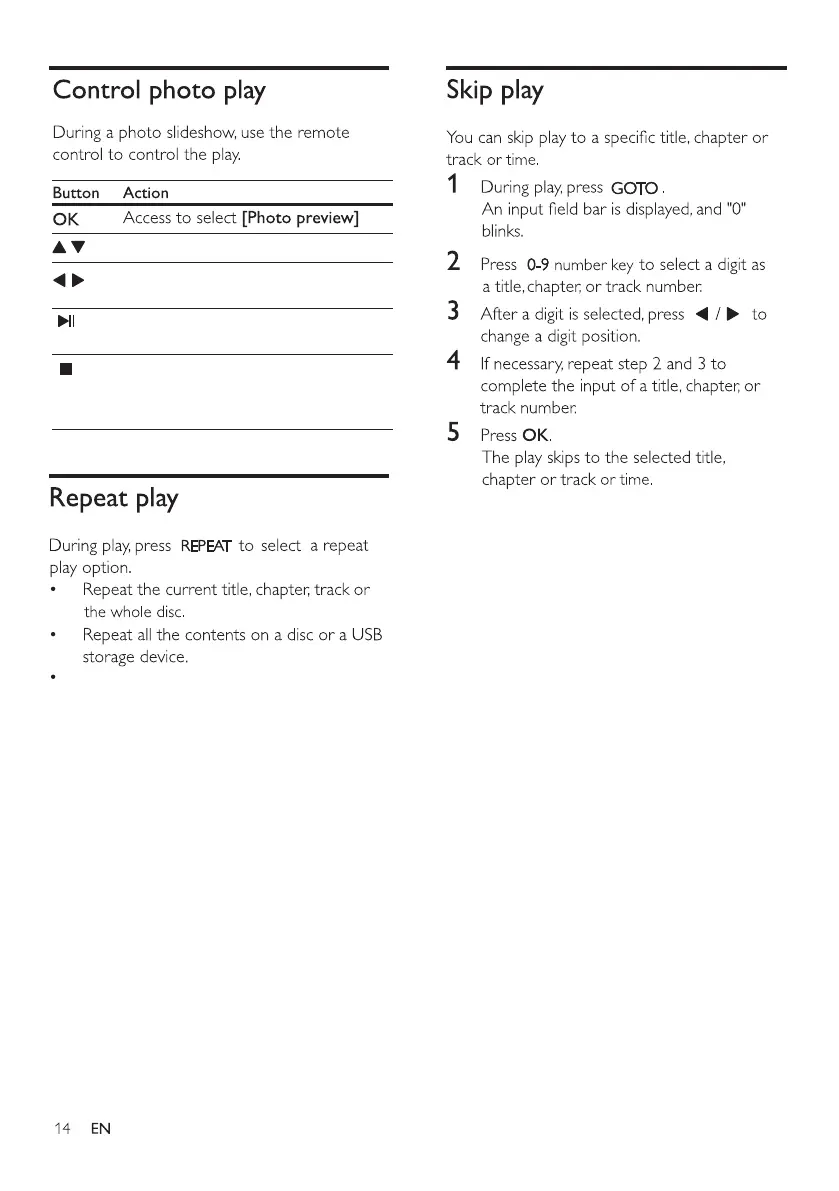
Flip the photo up and down.
Press once to stop photo play and go
back to browse; press twice to go
back to menu setting.
Photos are played from beginning to
end one by one.
Rotate a photo anti-clockwise/
clockwise.
To cancel repeat play, press and hold
REPEAT until [Off] is displayed.
Then press OK to proceed.



 To Next Page