19
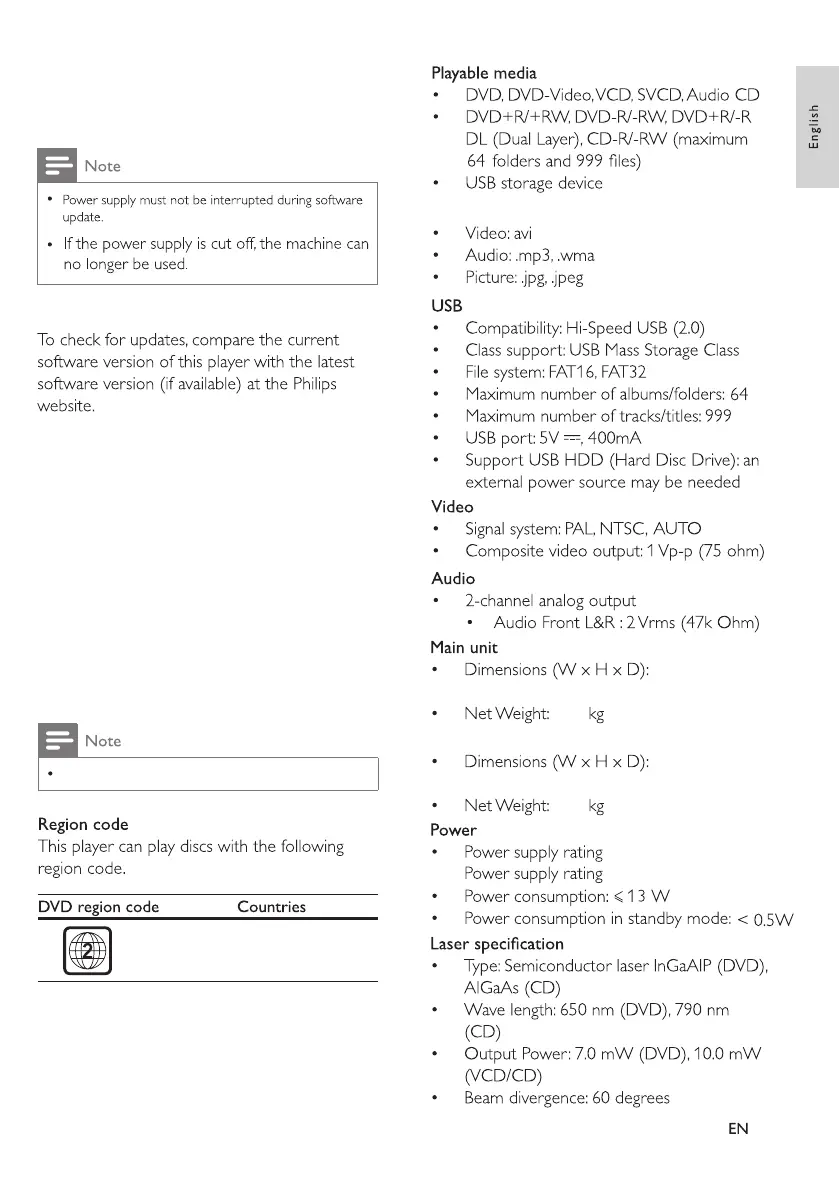
248 x 168 x 40 mm
0.66
248 x 172 x 35 mm
0.35
Input: 100-240V~, 50/60Hz
Output: DC 12V, 2.0A
EU
5 Software update
6 Specifications
Supported File Formats
Monitor
Specifications are subject to change without notice.
1. Download the software from website.
2. Name the software as 8202KD.BIN, and
then copy it to USB.
3. Remove the disc from the player, and turn it
on. Insert the USB with copied software into
the player's USB port, and the player will
upgrade automatically.



 To Next Page