9
EN
Wirelessly charge your
smartphone
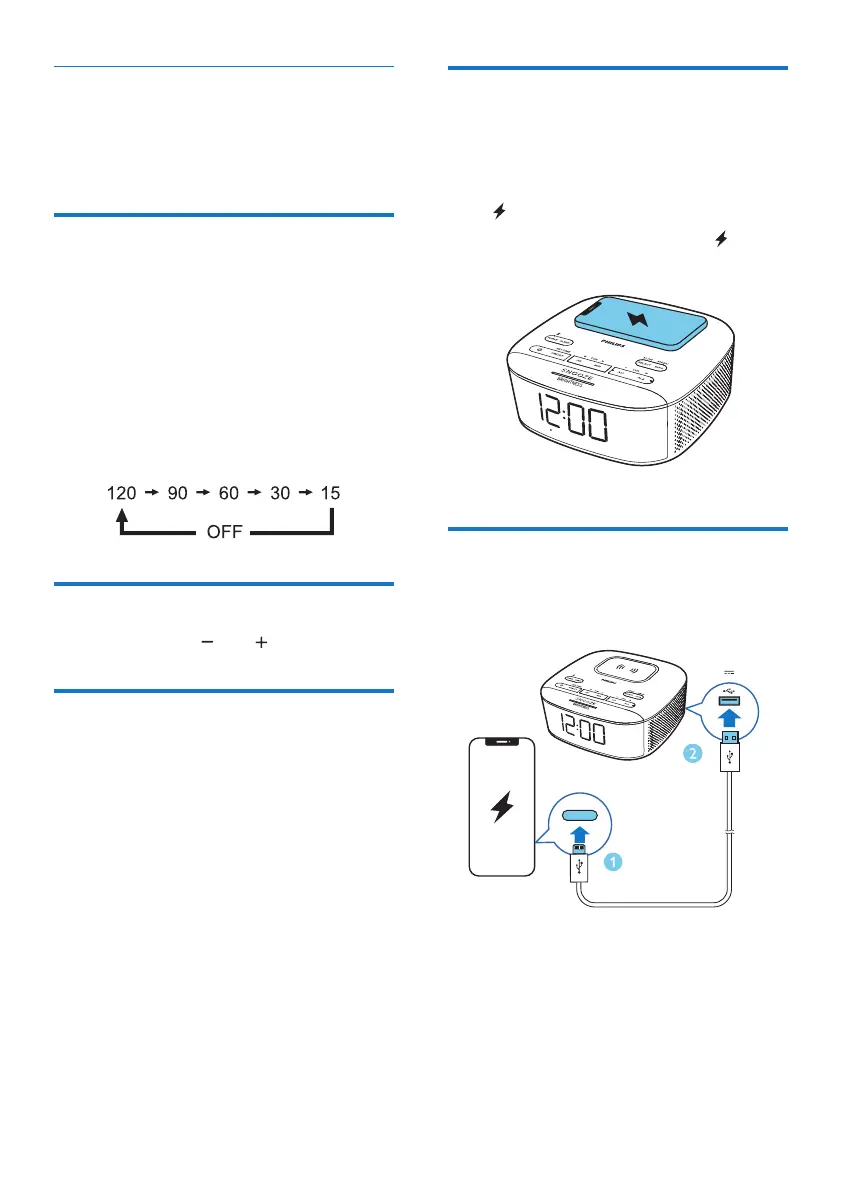
Put your smartphone on the wireless charging
pad, the wireless charging will be activated.
» will be displayed.
» If any foreign object is detected, will be
ashing.
Charge through USB port
Charge an external USB device through the
USB port on the back of this unit.
5V
1A
Snooze the alarm
When the alarm sounds, press SNOOZE.
» The alarm snoozes and repeats ringing 9
minutes later.
Set sleep timer
This clock radio can switch to standby mode
automatically after a preset period.
• Press SLEEP repeatedly to select a period
(in minutes).
» The clock radio switches to standby mode
automatically after the preset period.
To deactivate the sleep timer:
• Press SLEEP repeatedly until [OFF] (off)
appears.
Adjust volume
While listening, press VOL to adjust volume.
Adjust display brightness
Press BRIGHTNESS repeatedly to adjust the
display brightness.
• HIGH (High)
• MED (Medium)
• LOW (Low)



 To Next Page