User Guide
11
Turning on Pronto NG
Pronto NG can be turned on in three different ways:
Tap the touch screen.
Note Only use your finger, a stylus or a blunt soft object like a pencil eraser to
operate the touch screen.
Press one of the 4 firm keys below the screen to activate the display.
Note When you press a hard button on Pronto NG, the according function will be
executed immediately, while the 4 firm keys below the touch screen will
activate the display.
Press the Backlight button.
Setting the Contrast
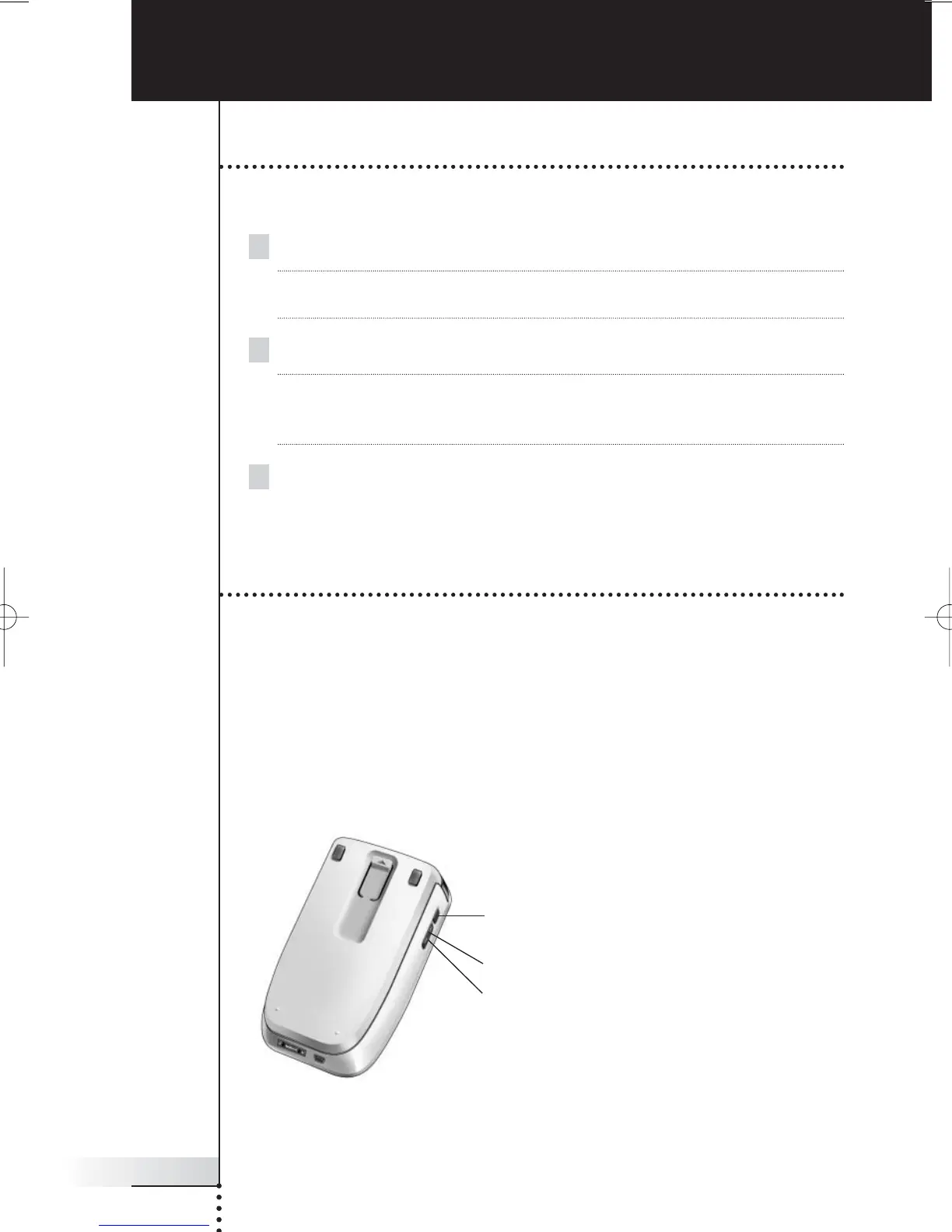
You can set the contrast level and switch on the backlight of Pronto NG using the
hard buttons on the left side of the device.
■ To decrease the contrast, press and hold the Backlight button and at the
same time press the ‘-’ hard button.
To increase the contrast, press and hold the Backlight button and at the
same time press the ‘+’ hard button.
■ To switch on the backlight, press the Backlight button.
Getting Started
Backlight
& contrast
+
-





 To Next Page