18
First steps
Table of contents
4.4 Enabling/disabling the keypad lock
The keypad lock deactivates all keys on the device. The timer function
of the device continues to function.
1
Slide the HOLD switch up into the HOLD position to lock the
keypad of the device.
X The display briefly shows ‘On Hold’ and turns o.
2
Slide the HOLD switch down to the O position to disengage the
keypad lock.
4.5 Inserting a microSD card
Caution
• Do not remove the memory card while recording is in progress. If
you do this, data may be damaged or lost.
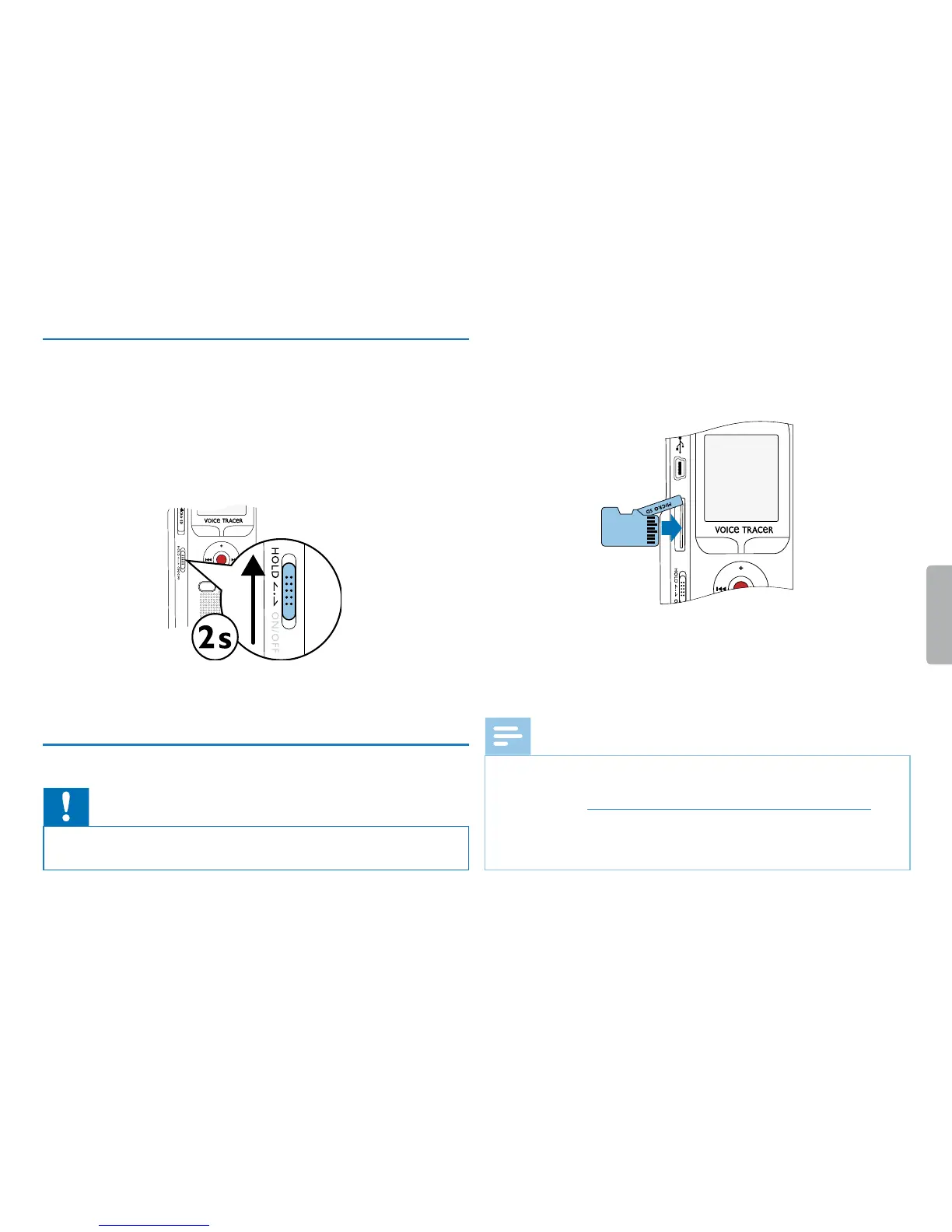
1
Flip the memory card slot cover to the side.
2
Insert the microSD card into the card slot with the contacts facing
upwards.
3
Insert the memory card until it snaps into place.
4
To remove the card press the memory card slightly until the
snapping mechanism unlocks and the card is ejected.
Note
• To ensure that the device stores the recordings on the memory
card, you must switch from the internal memory to microSD
memory card (see also chapter 9.1.1 Set file location, page 30). The
display shows a folder icon which indicates where the recordings
are currently being stored: u, v, w, x, y–internal memory,
¡, ¢, £, ¤, ¥–memory card.



 To Next Page
 Loading...








