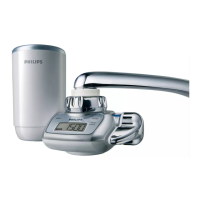
7 The water purier starts counting down the remaining lter
capacity as soon as you use the water purier at the ltered spray
setting.
How to reset the lter capacity
Note: Always reset the lter capacity when you replace the lter cartridge.
This is necessary to set the remaining lter capacity back to its initial value
(i.e. 2500, 1500 or 900 litres).
1 Press the reset button for 2 seconds.
The previously selected lter capacity ashes on the display for a
few seconds.
2 If the new lter cartridge has the same capacity, simply wait until
the setting stops ashing.
3 If the new lter has a different capacity, press the lter capacity
selection button and keep it pressed until the display shows the
new lter capacity. Then release the button.
The selected lter capacity ashes on the display for 4 seconds and
is then shown continuously for 5 seconds to indicate that the
selected setting has been set.
Replacing the battery
The battery lasts approximately one year in case of normal domestic
use. Replace the battery when the
à symbol lights up and ashes. This
appliance runs on 1 button-type CR2032 (3V) lithium battery, which is
generally available.
1 Remove the water purier from the tap.
2 Wipe the entire water purier with a dry cloth.
3 Place the new battery (see ‘Inserting the battery’ in chapter
‘Preparing for use’).
4 Reattach the water purier to the tap (see the installation
instructions for your adapter type in chapter ‘Preparing for use’).
,
,
ENGLISH 17









 To Next Page