The granular activated carbon removes harmful chlorination by-
products, harmful industrial pollutants, such as volatile organic
chemicals, and agricultural pollutants, such as the pesticide CAT. It also
removes the unpleasant chlorine smell and taste from your tap water.
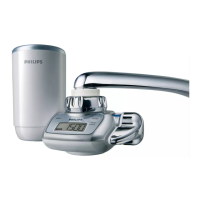
The LCD display on the water purier shows the current remaining
lter capacity. A remaining lter capacity of 0 tells you that you
have to replace the lter. Philips’ unique cartridge replacement
indicator also helps you to determine when to replace the lter.
The high-speed initial ow rate of 1.6 litres per minute gives you
plenty of clean water instantly.
The water selection lever offers you a choice of three water ow
types: unltered spray, unltered stream or ltered spray.
The eight tap-mounting adapters supplied with the water purier
allow easy installation on almost any type of tap.
The bayonet-type mount ensures quick, easy and secure lter
cartridge replacement.
Preparing for use
Inserting the battery
Before you insert the battery, make sure your hands and the water
purier are dry.
Keep away from the kitchen sink to prevent the battery from falling
down the drain.
Insert the battery before you install the water purier on the tap.
1 Use a coin to turn the battery compartment cover on the back of
the water purier in the ‘OPEN’ direction. Remove the battery
compartment cover (Fig. 2).
2 Place the battery (included) in the cover, with the + pole facing the
battery compartment cover (Fig. 3).
3 Place the battery compartment cover back onto the water purier
in such a way that the ‘
%’ mark on the cover is aligned with the ‘I’
mark on the water purier. (Fig. 4)
-
-
-
-
-
-
-
-
-
ENGLISH 9









 To Next Page