4
www.UsePhoenix.com • sales@UsePhoenix.comToll-Free 1-800-533-7533
3.10 Defrost Light
The DEFROST light turns on when the unit is in defrost
cycle and indicates when the compressor is off.
3.11 Bypass Control
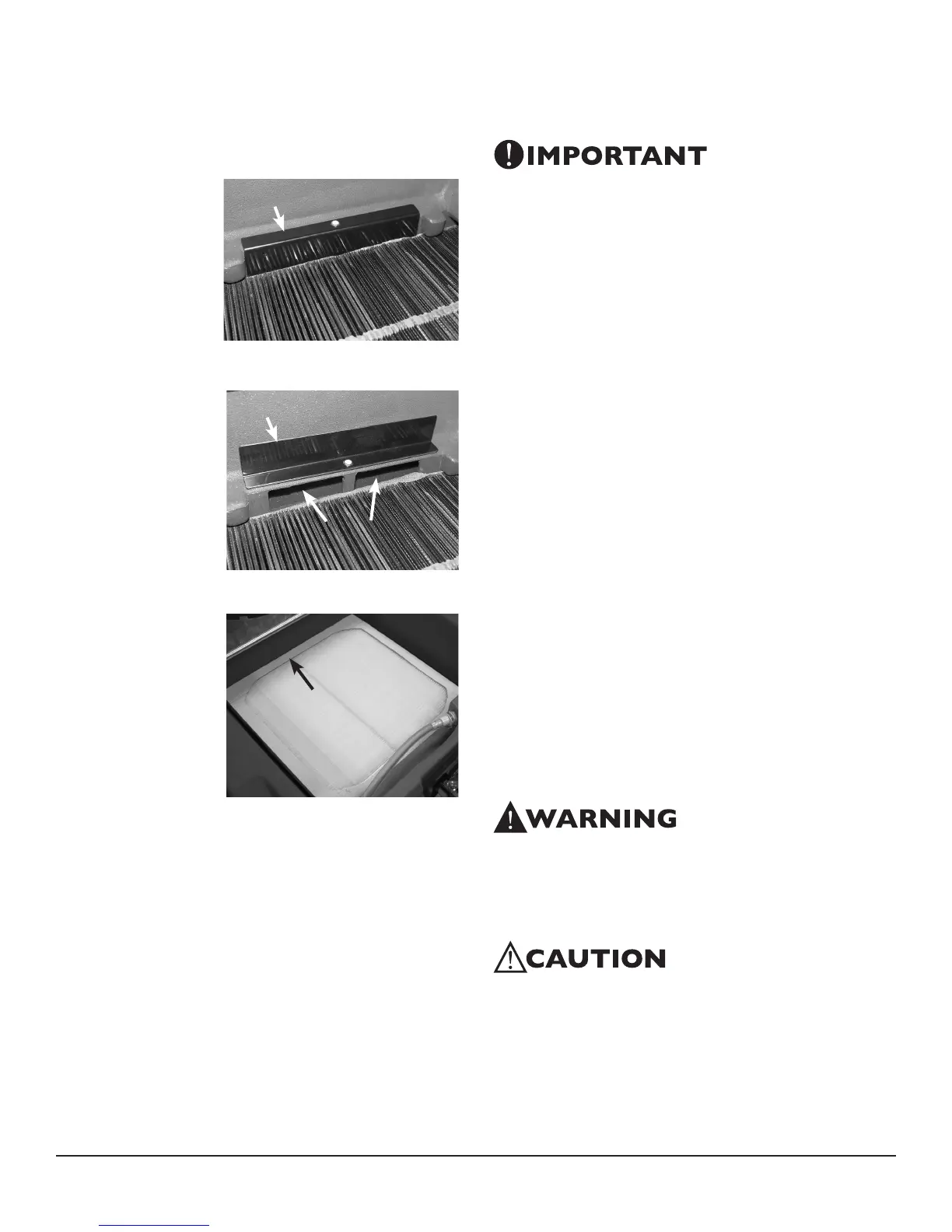
Below 90°F - When
the Phoenix R200
is used in normal
dehumidifier operating
temperatures (below
90°F), the bypass cover
must close the bypass
openings, figure 3. This
maximizes performance
by increasing the
amount of air that is
dehumidified across
the evaporator. This
temperature range
is often found during
the first 24 hours of a
drying job.
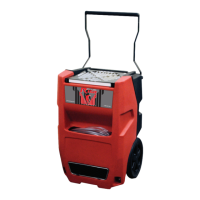
Above 90°F - When the
Phoenix R200 is used
in high temperature
conditions above
90°F, reposition
the bypass cover
to open the bypass
holes, figure 4. This
improves dehumidifier
efficiency by increasing
the amount of airflow
over the condenser
and lowering the
refrigerant pressure.
Simultaneously, this
slows the airflow
across the evaporator
allowing the air
temperature to be
lowered to the dew point and increases dehumidifier
capacity. These higher temperatures are often found after
the first 24 hours.
4 Maintenance
4.1 Air Filter
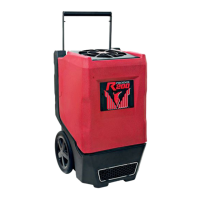
The Phoenix R200 is equipped with a pleated media air
filter that must be checked regularly. The standard filter is
a MERV-11 high efficiency filter. Operating the unit with
a dirty filter will reduce the dehumidifier’s capacity and
efficiency and may force the unit into defrost causing
the compressor to cycle “off” and “on” unnecessarily.
The filter can generally be vacuumed clean several times
before needing replacement. Replacement filters can be
ordered from the manufacturer or purchased locally if
available.
IMPORTANT: DO NOT operate the unit without the filter
or with a less effective filter as the heat exchanger and
coils inside the unit could become clogged and require
disassembly to clean.
4.2 Storage
There are two issues to consider when the Phoenix
R200 is stored between uses and both pertain to the
water trapped in the unit: damage caused by freezing or
biological growth. The effect of the trapped water can be
greatly reduced if precautions are taken to remove as
much as possible before storage.
1. Use the pump PURGE button to reduce the water level
in the reservoir
2. Walk out the hose to drain it completely
In order to reduce biological growth flush the unit with
a biofungicide that is approved for use with copper,
aluminum, polyethylene and ABS. To flush:
1. Run the hose to a drain
2. Plug in the unit but do not turn it on
3. Remove the air filter. Slowly pour a pint of the
chemical through the top so that it drains into the heat
exchanger
4. Use PURGE button to remove chemicals in reservoir.
Run PURGE until hose runs dry
5. Walk out hose to drain completely
6. Replace air filter
5 Service
WARNING: Servicing the Phoenix R200 with its high
pressure refrigerant system and high voltage circuitry
presents a health hazard which could result in death,
serious bodily injury, and/or property damage. Only
qualified service people should service this unit.
CAUTION: Do not operate unit without the front housing in
place.
5.1 Technical Description
The Phoenix R200 uses a refrigeration system similar to
an air conditioner’s to remove heat and moisture from
incoming air and to add heat to the air that is discharged.
Figure 4
Remove filter, snap grain control cover
into position shown, and replace filter.
BypassCover
Bypass Openings
Bypass openings
located under filter
Figure 3
Bypass Cover


 To Next Page