Label setup
1. Load your label
(j)Turn the printer on;
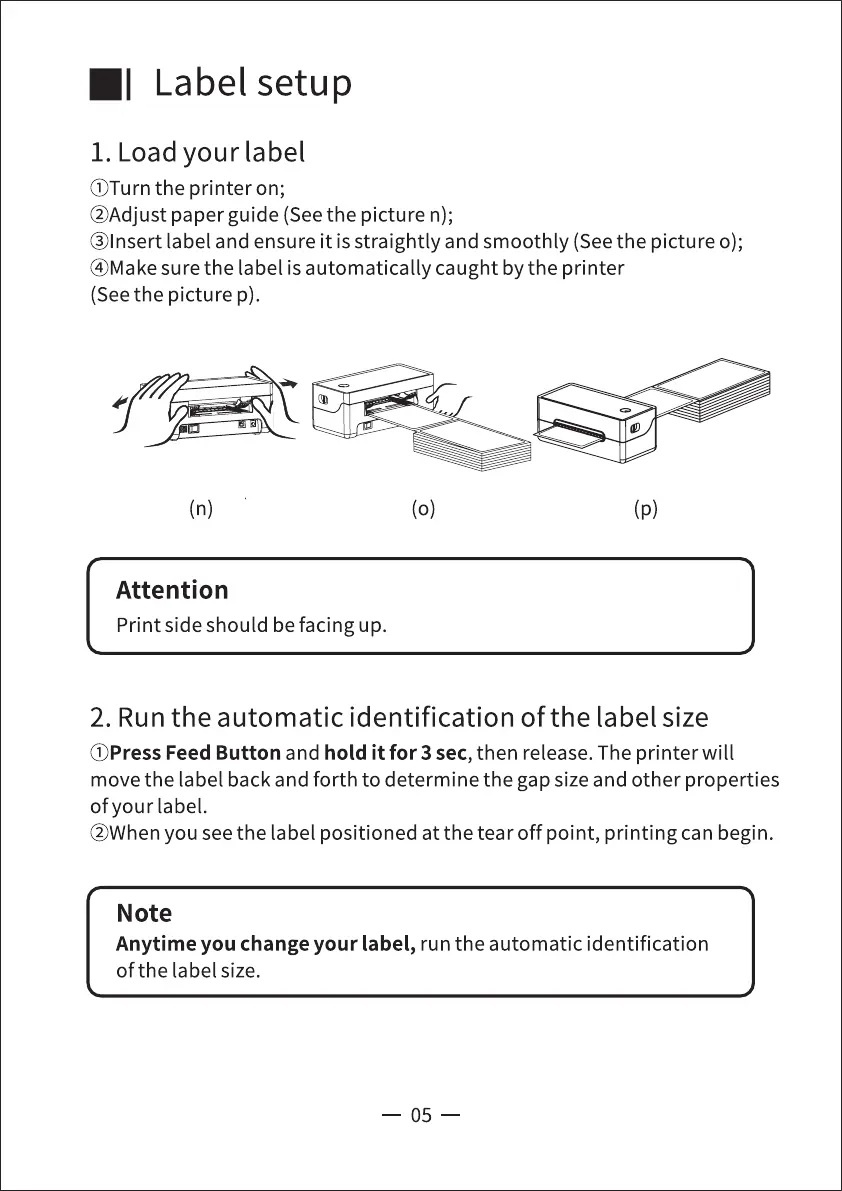
@Adjust paper guide (Seethe picture n);
@lnsert label and ensure it is straightly and smoothly (See the picture o);
@Makesure the label is automatically caught by the printer
(See the picture p).
(n)
Attention
Print side should be facing up.
(o)
0
(p)
2. Run the automatic identification of the label size
(j)Press Feed Button and hold it for 3 sec, then release. The printer will
move the label back and forth to determine the gap size and other properties
of your label.
@Whenyou seethe label positioned at the tear off point, printing can begin.
Note
Anytime you change your label, run the automatic identification
of the label size.
05



 To Next Page