10
8. Installation for ChromeOS
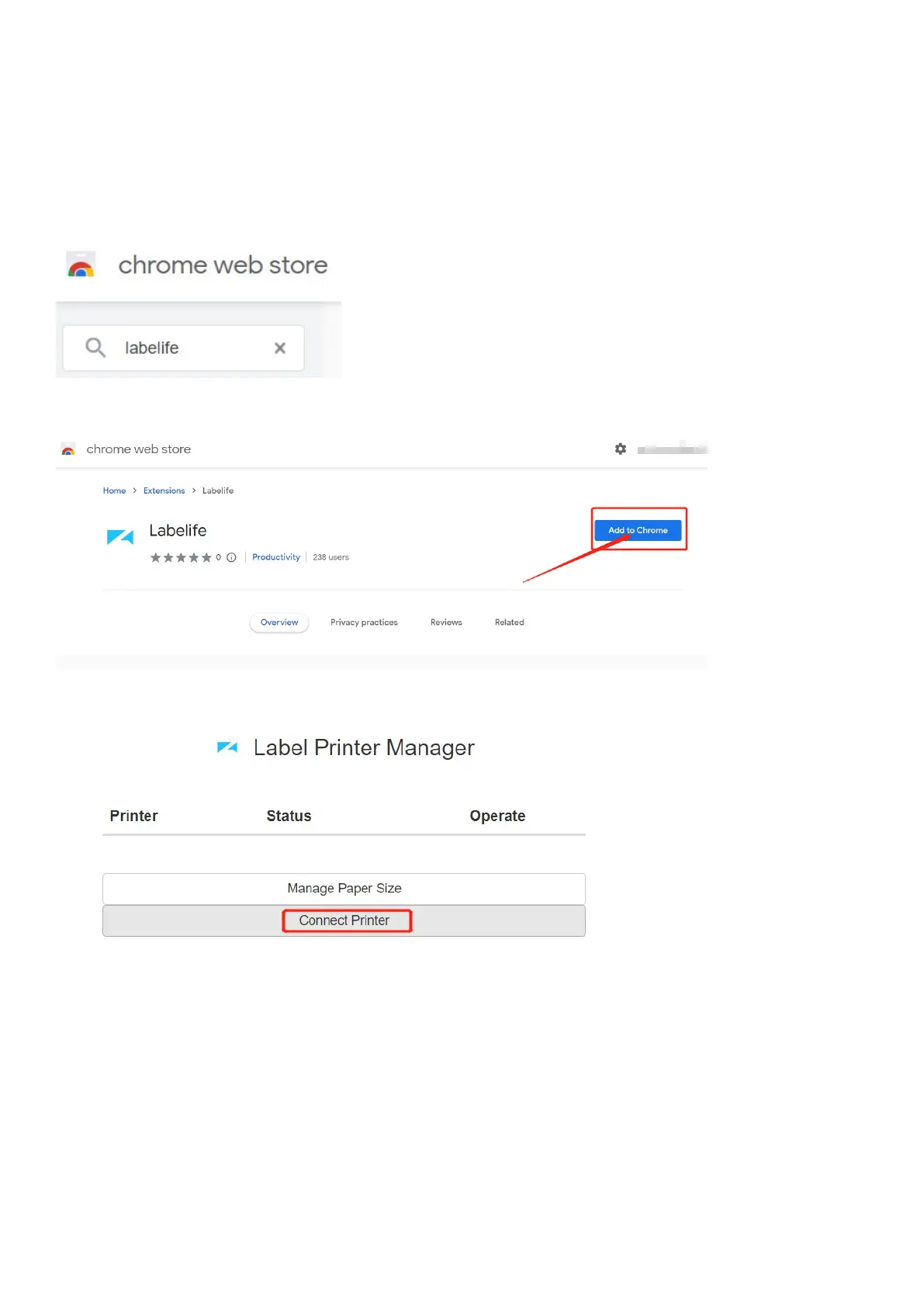
Open chrome web store.
Search “labelife” extension.
Add extension to your chrome.
Connect printer to chrome.
Select PM246S then pair with printer.
Now, the printer has been setup with your Chromebook already.



 To Next Page