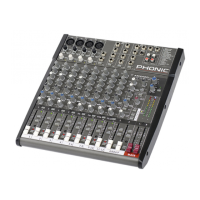
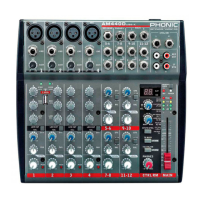
6 AM442D/642D
Making Connections
Inputs and Outputs
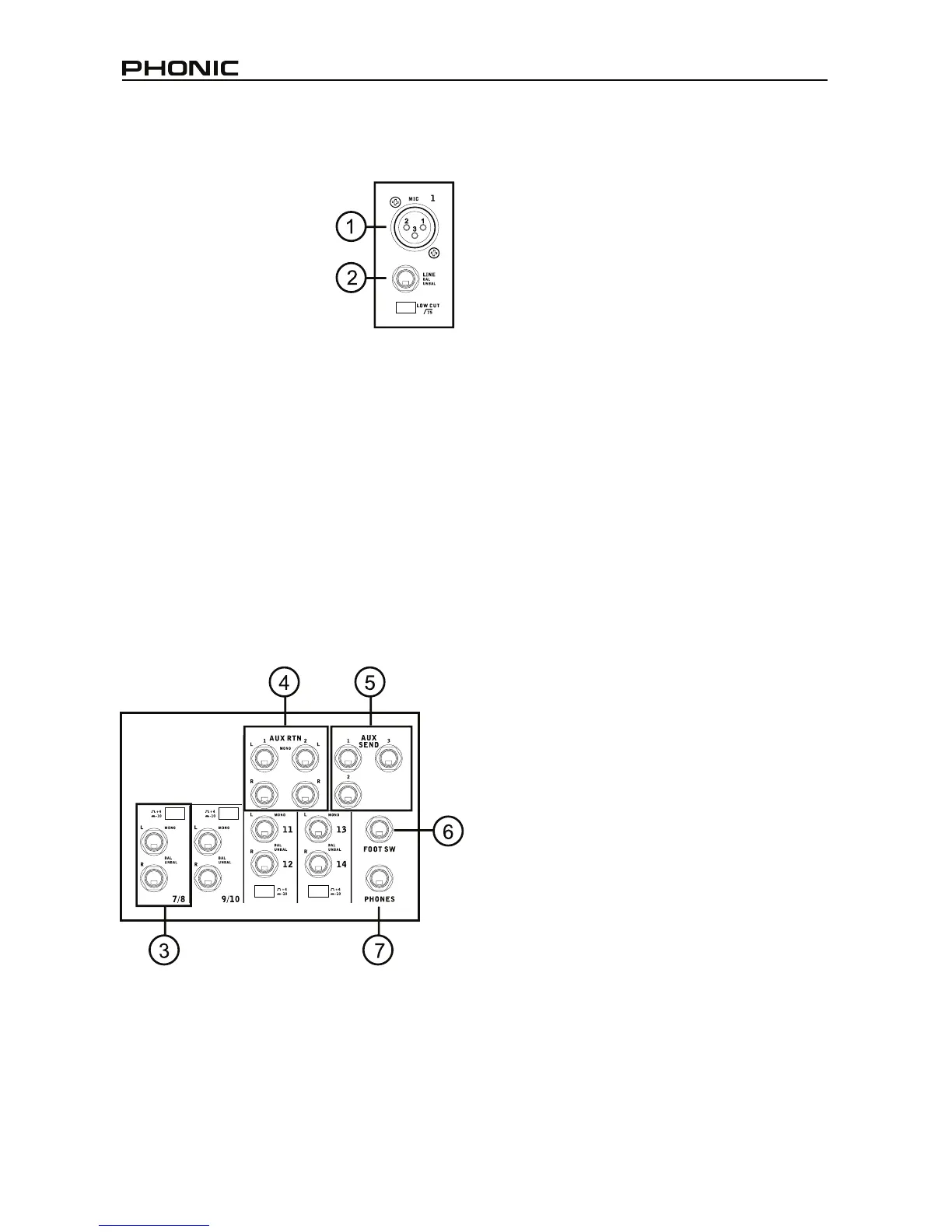
1. XLR Microphone Jacks
These jacks accept typical
3pin XLR inputs for balanced
and unbalanced signals. They
can be used in conjunction
with microphones–such as
professional condenser,
dynamic or ribbon microphones
– with standard XLR male
connectors, and feature low
QRLVHSUHDPSOL¿HUVVHUYLQJIRUFU\VWDOFOHDUVRXQG
replication. The AM 442D mixer features four
standard XLR microphone inputs, whereas the AM
642D features a total of six.
NB. When these inputs are used with condenser microphones,
WKH3KDQWRP3RZHUVKRXOGEHDFWLYDWHG+RZHYHUZKHQ3KDQWRP
Power is engaged, single ended (unbalanced) microphones and
instruments should not be used on the Mic inputs.
2. Line Inputs
This input accepts typical 1/4” TRS balanced or
TS unbalanced inputs, for balanced or unbalanced
signals. They can be used in conjunction with a wide
UDQJHRIOLQHOHYHOGHYLFHVVXFKDVNH\ERDUGVGUXP
PDFKLQHV HOHFWULF JXLWDUV DQG D YDULHW\ RI RWKHU
electric instruments.
3. Stereo Channels
The AM 442D and AM 642D also feature a few
VWHUHRFKDQQHOVWKURZQLQ IRU PD[LPXPÀH[LELOLW\
Each of these stereo channels features two 1/4”
SKRQH MDFNV IRU WKH DGGLWLRQ RI YDULRXV OLQH OHYHO
LQSXWGHYLFHVVXFKDVHOHFWURQLFNH\ERDUGVJXLWDUV
and external signal processors or mixers. If you wish
WRXVHDPRQDXUDOGHYLFHRQDVWHUHRLQSXWVLPSO\
SOXJWKHGHYLFH¶V´SKRQHMDFNLQWRWKHOHIWPRQR
LQSXWDQGOHDYHWKHULJKWLQSXWEDUH7KHVLJQDOZLOO
be duplicated to the right due to the miracle of jack
normalizing. The AM 442D and AM 642D feature
four stereo channels and include a +4/-10dB selector
VZLWFKIRUDPD[LPXPÀH[LELOLW\
4. AUX Returns
These 1/4” TS inputs are for the return of audio to
the AM 442D and AM 642D mixers, processed by
an external signal processor. If really needed, they
can also be used as additional inputs. The feed from
these inputs can be adjusted using the AUX Return
controls on the face of the mixer. When connecting
DPRQDXUDOGHYLFHWRWKH$8;5HWXUQDQGLQSXWV
simply plug a 1/4” phone jack into the left (mono)
input, and the signal will appear in the right as well.
7KLV KRZHYHU GRHV QRW ZRUN IRU WKH$8; 5HWXUQ
2 input on both AM442D/AM642D.When the AUX
Return 2 is used, the built-in digital effects processor
is automatically by-passed.
5. AUX Sends
These 1/4” TS outputs may be used to connect to
DQH[WHUQDOVLJQDOSURFHVVRURUHYHQWRDQDPSOL¿HU
and speakers (depending on your desired settings)
from the mixer. The signal from the AUX Sends is
controlled by the AUX master controls (on the face
of the mixer), which obtain their signal from the AUX
controls located on each channel strip. The AM
442D features 2 AUX sends, whereas the AM 642D
features a total of 3.
6. Foot Switch Jacks
This port is for the inclusion of a foot switch, used
to remotely turn the Digital Effects Processor on
and off.
7. Phones
This stereo output port is suited for use with
headphones, allowing monitoring of the mix. The
DXGLR OHYHO RI WKLV RXWSXW LV FRQWUROOHG XVLQJ WKH
Control Room / Phones control.


 To Next Page