15
FIREFLY 808
Users are also able to change between automatic and
manual sampling rate settings. When the sampling
rate is manually set, users can select between sam-
pling rates of 44.1, 48.0, 88.2, 96.0 and 128 kHz per
second for analog inputs and 176.4 and 192.0 kHz per
second for some digital devices. Many devices have
sampling rates that do not surpass 44.1 kHz per sec-
ond, therefore, when using multiple digital devices,
users are advised not to exceed this level unless they
are sure the secondary device’s sampling rate can.
Settings
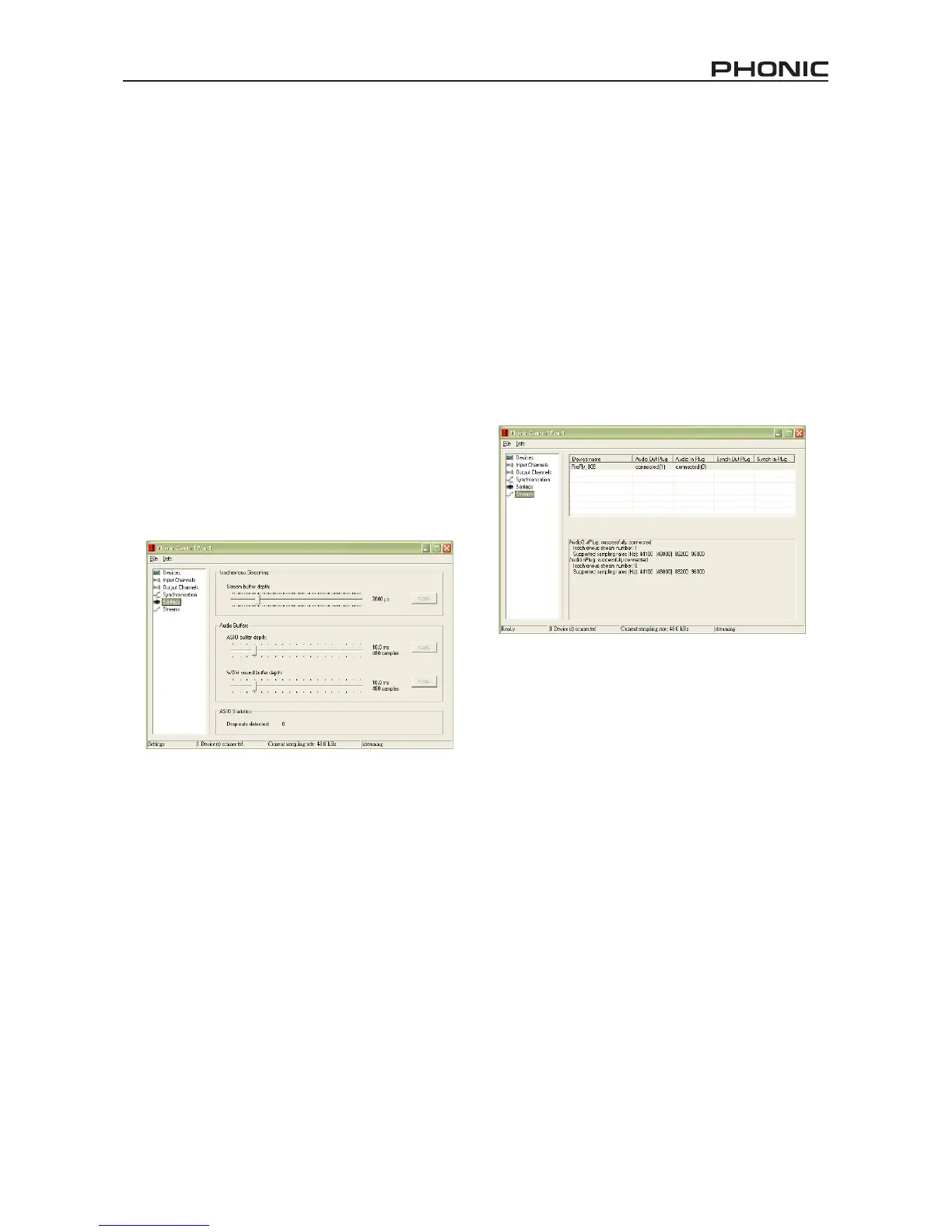
Users are able to adjust various buffer times in the
Settings section.
The Stream Buffer Depth is adjustable between 0.5
and 20 milliseconds. It adjusts the buffer used when
streaming a signal from the Firey. If the depth is set
too high, an obvious latency will become evident. If the
depth is too low, various clicks and pops may become
obvious. It is best to set the Stream Buffer Depth to a
level that allows users to get the lowest latency, while
still maintaining an optimal performance. The default
settings are ideal for most computers.
The ASIO Buffer Depth is adjustable between 4 and
40 milliseconds. This allows users to adjust the la-
tency of the stream received by ASIO driver-based
software (including Steinberg Cubase LE).
The WDM (Windows Driver Model) Sound Buffer
Depth is adjustable between 4 and 40 milliseconds.
This allows users to adjust the latency of the stream
received by WDM based programs.
Also in this section, users are able to view their “drop
out statistics”, where the number of times the FireWire
connection has been interrupted can be viewed.
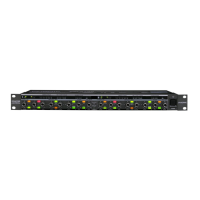
Streams
In the Streams section, the Firey device properties
can be viewed. Each input and output stream can be
scrutinized, and the isochronous stream number and
its supported sampling rates can be viewed.


 To Next Page