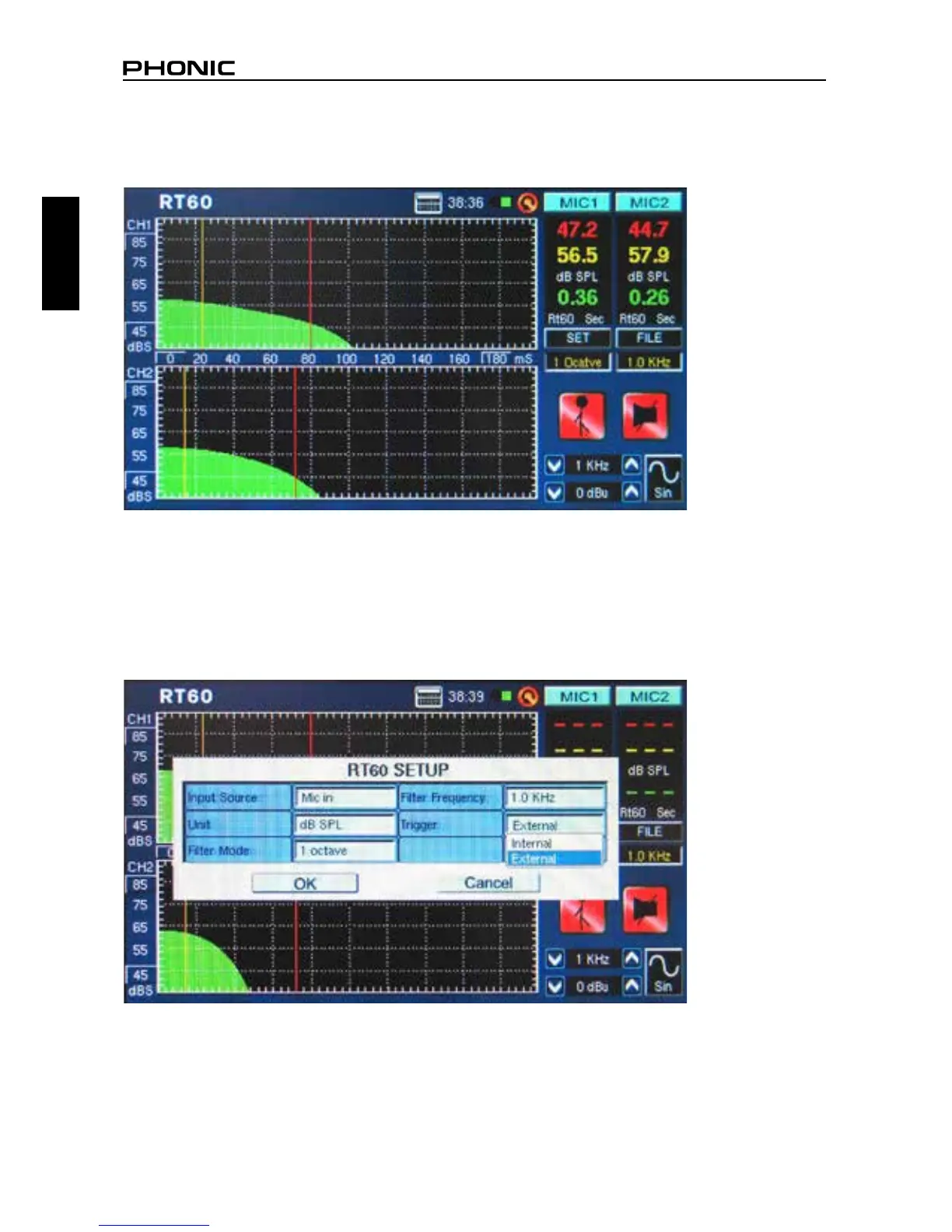
9. Select SET and change the lter mode to 1 octave. After doing so, select one of the frequencies from
the lter frequency eld. Doing so will allow users to retrieve the RT60 calculation for the selected
frequency only (gure 42).
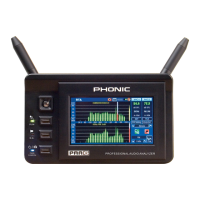
Trigger Mode (gure 43) – two trigger modes are provided in the setup menu.
Internal: Use this mode when the PAA6 generator output is used to provide the pink noise (or other
tone) for calculating the RT60.
External: Use this mode to trigger the RT60 calculations using an external sound impulse, such as
clapping, the thud of a bass-drum, a balloon popping or an external signal generator.
figure 42
figure 43


 To Next Page