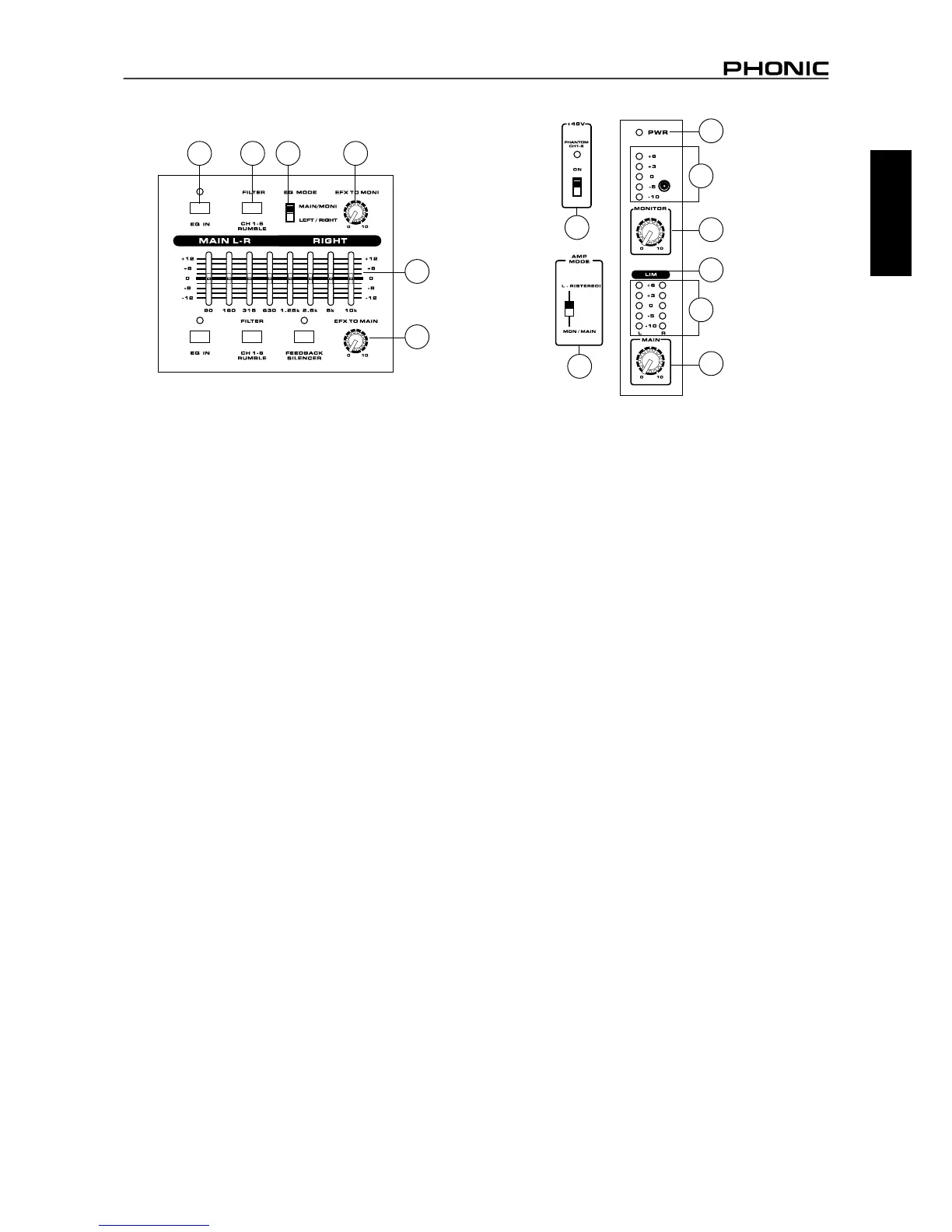
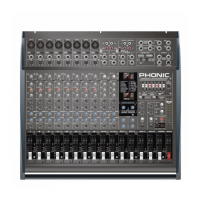
31. EQ IN and Indicator
This button activates the graphic equalizer in which it accompanies.
The corresponding LED indicator illuminates when the EQ is
activated.
32. Rumble Filter (Powerpod 1082 models only)
This button activates a rumble lter on channels 1 through 6 to
help remove low frequency sounds that could affect input signals.
33. EQ Select Switch
This switch enables you to select the way you utilize the pair of
Equalizers on these models. when the switch is in the uppermost
position it enables you to use the top equalizer for the Monitor
signal, and the bottom equalizer for the Main L/R signal; the lower
position enables the equalizers to be used for the Main Left and
Right signals.
34. Phantom Power Switch and Indicator
When this switch is in the on position it activates +48V of phantom
power for the XLR inputs on channels 1 to 6, allowing condenser
microphones to be used on these channels. The corresponding
LED will illuminate when the Master Phantom Power is activated.
35. Amp Select Switches
This switches control the activity of the built-in power amp,
enabling the user to alternate between the different signals which
can be processed by the built-in power amp and routed to the
speaker outputs on the rear of the device. This switch allows you
to select from: Main/Monitor – taking the monitor and main signals
and directing them to the appropriate speaker outputs – Main L /
Main R – using the Main L/R signal to feed the speaker outputs.
36. Monitor Level Control
This rotary control allows the user to adjust the nal signal level
sent to all Monitor outputs.
37. Main Level Control
This rotary control allows the user to adjust the nal signal level
sent to the Main L-R and Speaker outputs.
38. Level Meter
These level meters give accurate indications of when audio levels
of the Main L/R stereo (or Main mono) and Monitor outputs reach
certain levels. The 0 dB indicator illuminates is approximately equal
to an output level of +4 dBu. It is suggested for the maximum use of
audio to set the various levels controls so that it sits steadily between
0 and the second highest level indicated on the Level Meter to make
full use of audio, while still maintaining fantastic clarity.
39. Limiters
These LED indicators illuminate when the power amplier’s built-in
limiters are activated, which effectively reduce signal levels when
they reach high levels that could prove to damage sound quality.
40. Power Indicator
This LED indicator illuminates when power of your Powerpod
mixer is activated.
31 32 33
26
30
27
34
35
37
39
36
40
38
38



 To Next Page