Setup 8
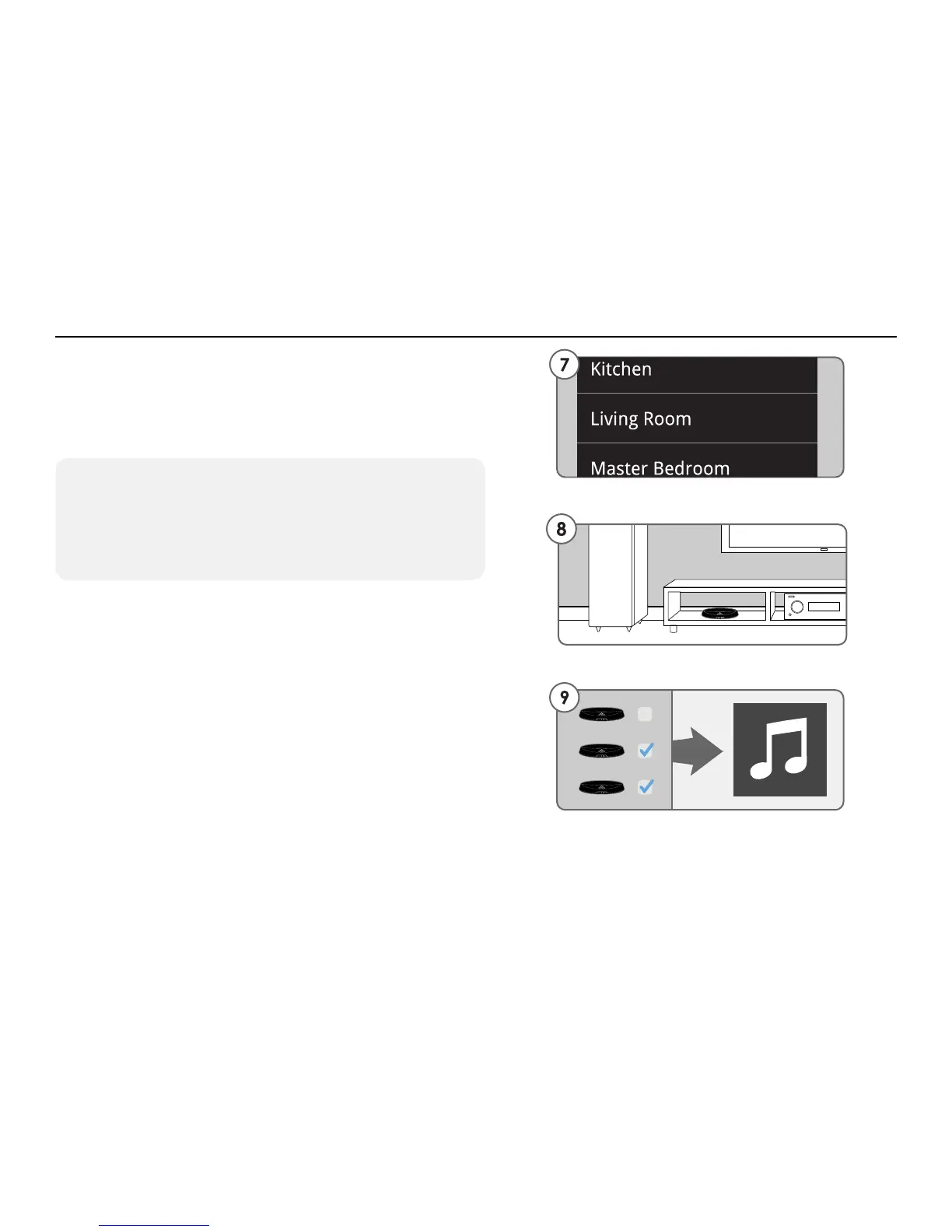
7. The Play-Fi App will ask you to name your
Receiver. There are several names to choose
from or create your own by choosing Custom
Name at the end of the name list.
8. If you set up your Receiver near your router
now is the time to power it off, move it to where
you want to listen, and power it back on.
9. When you are done simply select the music
you want to play in the Play-Fi application on
your Android device.
Please visit the following website for help with
setup or any other issues you may have.
http://support.phorus.com
Standard Wi-Fi Setup - Steps 7-9
Setting Up PR1 Receivers After Launching the App
The Play-Fi App only looks for devices in Standard Wi-Fi
Setup Mode when it is launched. To detect a Play-Fi
device after launching the app, go to the Home screen,
select Settings and then Add Play-Fi Device.


 To Next Page