Setup 9
Wi-Fi Protected Setup (WPS) is a feature on
some routers that allows a PR1 Receiver to
automatically and securely connect without
needing to enter a password. WPS is not a
standard feature on all routers, and only one
PR1 Receiver can be set up at a time (see
the Standard Wi-Fi Setup section for multiple
Receivers).
Check your router’s owner
manual to see if WPS is a
feature or look for a button on
your router marked with the
WPS logo. If your router does
not have WPS then use Standard
Wi-Fi Setup.
If your router has WPS you can follow the
WPS instructions in the Play-Fi App or use the
following instructions.
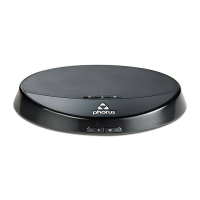
1. Plug in the PR1 Receiver near your router. Wait
approximately 20 seconds for the Receiver to
fully power on.
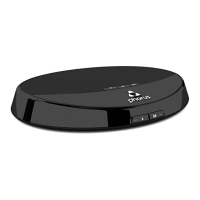
2. Hold down the Wi-Fi button until the PR1
Receiver makes a chime (approximately 4
seconds) and then release the button.
3. Place your router in WPS mode. Usually this
is done by holding the router’s WPS button but
check your router owner’s manual.
4. The PR1 Receiver’s Wi-Fi light will stop
blinking and become solid once the secure
connection is made.
To nish setting up the Receiver you can name it
by following the instructions on the next page.
Wi-Fi Protected Setup (WPS)
How To Exit WPS Mode:
If you ever need to exit the WPS Setup Mode just
press the Wi-Fi button once. The PR1 Receiver will
chime once and then return to its previous mode.
WPS Logo


 To Next Page