Settings 16
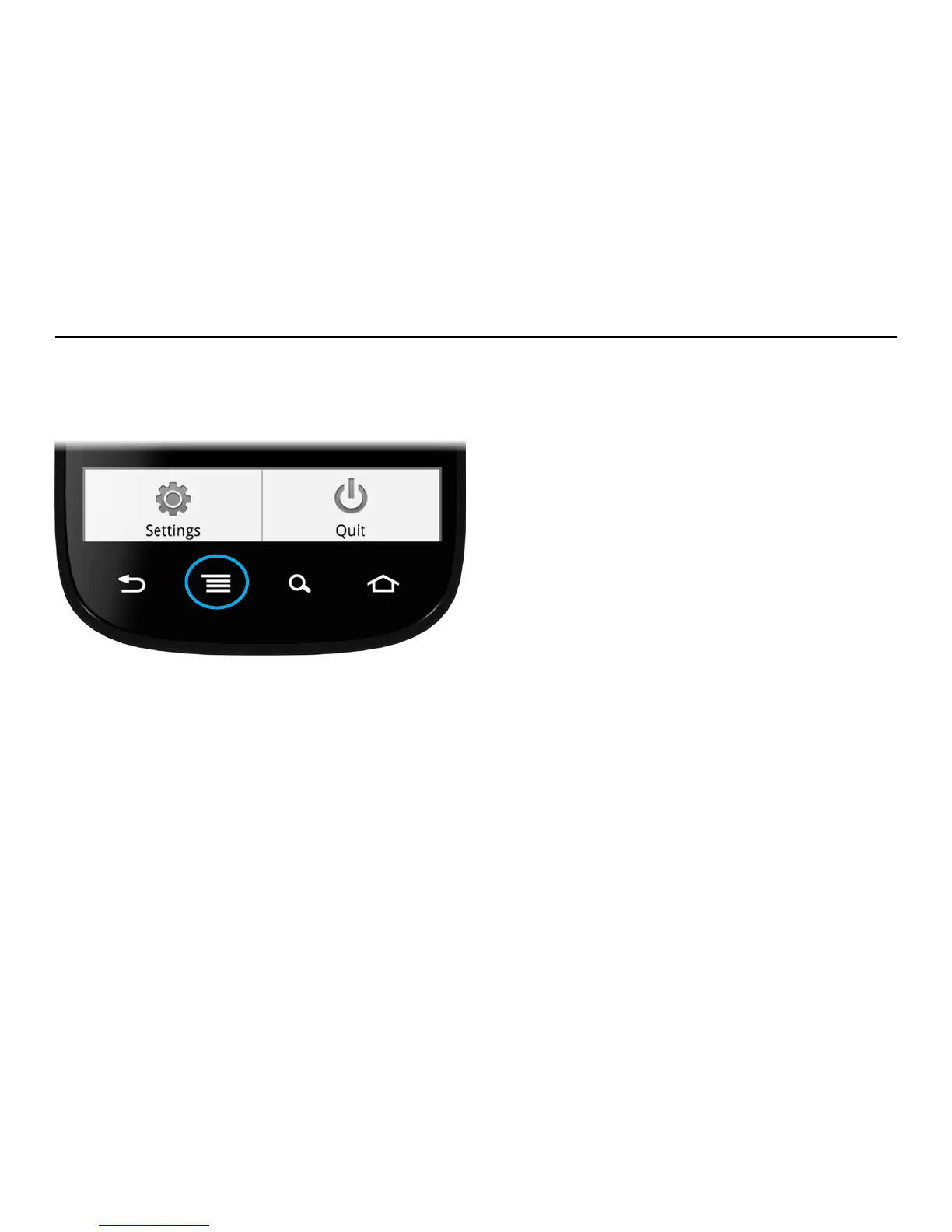
The Settings menu is accessed from the Home
menu of the Play-Fi App by pressing the Menu
button on your Android device.
Add Play-Fi Device
Add Play-Fi Device allows you to manually set up
a Play-Fi device. See the Setup section for more
information.
Update System
Update System checks to see if your Play-Fi App
and Play-Fi devices have the latest software. If
the app or any devices need an update, the app
will guide you through the update.
Keep Screen On
Ticking the check box prevents your Android
device’s screen from turning off while playing
music. Keeping the screen on is useful if you
enjoy the seeing the album art and track info on
the Now Playing screen. Keeping the screen on
will drain the battery more quickly than if it is off,
so only use this feature when your Android is
plugged in and charging.
About
About displays relevant information about
the Play-Fi App and devices. This is used for
troubleshooting.
Settings


 To Next Page