Setup 6
Before starting, make sure the system
requirements are met and that you have all the
components from the What’s Included section.
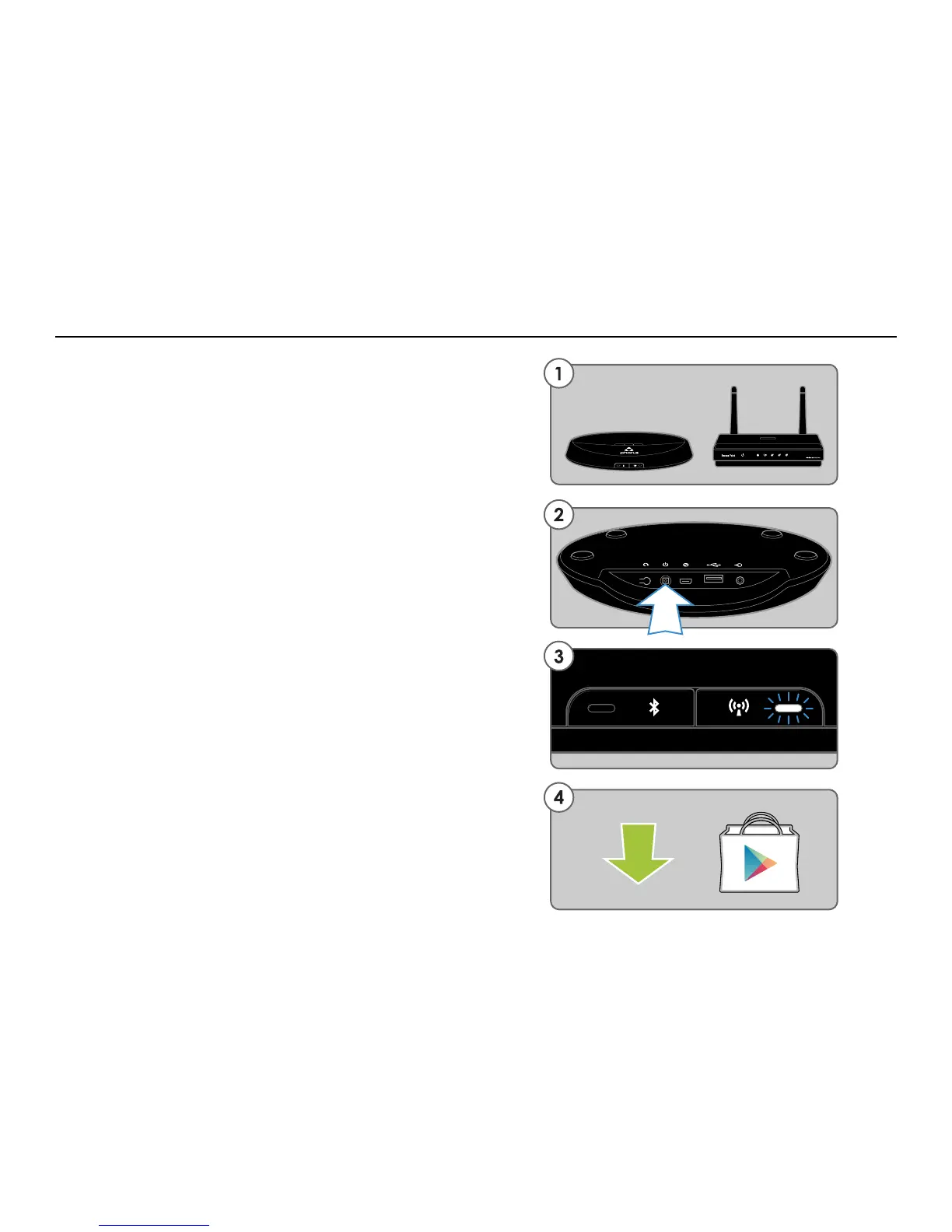
1. For best results place your PR1 Receiver(s)
near your router. You may move Receiver(s) after
setup is complete.
2. Plug-in your PR1 Receiver(s). Your Receiver
will automatically power on. The Wi-Fi light will
blink quickly while the Receiver is starting up.
3. Wait until the white Wi-Fi light goes from a fast
blink to a slow pulse. When it’s pulsing it is in
Wi-Fi Setup Mode and broadcasting to the world,
“I’m looking for Android devices!”
4. Connect your Android phone or tablet to the
same Wi-Fi network that you want to connect
your PR1 Receiver(s). Download and install the
free Play-Fi App from the Google Play Store or
the Amazon App Store.
- Continued on next page
Standard Wi-Fi Setup - Steps 1-4


 To Next Page