Page 25 of 28
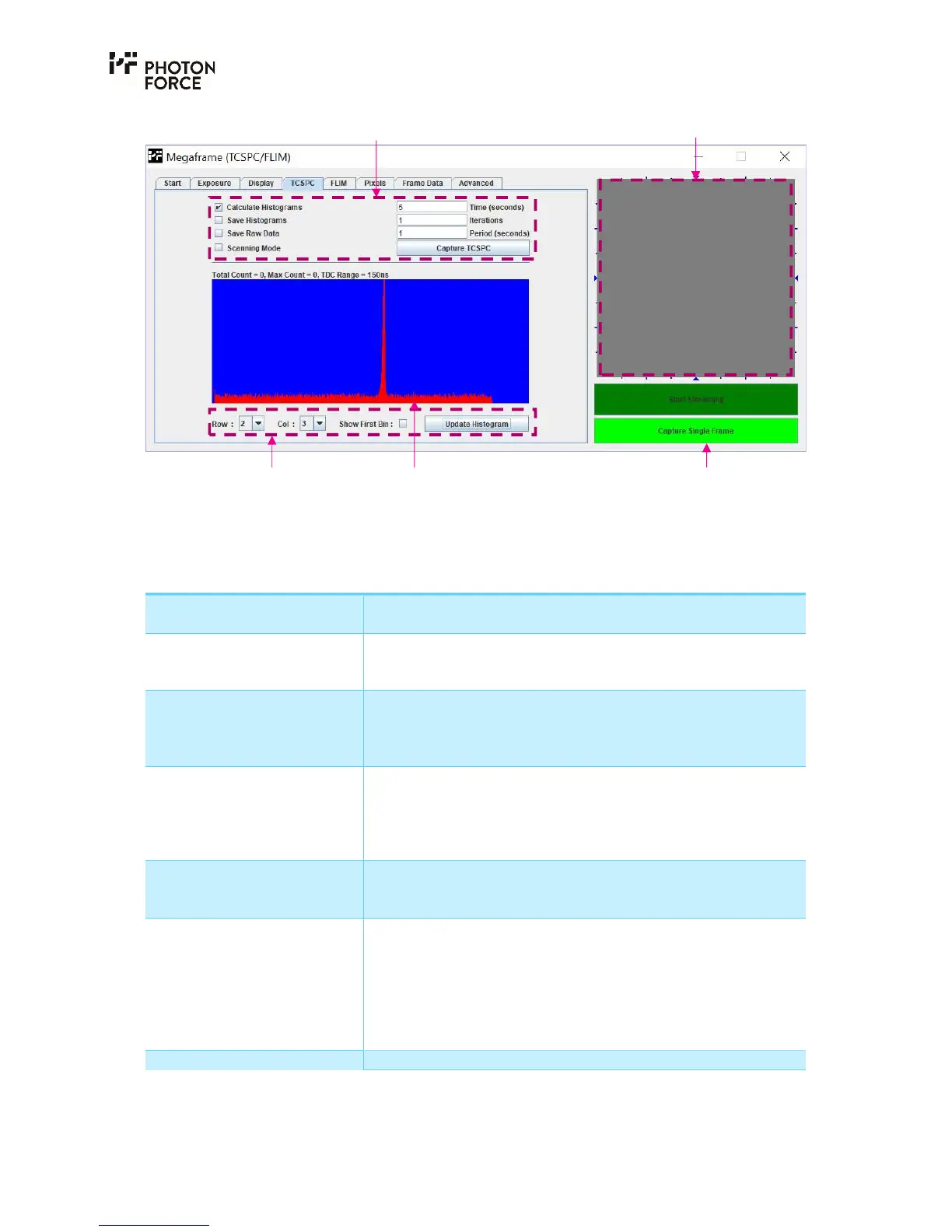
PF32 Java application TCSPC tab.
The following histogram controls are available:
Setting Description
Calculate Histograms Enabled by default. If disabled, the software will acquire data
but not calculate histograms.
Save Histograms If enabled, the software will save the generated histogram data
in a CSV format. Alternative file formats may be available on
request.
Save Raw Data If enabled, the sensor will save the captured raw frame data to
disk in CSV format. Note that enabling this feature may
significantly slow down data acquisition, depending on the
speed at which your PC can write to disk.
Time(seconds) Histogram update rate, specified in seconds. For example, if set
to 1 second, then a number of frames corresponding to 1
second of sensor exposure time will be acquired. Note that data
acquisition may take longer than the specified exposure time,
depending on the sensor frame rate and USB bus bandwidth.
Iterations Specifies the number of iterations of data capture to complete.
For example, if set to 10, then 10 sets of data of the specified
length will be captured.
Period (seconds) Optionally, a value may be given here to capture the number of
iterations within the specified interval (i.e., if time is set to 1,
iterations to 10, and period to 10, then a 1-second exposure
time will be captured followed by a 9-second pause before the
next data capture, repeated 10 times). Note that the period
setting will not take effect if set to less than the integration
time.
Capture TCSPC Starts the requested histogram capture.
Image display area Histogram acquisition controls
Streaming controls
Histogram display
controls
Single pixel
histogram display



 To Next Page