Page 24 of 28
D I S P L A Y T A B
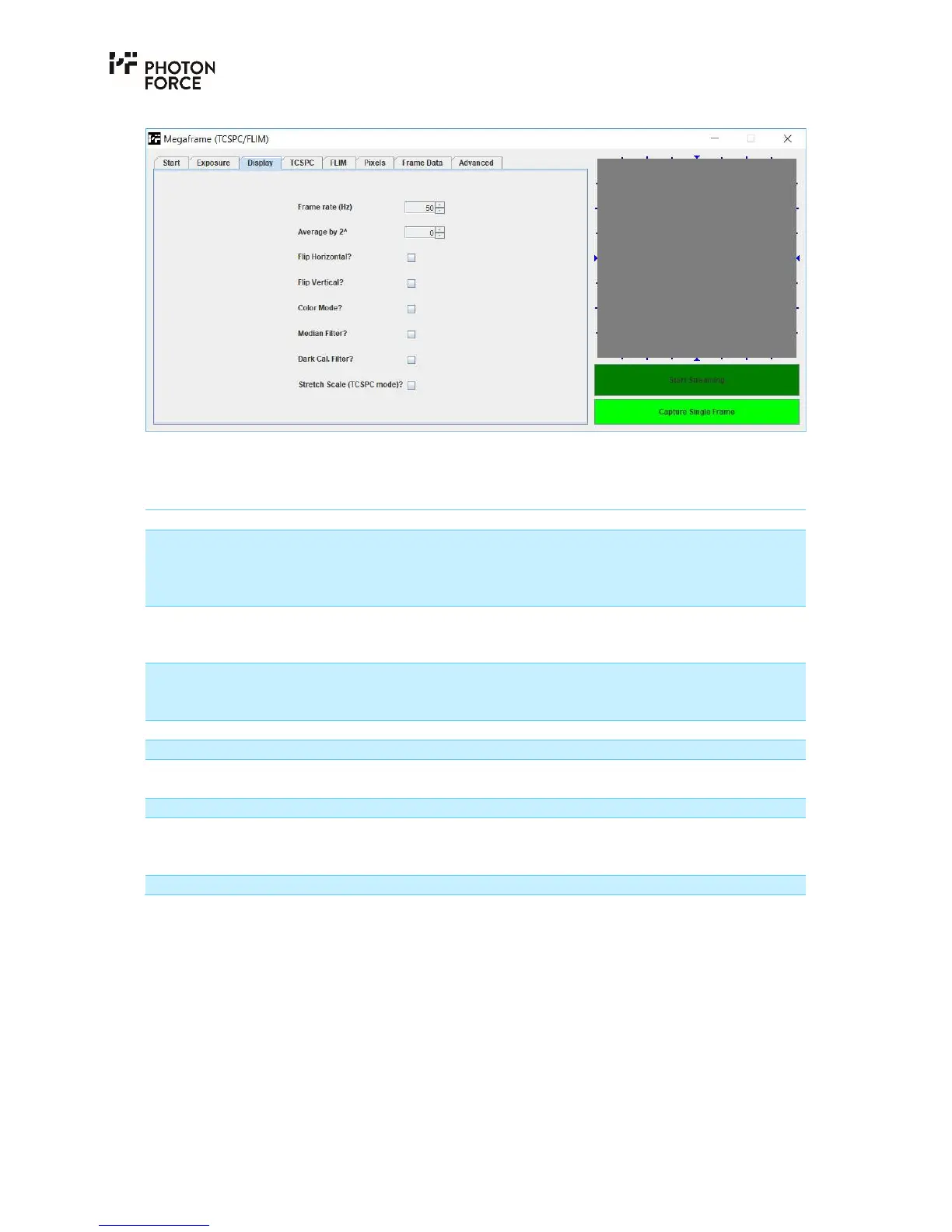
PF32 Java application Display tab.
The display tab provides settings controlling how image data is displayed in the image display
area.
Setting Description
Frame rate (Hz) Specifies the target frame rate that the application should
attempt to display in streaming mode. Note that the refresh
rate of most displays is around 60Hz, so streaming faster than
this is not useful.
Average by 2^ This setting instructs the Java application to average a number
of sensor frames, specified as 2
N
, and display the result instead
of raw data. This should not be applied in TCSPC mode.
Exposure Time (µs) Displays the total exposure time for each frame received by the
PC, defined as the sensor frame time multiplied by the number
of frames to add.
Flip Horizontal Inverts the displayed image horizontally.
Flip Vertical Inverts the displayed image vertically.
Color Mode When checked, enables false colour mode. This is enabled
automatically in TCSPC mode.
Median Filter Applies a noise filter to the displayed image data.
Dark Cal. Filter Applies a basic dark count (DCR) correction. Note that this
experimental feature is only operational if DCR calibration
data has been generated for your PF32 camera.
Stretch Scale (TCSPC mode)
T C S P C T A B
The TCSPC tab provides a basic means of capturing data at high speed from the sensor, and
performing software-based histogramming of the data received by each pixel. Note that high
speed capture and histogram generation is independent of the image display area and streaming
controls discussed previously. The image display area will not update during histogram capture.
Also note that if the camera is streaming to the image display area when “Capture TCSPC” is
pressed, streaming and image display will pause while histogram capture is in progress, and
resume automatically afterwards.



 To Next Page