Page 20 of 28
J A V A D E M O A P P L I C A T I O N G U I D E
O V E R V I E W
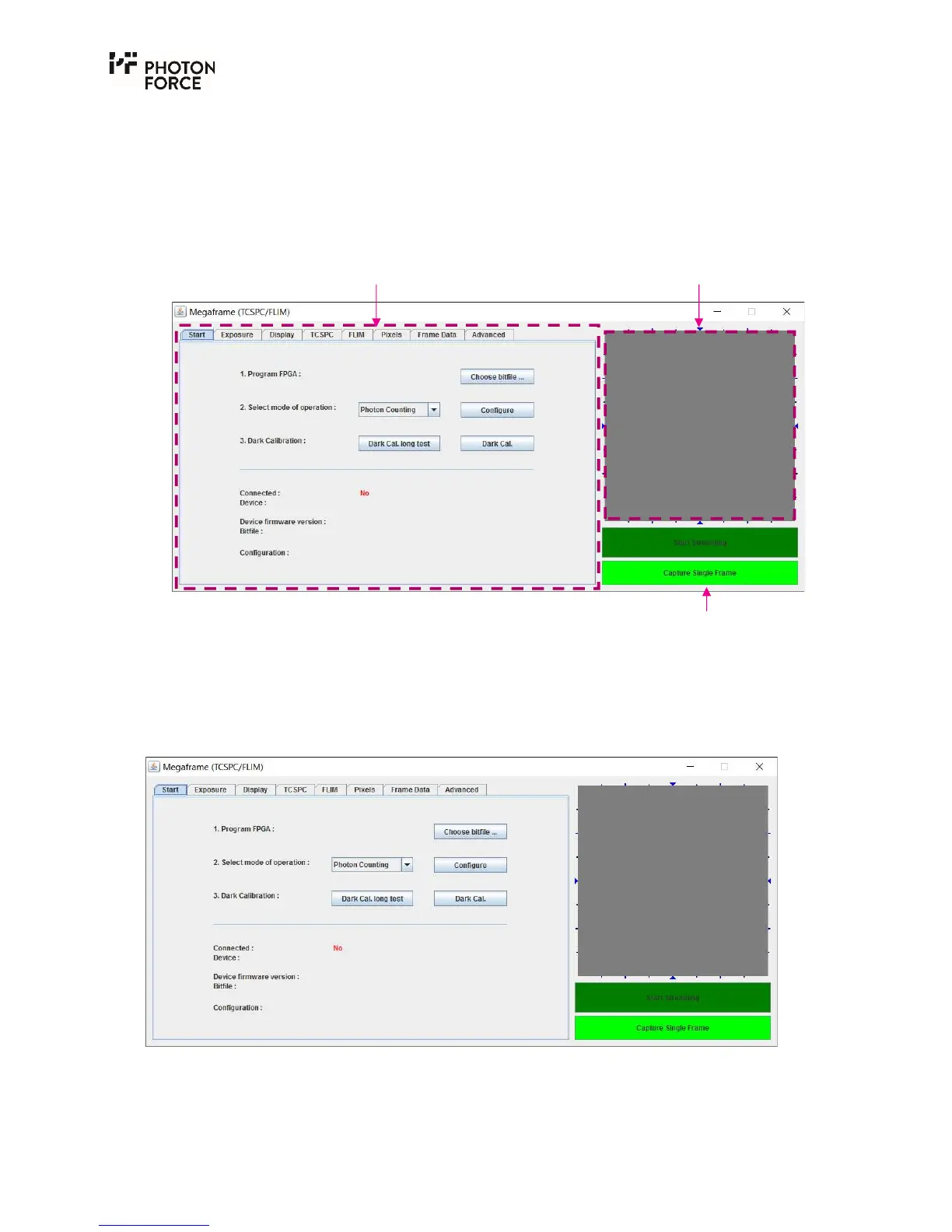
The PF32 Java demo application GUI is shown below. It consists of a tab-based control panel, an
image display area, and streaming controls. These features are discussed in turn. Note that none
of the features will be active until a PF32 camera has been connected, powered on, and configured
using the start tab as described below.
Overview of the main PF32 Java demo application GUI features.
S T A R T T A B
When the PF32 Java GUI is launched, it will initially display the Start tab, as shown below. The
start tab displays status information, and provides controls to load the camera’s firmware and set
the operating mode.
PF32 Java application Start tab, with no PF32 camera connected.
Note that none of the software features are active until a PF32 camera has been connected, and
the firmware loaded. With a PF32 camera connected and powered on, press the “Choose bitfile”
Image display area Tabbed control panel
Streaming controls



 To Next Page