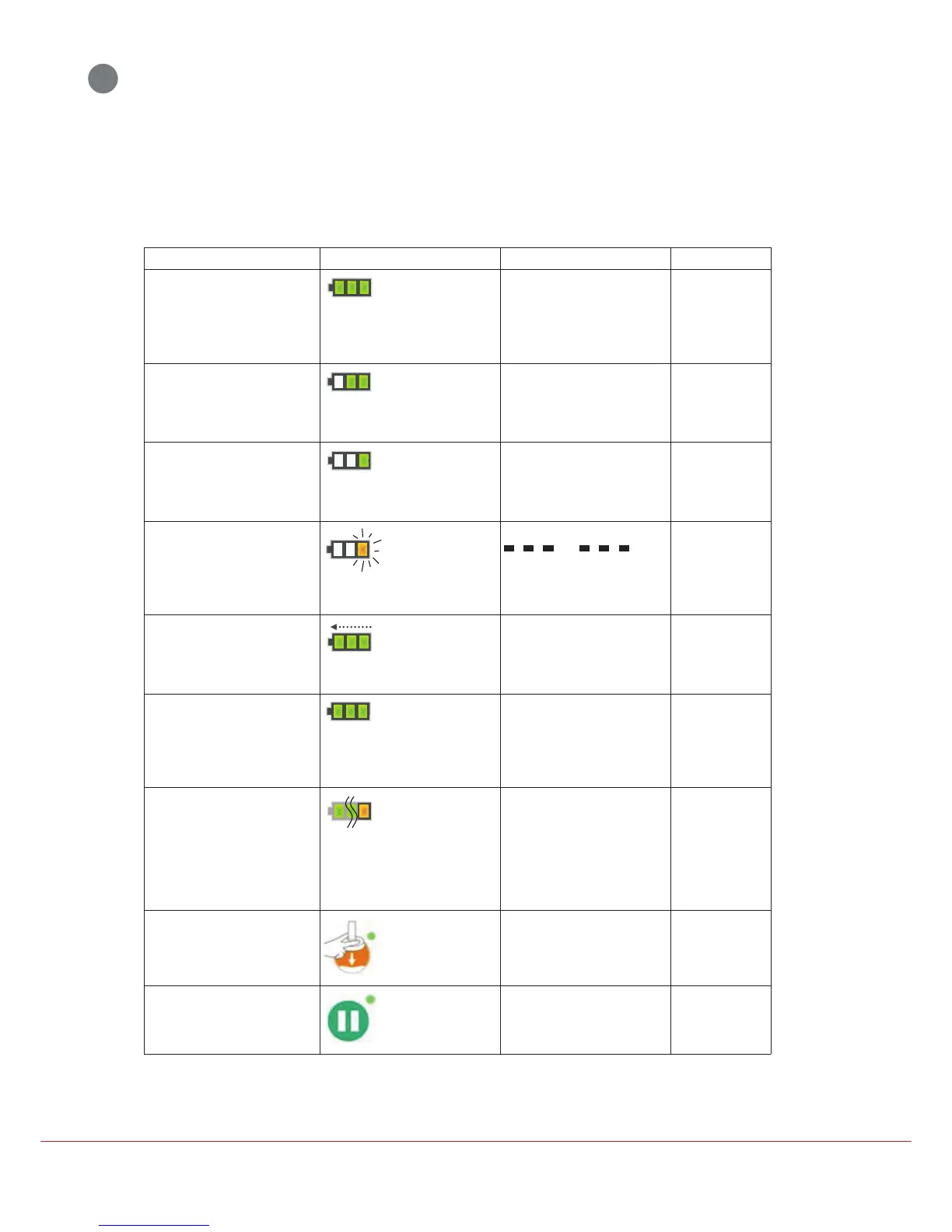
LUCAS is in the ON mode and
there is more than 90% Battery
capacity remaining.
Fully charged Bat-
tery:
All 3 green Battery
indication LEDs
show a constant
light.
None None
LUCAS is in the ON mode and
there is more than 60% and less
than 90% Battery capacity re-
maining.
2/3 charged Battery:
The 2 green Battery
indication LEDs to
the right show a con-
stant light.
None None
LUCAS is in the ON mode and
there is more than 30% and less
than 60% Battery capacity re-
maining.
1/3 charged Battery:
The green Battery in-
dication LED farthest
to the right shows a
constant light.
None None
LUCAS is in the ON mode and
there is less than 30% Battery ca-
pacity remaining (approximately
10 minutes of operating capa-
city).
Low Battery:
The orange Battery
indication LED far-
thest to the right illu-
minates
intermittently.
Medium priority alarm Replace the Bat-
tery or connect to
the external pow-
er supply.
An external LUCAS Power Sup-
ply is connected and charging the
Battery.
Charging Battery:
The 3 green Battery
indication LEDs
show a "running"
light.
None None
An external LUCAS Power Sup-
ply is connected and the Battery
is fully charged.
Fully charged Bat-
tery:
All 3 green Battery
indication LEDs
show a constant
light.
None None
The Battery has been used more
than 200 times with compres-
sions of more than 10 minutes
each or is older than 3 years.
End of Battery ser-
vice life:
The Battery indica-
tion LED farthest to
the right shows or-
ange light instead of
green, in all the
above situations.
None Dispose of
Battery.
In the ADJUST mode. The ADJUST LED
shows a green light.
None None
In the PAUSE mode. The PAUSE LED
shows a green light.
None None












 To Next Page