EasyManua.ls Logo

Pickering Laboratories PCX 5200 - Flow Diagrams; PRESET Key; PROG Key

Default Icon
76 pages
Print Icon
To Next Page IconTo Next Page
To Previous Page IconTo Previous Page
Loading...
PCX5200 Users Manual Chapter 2
2-18
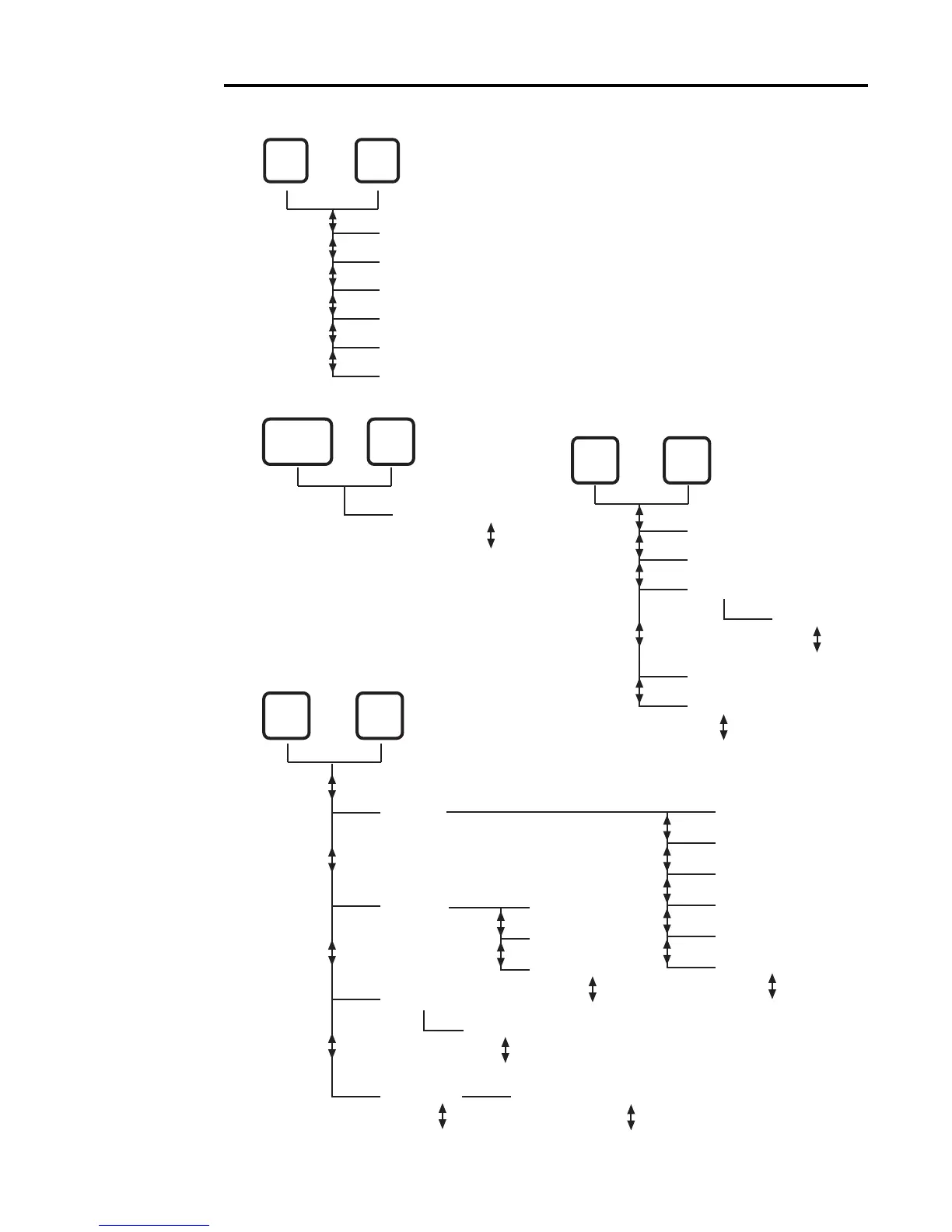
Flow Diagrams
PRESET Key
PROG Key
0 Pump hrs? NO
YES
PROG
STATUS
Autozero NO
Autozero YES
Back? NO
Pres Max ### bar
Pres Min ### bar
Set Autozero
Span ####
Back? YES
PROGPRES
COLUMN
Interlock OFF
Interlock ON
Int reset ###
Prop band ##
Cycle ### sec
Deriv ###
Deriv App ##
Back? YES
NO
C Span ###
C Offset ##°
Back? YES
NO
Back? YES
NO
Save Changes? NO
YES
C PID
C RTD
Set Interlock
PROGTEMP
COLUMN
PRE
SET
Preset
1 [Name]
2 [Name]
3 [Name]
4 [Name]
5 [Name]
For all of the diagrams below, press and hold
the function key (i.e. PRESET, TEMP), then
press
or PROG. For PROG functions,
release the keys when the PROG LED
turns orange.

Table of Contents