Page 5
w SOURCE/OFF/READ Switch
Select “SOURCE” to output mA, V, T/C, Ω, RTD or Hz.
Select “READ” to read mA, V, T/C, Ω, RTD or Hz.
e EZ-DIAL™ KNOB
SOURCE: Turn the knob to adjust the output level. Turn clockwise to
increase the output, counter clockwise to decrease the output in one
least significant digit steps at a time. Push down and turn the
EZ-DIAL knob for faster dialing.
Press and hold the knob for two seconds to store desired
EZ-Check™ HI/LO points in SOURCE mode. Continue to press and
hold the knob for two more seconds to start the automatic ramping.
READ: Press and hold to transfer the current temperature into
the EZ-Check™ MIN/MAX points. This clears the MIN/MAX
readings which will update as the input value changes.
SELECTING FUNCTIONS
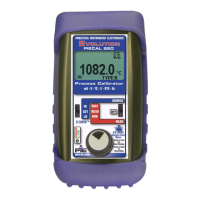
The EZ-DIAL knob is used to setup the PIECAL 820 to match
the instrument to be calibrated or signal to be measured. Each
time you turn on the PIECAL 820 the LCD displays the following
screen for about 1 second followed by operating in the function
used the last time it was operated.
Double Click the EZ-DIAL knob to change the function of the
calibrator and to select ranges, units and other user settings.
Each function (mA, V, T/C, Ohms, RTD, Frequency) has two
pages of menus. The first menu page has settings for the func-
tion and the second menu page has settings for STEPPING,
AUTO OFF and BACKLIGHT. Settings are remembered even
with the power off but are reset when the batteries are changed.
MODEL 820
DOUBLE CLICK
EZ-DIAL KNOB
FOR CONFIGURATION
V #.##
Operating Instructions
Basic Operation


 To Next Page