MAINTENANCE
To enter into the maintenance screen press the Maintenance
buon, then enter the password 411.
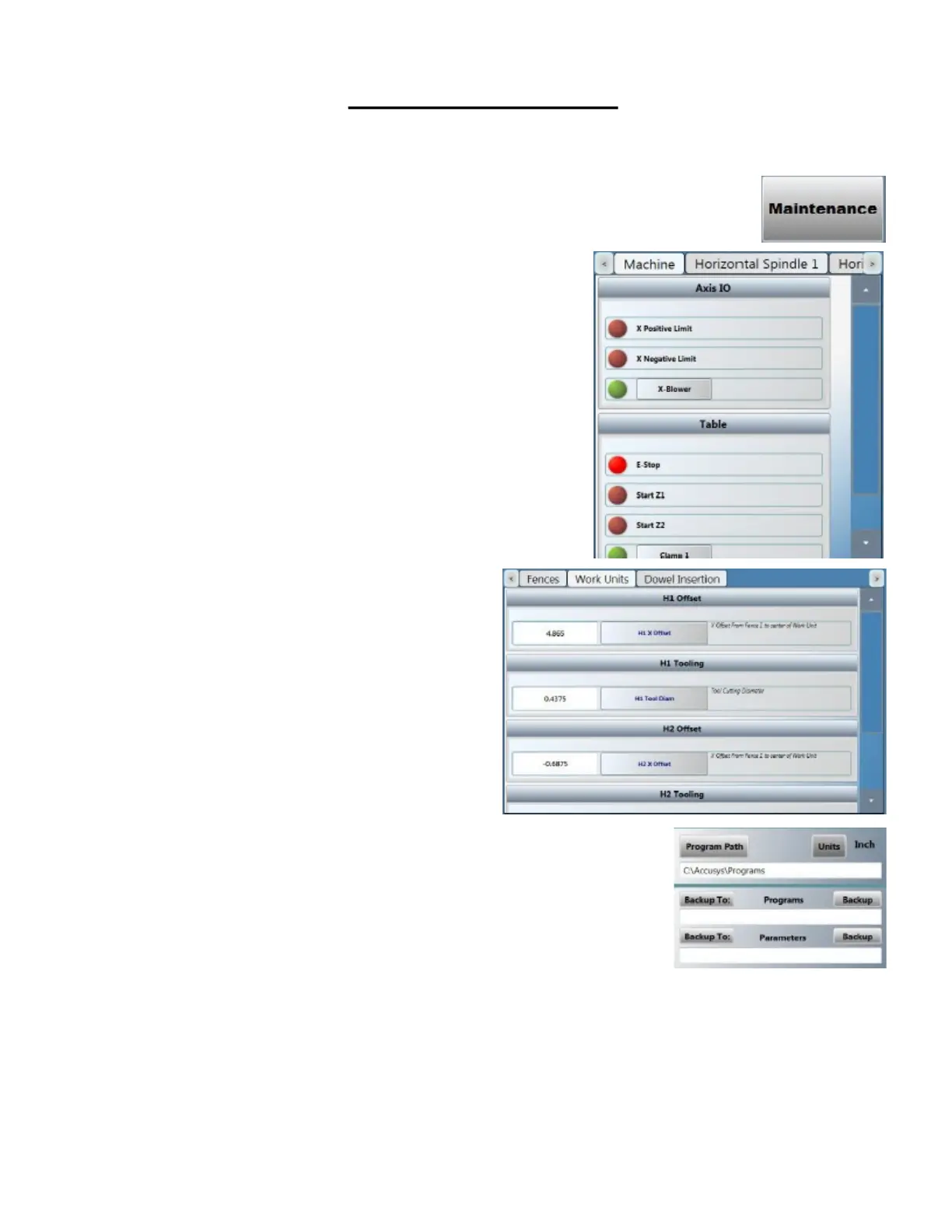
This is the I/O secon. It is used to check communicaon between
the sensors and the program.
The boxes with the red lights are the inputs.
(Sensors, lights, etc.)
The boxes with the green lights are the outputs. Pressing the
buon will re the output associated with the buon.
(Example: Pressing the Clamp 1 buon will re all the clamps asso-
ciated with Zone 1.)
This secon is good for troubleshoong for the operator and the
technician involved with technical support.
This is the Osets secon.
It is used to correct any calibraon problems with the programs
being made on the main page.
Changing these numbers will change the locaons of holes, routes,
depths, etc.
If unsure about using this secon please contact tech support for
help.
This is the Backup secon. It is used to backup osets and pro-
grams. In case of program, PC or machine failure. It is always rec-
ommended to keep a backup of these les on a separate PC other
than the one provided with the machine.
Maintenance Screens



 To Next Page