EasyManua.ls Logo

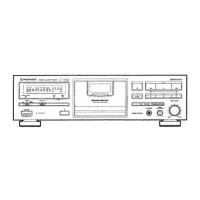
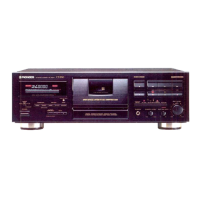
Pioneer CT-S440S - User Manual

Pioneer CT-S440S
28 pages
Print Icon
To Next Page IconTo Next Page
Loading...
d)
PIONEER’
The
Art
of
Entertainment
CT-54405
STEREO
CASSETTE
DECK
PLATINE
CASSETTE
STEREO
STEREO-CASSETTENDECK
REGISTRATORE
STEREO
A
CASSETTA
STEREO
CASSETTEDECK
STEREOKASSETTDACK
GRABADORA
DE
CASETE
ESTEREO
LEITOR
DE
CASSETES
ESTEREO
WD
PHONEER
snnocuearn
vex
CT-54405
B
e@
For
the
demo
function,
refer
to
the
back
cover
of
these
operating
instructions.
e
Pour
la
fonction
de
démonstration,
se
reporter
a
la
couverture
arriére
de
ce
mode
d’emploi.
@
Hinwiese
zur
Demo-Funktion
fiden
sich
auf
dem
hinteren
Einband
dieser
Bedienumgsanluitung.
e
Per
la
modaliata
dimostrativa,
vedere
la
verso
dell
acopertina
di
questo
manuale
di
instruzioni.
@
Zie
de
achter
pagina
van
deze
gebruiksaanwijzing
voor
informatie
betreffende
de
demonstratiefunktie.
@
Demonstrationsfunktionen
beskrivs
pa
denna
bruksanvisnings
bakre
omslag.
e
Para
ja
funcién
de
demostracién,
cousulte
la
ultima
pagina
de
este
manual
de
instrucciones.
e
Consulte
acontra-capa
deste
manual
para
instrugdes
sobre
0
modo
de
demonstracao.
IMPORTANT
A
The
tightning
flash
with
arrowhead,
within
an
equilateral
triangte,
is
intended
to
alert
the
user
to
the
presence
of
uninsulated
"dangerous
voltage”
within
the
product's
enclosure
that
may
be
of
sufficient
magnitude
to
constitute
a
risk
of
electric
shock
to
persons.
CAUTION
RISK
OF
ELECTRIC
SHOCK
DO
NOT
OPEN
CAUTION:
TO
PREVENT
THE
RISK
OF
ELECTRIC
SHOCK,
DO
NOT
REMOVE
COVER
(OR
BACK).
NO
USER-SERVICEABLE
PARTS
INSIDE.
REFER
SERVICING
TO
QUALIFIED
SERVICE
PERSONNEL.
Operating
Instructions
Mode
d'emploi
Bedienungsanleitung
Istruzioni
per
l’uso
Gebruiksaanwijzing
Bruksanvisning
Manual
de
instrucciones
Manual
de
instrug¢des
Nederlands
Svenska
Portugués
A
The
exclamation
point
within
an
equilateral
triangle
«
intended
to
alert
the
user
to
the
presence
of
importan|
operating
and
maintenance
(servicing)
instructions
in
th:
literature
accompanying
the
appliance.
Question and Answer IconNeed help?

Do you have a question about the Pioneer CT-S440S and is the answer not in the manual?

Summary

Installation

Condensation

Explains condensation formation and how to prevent it.

Handling Cassette Tapes

Tips on Cassette Tapes

Provides advice for using cassette tapes correctly.

Check Cassette Before Use

Details checks to perform on cassette tapes before loading.

Automatic Tape Selector Function

Explains the deck's automatic tape type detection.

Maintenance

Cleaning the Heads, Pinch Rollers and Capstans

Instructions for cleaning key deck components for optimal performance.

Connections

Connecting Recording and Playback Cords

Guide for connecting audio input/output cables to the amplifier.

CD-Deck Synchro Recording

How to connect and use the CD deck synchro recording feature.

Pioneer System Remote Control

Instructions for connecting and using the remote control system.

Power Cord Safety Precautions

Safety warnings related to the power cord and electrical connections.

Last Memory Feature

Explains the unit's memory retention for settings when power is disconnected.

Front Panel Facilities

Power Standby;On Switch

Describes the power switch and its standby function.

Function Display

Details the various indicators and their meanings on the function display.

FLEX (1;f) System

Explains the FLEX system for enhancing high-frequency sound during playback.

Auto BLE Tuning System

Describes the automatic adjustment of bias, level, and equalizer for optimal recording.

Dolby NR and HX PRO Systems

Details Dolby noise reduction and HX PRO headroom extension systems.

Function Display

CD-Deck Synchro Indicator

Indicator for synchro recording from a CD player.

FLEX Indicator

Indicator for the FLEX system.

Two Modes Counter

Display Off;Counter Mode Button

Controls switching between tape counter and time counter modes.

Tape Counter

Explains the tape counter function for tracking tape usage.

Playback

Music Search

How to skip forward or backward to desired selections on a tape.

Wake-Up Playback

Instructions for setting up playback to start at a specific time.

Recording

Erasure Prevention Tabs

Explains the function of tabs that prevent accidental erasure.

Adjusting Recording Level

Guide to setting the optimal recording input level for best sound quality.

Recording Mute

How to create 4-second blanks for music search function.

Super Auto BLE

Details the automatic setup for SUPER AUTO BLE tuning.

CD-Deck Synchro Recording

Troubleshooting

Cassette Door Issues

Troubleshooting steps for when the cassette door fails to open.

No Sound Issues

Troubleshooting steps for when no audio output is produced.

Recording Failure

Troubleshooting steps for when recording fails.

High Noise Level

Troubleshooting steps for excessive noise during operation.

Remote Control System Failure

Troubleshooting steps for remote control system failure.

Specifications

Miscellaneous Specifications

Lists general specifications like power, dimensions, and weight.

Subfunctions

Lists the various auxiliary functions and features of the unit.

Summary

Installation

Condensation

Explains condensation formation and how to prevent it.

Handling Cassette Tapes

Tips on Cassette Tapes

Provides advice for using cassette tapes correctly.

Check Cassette Before Use

Details checks to perform on cassette tapes before loading.

Automatic Tape Selector Function

Explains the deck's automatic tape type detection.

Maintenance

Cleaning the Heads, Pinch Rollers and Capstans

Instructions for cleaning key deck components for optimal performance.

Connections

Connecting Recording and Playback Cords

Guide for connecting audio input/output cables to the amplifier.

CD-Deck Synchro Recording

How to connect and use the CD deck synchro recording feature.

Pioneer System Remote Control

Instructions for connecting and using the remote control system.

Power Cord Safety Precautions

Safety warnings related to the power cord and electrical connections.

Last Memory Feature

Explains the unit's memory retention for settings when power is disconnected.

Front Panel Facilities

Power Standby;On Switch

Describes the power switch and its standby function.

Function Display

Details the various indicators and their meanings on the function display.

FLEX (1;f) System

Explains the FLEX system for enhancing high-frequency sound during playback.

Auto BLE Tuning System

Describes the automatic adjustment of bias, level, and equalizer for optimal recording.

Dolby NR and HX PRO Systems

Details Dolby noise reduction and HX PRO headroom extension systems.

Function Display

CD-Deck Synchro Indicator

Indicator for synchro recording from a CD player.

FLEX Indicator

Indicator for the FLEX system.

Two Modes Counter

Display Off;Counter Mode Button

Controls switching between tape counter and time counter modes.

Tape Counter

Explains the tape counter function for tracking tape usage.

Playback

Music Search

How to skip forward or backward to desired selections on a tape.

Wake-Up Playback

Instructions for setting up playback to start at a specific time.

Recording

Erasure Prevention Tabs

Explains the function of tabs that prevent accidental erasure.

Adjusting Recording Level

Guide to setting the optimal recording input level for best sound quality.

Recording Mute

How to create 4-second blanks for music search function.

Super Auto BLE

Details the automatic setup for SUPER AUTO BLE tuning.

CD-Deck Synchro Recording

Troubleshooting

Cassette Door Issues

Troubleshooting steps for when the cassette door fails to open.

No Sound Issues

Troubleshooting steps for when no audio output is produced.

Recording Failure

Troubleshooting steps for when recording fails.

High Noise Level

Troubleshooting steps for excessive noise during operation.

Remote Control System Failure

Troubleshooting steps for remote control system failure.

Specifications

Miscellaneous Specifications

Lists general specifications like power, dimensions, and weight.

Subfunctions

Lists the various auxiliary functions and features of the unit.

Pioneer CT-S440S Specifications

General IconGeneral
Track System4-track, 2-channel stereo
Tape Speed4.76 cm/s
Number of Heads3
Tape TypeType I, CrO2, Metal
Wow and Flutter0.05% (WRMS)
Output0.5V (line)
Typesingle compact cassette deck
Heads1 x record, 1 x playback, 1 x erase
Motor1 x capstan
Total Harmonic Distortion0.8%

Related product manuals