EasyManua.ls Logo

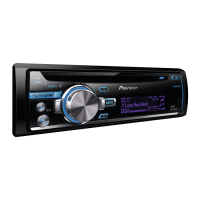
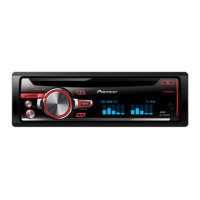
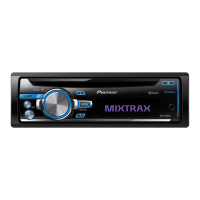
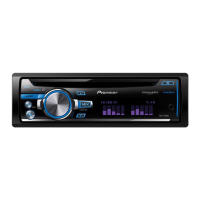
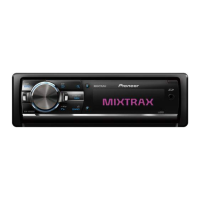
Pioneer DEH-X9550BT - User Manual

Pioneer DEH-X9550BT
156 pages
Print Icon
To Next Page IconTo Next Page
Loading...
Owners Manual
Manual de instrucciones
Manual do Proprietário
戶手
CD RDS RECEIVER
REPRODUCTOR DE CD CON RECEPTOR RDS
CD PLAYER COM RDS
CD RDS
CDRDS
ﯿCD RDS
DEH-X9550BT
DEH-X9550SD
English
Português (B)
Español

Questions and Answers

  • T
    Tonya SimpsonJul 31, 2025
    What to do if the sound from the Bluetooth audio source is not played back on my Pioneer Car Receiver?
    • S
      Sharon JohnsonJul 31, 2025
      If the sound from the Bluetooth audio source is not playing back on your Pioneer Car Receiver, try reconnecting the Bluetooth connection between the unit and your cellular phone. This should resolve the issue.
  • A
    amyalexanderAug 10, 2025
    What to do if the repeat play range changes unexpectedly on my Pioneer Car Receiver?
    • C
      Carla HoganAug 10, 2025
      If the repeat play range changes unexpectedly on your Pioneer Car Receiver, select the repeat play range again.
  • F
    Frederick CunninghamAug 19, 2025
    How to fix the issue where the display automatically returns to the ordinary display on my Pioneer Car Receiver?
    • C
      Christopher JamesAug 19, 2025
      If the display automatically returns to the ordinary display on your Pioneer Car Receiver, perform the operation again.

Summary

Getting Started

About This Unit

Provides essential information and safety precautions for the device.

If You Experience Problems

Offers guidance on troubleshooting common issues with the unit.

Using This Unit - Core Operations

Head Unit and Remote Control Overview

Identifies and explains the main components of the unit and its remote.

Set Up Menu Procedures

Guides users through the initial setup process after installation.

Basic Operations

Covers fundamental functions like power, source selection, and volume control.

Using This Unit - Media and Connectivity

Tuner and Radio Operations

Details how to use the radio, including tuning and presets.

Media Playback (CD, USB, SD, iPod)

Explains how to play music from various media sources.

Bluetooth Connectivity and Operations

Covers pairing, making calls, and audio streaming via Bluetooth.

Smartphone Integration

Details connecting and using smartphone applications with the unit.

Using This Unit - Settings and Features

Audio Adjustments

Explains how to fine-tune sound settings like EQ, bass, and loudness.

Illumination Color Customization

Guides on changing display and key colors for personalization.

MIXTRAX Feature

Details the MIXTRAX function for music playback with effects.

System Menu Settings

Covers language, clock, and other system-wide configurations.

Installation Procedures

Connections and Wiring

Provides essential instructions for connecting the unit's cables.

Microphone Installation

Guides on properly mounting the hands-free microphone.

Additional Information and Support

Troubleshooting and Error Messages

Offers solutions for problems encountered with the unit.

Media Compatibility and Specifications

Lists supported file formats and device technical details.

Pioneer DEH-X9550BT Specifications

General IconGeneral
DisplayLCD
Preamp Voltage4V
Peak Output50W x 4
BluetoothYes
USB InputYes
AUX InputYes
CD PlayerYes
MP3 PlaybackYes
WMA PlaybackYes
AAC PlaybackYes
FLAC PlaybackYes
Android CompatibilityYes
iPod/iPhone CompatibilityYes
Pandora ControlYes
Spotify ControlYes
Channels4
Remote ControlYes
High-Pass FilterYes
Low-Pass FilterYes
Subwoofer ControlYes
TypeDigital Media Receiver
Preamp Outputs6-channel
EQ Settings13-band graphic equalizer

Related product manuals