To Next Page
D
David McdonaldSep 9, 2025
What to do if my Pioneer DEH-X9650SD disc is scratched?
- Mmelissa59Sep 9, 2025
If the disc is scratched, replace the disc in your Pioneer Car Receiver.

What to do if my Pioneer DEH-X9650SD disc is scratched?
If the disc is scratched, replace the disc in your Pioneer Car Receiver.
What to do if my Pioneer Car Receiver shows NO XXXX?
If 'NO XXXX' appears when a display is changed on your Pioneer Car Receiver (for example, 'NO TITLE'), it means there is no embedded text information. You can switch the display or play another track/file.
What to do if my Pioneer Car Receiver Bluetooth call was immediately terminated?
If a call was made with a Bluetooth connected cellular phone and then immediately terminated, communication between the Pioneer Car Receiver unit and the cellular phone was not terminated properly. Reconnect the Bluetooth connection between this unit and the cellular phone.
Why won't my Bluetooth device pair with my Pioneer DEH-X9650SD Car Receiver?
If the Bluetooth device won't pair with the Pioneer Car Receiver, it might be due to registration issues. Try deleting the registered information for the receiver on the Bluetooth device and vice versa, if it exists. Then, attempt the pairing process again.
What to do if the repeat play range changes unexpectedly on my Pioneer Car Receiver?
The repeat play range may change unexpectedly on your Pioneer Car Receiver because the selected range may change when another folder or track is selected, or during fast forwarding/reversing. To resolve this, select another repeat play range.
What to do if a subfolder is not playing back on my Pioneer Car Receiver?
If a subfolder is not playing back on your Pioneer Car Receiver, it might be because Folder repeat is selected. Select the repeat play range again.
What to do if my Pioneer Car Receiver device doesn't support voice recognition?
Switch to a device that does support voice recognition to use this feature with your Pioneer Car Receiver.
Why is a subfolder not playing on my Pioneer Car Receiver?
Subfolders cannot be played when Folder repeat is selected.
What to do if my Pioneer Car Receiver shows an electrical or mechanical error?
If there is an electrical or mechanical error, turn the ignition switch off and then back on. Alternatively, switch to a different source and then back to the CD player on your Pioneer Car Receiver.
What to do if my Pioneer Car Receiver says no USB or iPod is connected?
If the Pioneer Car Receiver displays this message, connect a compatible USB storage device or iPod.
General information about the audio unit and its features.
Steps to take if the unit does not operate correctly, including contacting dealers or service stations.
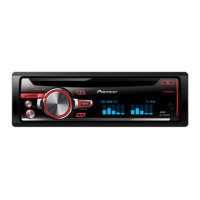
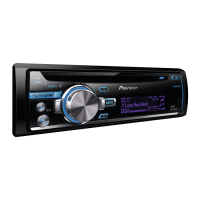
Description of the main unit's controls and features with labeled diagrams.
Explanation of the remote control's buttons and their functions for operating the unit.
Guide to initial setup procedures, including language and date settings.
Instructions for setting the unit's clock, including time notation.
Steps for safely removing and re-attaching the detachable front panel of the unit.
Fundamental operations such as turning the unit on and off.
How to cycle through and select different audio sources available on the unit.
Guidelines for using the remote control effectively and maintaining its battery.
How to access and adjust various radio function settings like BSM, Regional, Local, and PTY search.
How to assign functions to the LEVER control for manual tuning or preset selection.
How to perform basic operations with CDs, USB, and SD devices, including playback and ejecting.
How to use the MIXTRAX button to turn the feature on or off.
Steps to create a new Pandora station based on tagged information.
Procedure for browsing and selecting songs from USB or SD devices.
How to access and adjust various function settings, including music browse and link play.
How to browse music on USB/SD devices, including database creation.
Basic operations and compatibility information for using an iPod with the unit.
How to turn the MIXTRAX feature on or off.
How to control the unit's iPod function directly from a connected iPod.
How to access and adjust various iPod function settings like play mode and shuffle.
Comprehensive guide to using Bluetooth for phone and audio functions.
How to use the unit for hands-free calling with a Bluetooth-enabled phone.
How to manage Bluetooth device connections, including adding, deleting, and listing devices.
How to navigate and use the phone menu for call history and phonebook access.
How to set Auto Answer, Ring Tone, and Phonebook Name View.
How to enable or disable the automatic answering feature.
How to invert the display order of names in the phone book.
Troubleshooting common Bluetooth device connection errors.
Troubleshooting common Pandora application errors and connection issues.
Information and procedures for streaming music from the Pandora application.
Steps to start and use Pandora application on an iPhone.
Steps to start and use Pandora application on a smartphone.
How to access and adjust Pandora function settings like Bookmark and New Station.
Detailed information on device compatibility requirements for iPhone and smartphones.
Steps to start and use applications on an iPhone via USB connection.
Steps to start and use applications on a smartphone via Bluetooth connection.
How to access and adjust various audio settings like equalizer and subwoofer output.
How to adjust the front/rear speaker balance and left/right speaker balance.
How to select and recall preset equalizer curves.
How to turn the subwoofer output on or off.
How to access the illumination menu and select illumination functions.
Steps to create custom illumination colors for Key Side and Display Side.
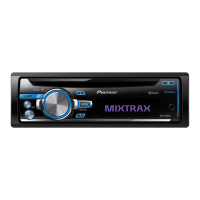
Explanation of MIXTRAX technology for creating non-stop music mixes with visual effects.
How to select the playback time length for short playback.
How to select flash patterns that change with sound and bass levels.
How to access and adjust system settings like language, clock, and brightness.
How to select the system language from a list of available languages.
How to set the clock display segments, including hour, minute, and time notation.
How to adjust the display brightness.
How to select the appropriate option for a connected device (Wired or Bluetooth).
Guide to accessing and adjusting various setup menu functions.
How to access and adjust system menu functions.
How to connect and use an AUX source for audio playback.
Important safety and connection instructions for installing the unit and speakers.
Instructions for connecting the power cord to the unit and amplifier.
Important considerations and general guidelines for installing the unit in a vehicle.
Guidelines for installing the microphone for optimal voice recognition performance.
A guide to diagnosing and resolving common issues with the unit's display, repeat function, and subfolders.
Explains common error messages, their causes, and recommended actions.
Troubleshooting specific errors related to CD playback, like dirty or scratched discs.
Troubleshooting issues related to USB, SD, and iPod devices, including connection and format errors.
Information regarding incompatible USB or SD storage devices.
Troubleshooting steps for USB connection issues like short circuits or excessive current draw.
Troubleshooting common Pandora application errors and connection issues.
Troubleshooting common issues related to applications, like No BT device or Connection failed.
Guidelines for handling discs, players, external storage devices, and USB storage devices.
Specific precautions and potential issues when using USB storage devices.
Information on supported SD memory card types and precautions for their use.
List of supported iPod models and notes on functionality variations.
Details on compatible audio file formats (WMA, MP3, WAV, AAC) for discs, USB, and SD.
List of Bluetooth profiles supported by the unit for wireless communication.
Legal information regarding Bluetooth, iTunes, MP3, and WMA trademarks.
General specifications including power source, grounding, current consumption, and dimensions.
Audio specifications including maximum power output, continuous power, and load impedance.
Specifications for the CD player system, usable discs, signal-to-noise ratio, and supported formats.
USB specifications including standard, current supply, class, file system, and supported formats.
FM tuner specifications including frequency range, sensitivity, and signal-to-noise ratio.
AM tuner specifications including frequency range, sensitivity, and signal-to-noise ratio.
Bluetooth specifications for the unit, including version and output power.
 General
| Brand | Pioneer |
|---|---|
| Model | DEH-X9650SD |
| Category | Car Receiver |
| Language | English |