
 Need help?
Do you have a question about the Pioneer MCS-333 and is the answer not in the manual?
Warning about not removing covers to avoid electric shock and to refer servicing to qualified personnel.
Caution on handling the power cord to prevent damage or electric shock.
Lists all compatible disc and file formats.
A table detailing playable files and their specifications.
Lists supported 3GP, FLV, RMVB file formats.
Instructions for assembling speaker units for specific models.
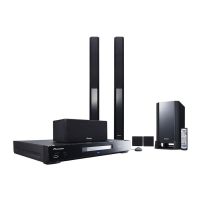
Details speaker setup for MCS-838 and MCS-737 models.
Details speaker setup for MCS-636 and MCS-535 models.
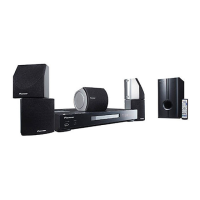
Details speaker setup for MCS-434 and MCS-333 models.
How to connect the player to a television using various methods.
Instructions for connecting via HDMI cable.
How to connect audio sources like AUX and PORTABLE IN.
Connecting the player to a home network for online services.
Instructions for establishing a wired network connection.
How to connect to a wireless network for networking.
Step-by-step guide to configuring wireless network settings.
How to connect and use USB storage devices with the player.
Step-by-step guide to connecting USB devices.
Guide to initial setup using the Setup Navigator.
How to control your TV using the player's remote.
Basic operations for playing discs and files.
Overview of functions available for different media types.
Accessing and using the TOOLS menu for various settings.
Introduction to the Home Media Gallery feature.
Information on playing media over a network.
How to play media files located on a network.
How to play media from discs or USB devices.
How to copy files to a USB device.
Using Wi-Fi Direct for direct connection to mobile devices.
Step-by-step guide to connecting a mobile device.
Connecting using the mobile device's Wi-Fi Direct feature.
How to record audio from CDs to a USB device.
How to play content from iPod, iPhone, or iPad.
Steps to connect an iPod, iPhone, or iPad.
How to navigate and play content on an iPod, iPhone, or iPad.
How to record FM broadcasts to a USB device.
How to use the Karaoke features.
How to adjust sound settings and select audio modes.
How to modify various player settings.
Guide to initial setup procedures.
How to update the player's software.
Steps to update software via an internet connection.
How to reset all settings to factory defaults.
Troubleshooting common picture display issues.
Troubleshooting sound-related problems.
Troubleshooting playback issues.
Troubleshooting network connectivity issues.
Troubleshooting wireless LAN connection problems.
Troubleshooting iPod/iPhone/iPad connection issues.
Troubleshooting general issues not covered elsewhere.
 General
| Disc types supported | BD-R, BD-RE, CD-R, CD-RW, DVD+R, DVD+RW, DVD-R, DVD-RW |
|---|---|
| Playback disc formats | SACD |
| Optical disc player type | Blu-Ray player |
| Built-in HDD | No |
| MP3 playback | Yes |
| TV tuner integrated | - |
| Apple docking compatibility | Not supported |
| Video formats supported | AVCHD, DIVX, DIVX HD, MKV, WMV |
| Audio decoders | Dolby Digital, Dolby Digital Plus, Dolby Pro Logic II, DTS, DTS-HD Master Audio |
| RMS rated power | 1000 W |
| Audio output channels | 5.1 channels |
| Audio formats supported | LPCM, MP3, WAV, WMA |
| Product color | Black |
| HDMI in | 4 |
| USB version | 2.0 |
| USB ports quantity | 2 |
| SCART ports quantity | 0 |
| Number of HDMI outputs | 1 |
 Weight and Dimensions
| Main unit weight | 3100 g |
|---|---|
| Subwoofer weight | 3700 g |
| Center speaker weight | 700 g |
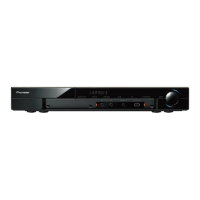
| Main unit dimensions (WxDxH) | 430 x 349 x 63 mm |
| Subwoofer dimensions (WxDxH) | 200 x 270 x 340 mm |
| Front speaker dimensions (WxDxH) | 95 x 90 x 80 mm |
| Center speaker dimensions (WxDxH) | 230 x 90 x 80 mm |






 To Next Page