Need help?
Do you have a question about the Pioneer MCS-737 and is the answer not in the manual?
Covers electrical shock, ventilation, fire hazards, and power cord safety.
Detailed description of the remote control buttons.
Description of front panel controls and rear panel connections.
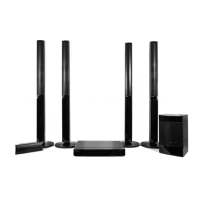
Instructions for assembling, connecting, and positioning speakers.
Connecting the player to TV and external audio/video devices.
Setting up wired, wireless, and WPS network connections.
How to connect and use USB devices.
How to control the TV using the player's remote.
Basic operations for playing discs and files.
Introduction to the Home Media Gallery feature.
Using Wi-Fi Direct for direct device connection.
Connecting using WPS for Wi-Fi setup.
Instructions for recording audio CDs to USB.
How to connect Apple devices to the player.
Guide to initial setup using the Setup Navigator.
Steps for updating software via internet or USB flash drive.
Troubleshooting common picture display problems.
Troubleshooting issues related to sound output.
Troubleshooting problems with disc or file playback.
Technical specifications for player and input/output ports.
 General
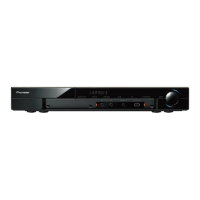
| Disc types supported | BD, CD, DVD |
|---|---|
| Number of optical discs | 1 discs |
| Optical disc player type | Blu-Ray player |
| Power LED | Yes |
| Built-in HDD | No |
| Image formats supported | GIF, JPG, PNG |
| Apple docking compatibility | Not supported |
| Video formats supported | AVCHD, DIVX, DIVX HD, MKV, MPEG, WMV |
| Audio decoders | Dolby Digital, Dolby Digital Plus, Dolby Pro Logic II, DTS, DTS-HD Master Audio |
| RMS rated power | 1000 W |
| Audio output channels | 5.1 channels |
| Audio formats supported | AAC, FLAC, LPCM, MP3, WAV, WMA |
| FM radio | - |
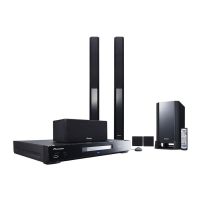
| Number of satellite speakers | 4 |
| Product color | Black |
| USB version | 2.0 |
| USB ports quantity | 2 |
| Number of HDMI outputs | 1 |
| AC input voltage | 220-240 V |
| AC input frequency | 50 - 60 Hz |
 Weight and Dimensions
| Main unit weight | 3100 g |
|---|---|
| Center speaker weight | 700 g |
| Satellite speaker weight | 3700 g |
| Main unit dimensions (WxDxH) | 430 x 349 x 63 mm |
| Subwoofer dimensions (WxDxH) | 200 x 270 x 340 mm |
| Center speaker dimensions (WxDxH) | 230 x 90 x 80 mm |
| Satellite speaker dimensions (WxDxH) | 250 x 250 x 1100 mm |

 To Next Page