EasyManua.ls Logo

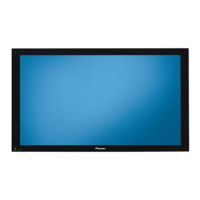
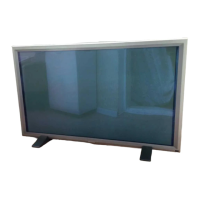
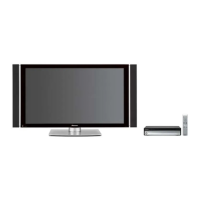
Pioneer PDP-504PE - User Manual

Pioneer PDP-504PE
100 pages
Print Icon
To Next Page IconTo Next Page
Loading...
ORDER NO.
PIONEER CORPORATION 4-1, Meguro 1-chome, Meguro-ku, Tokyo 153-8654, Japan
PIONEER ELECTRONICS (USA) INC. P.O. Box 1760, Long Beach, CA 90801-1760, U.S.A.
PIONEER EUROPE NV Haven 1087, Keetberglaan 1, 9120 Melsele, Belgium
PIONEER ELECTRONICS ASIACENTRE PTE. LTD. 253 Alexandra Road, #04-01, Singapore 159936
PIONEER CORPORATION 2002
PDP-504PU
ARP3176
PLASMA DISPLAY
PDP-504PU
PDP-504PE
PRO-504PU
THIS MANUAL IS APPLICABLE TO THE FOLLOWING MODEL(S) AND TYPE(S).
Model Type Power Requirement Remarks
PDP-504PU TUCK AC110 - 240V
PDP-504PE WYVI6 AC220 - 240V
PDP-504PE WYVI6XK AC220 - 240V
PRO-504PU KUC AC120V
Model No. Order No. Remarks
PDP-504PU/ TUCK
PDP-504PE/ WYVI6
PDP-504PE/ WYVI6XK
PRO-504PU/ KUC
For details, refer to "Important symbols for good services".
Serial No.
Confirm it
WYVI6 SS
WYVI6XK UK
T-ZZY OCT. 2003 printed in Japan


Questions and Answers

  • C
    Chad MurrayAug 13, 2025
    How to troubleshoot no power on Pioneer PDP-504PE Monitor (both red and green LEDs unlit)?
    • M
      Michael ElliottAug 13, 2025
      If your Pioneer Monitor has no power and both red and green LEDs are unlit, it could be due to a cable disconnection. Verify that the connection between the POWER SUPPLY and PANEL IF assemblies is properly made.
  • A
    Alison MillerAug 17, 2025
    What to do if Pioneer PDP-504PE Monitor has no power and green LED is not lit?
    • J
      John OsborneAug 17, 2025
      If your Pioneer Monitor has no power and the green LED is not lit, it could be due to a defective 114-pin FPC. Check if the FPC is broken or not securely inserted.
  • M
    Michael BushAug 20, 2025
    What to do if key input is not effective on Pioneer PDP-504PE Monitor?
    • N
      Nicholas ChavezAug 20, 2025
      If the key input on your Pioneer Monitor is not effective, it may be due to a defective KEY SCAN IC. Check if a pulse is output when the key corresponding to Pin 2 of the CN4852 is pressed.
  • C
    Caitlin MoralesAug 25, 2025
    Why is the power sometimes interrupted on my Pioneer PDP-504PE?
    • M
      Morgan Lewis PhDAug 25, 2025
      The power on your Pioneer Monitor may be interrupted due to defective system cables. Ensure that the system cables are securely connected.
  • C
    Carly WeaverAug 28, 2025
    What to do if the power is interrupted, and the red and green warning indications appear on the screen of Pioneer Monitor?
    • J
      James DavisAug 28, 2025
      If the power to your Pioneer Monitor is interrupted and red and green warning indications appear on the screen, it is likely due to system cables not being connected. Check the connection of the system cables.
  • S
    sabrina41Sep 1, 2025
    Why Pioneer Monitor has no power, but both red and green LEDs are lit?
    • S
      Steve VillegasSep 1, 2025
      If your Pioneer Monitor has no power but both red and green LEDs are lit, it may be caused by detection by the TRAP switch. Ensure the TRAP switch is properly set.
  • R
    Rebecca MelendezSep 4, 2025
    What to do if there is an abnormality in a one-eighth area of the screen of Pioneer PDP-504PE Monitor?
    • P
      Peter McguireSep 5, 2025
      To address an abnormality in one-eighth area of the screen on your Pioneer Monitor, check if the abnormal area in the screen changes when the FPC connected to the address corresponding to the abnormal area is replaced with the one corresponding to the next address.
  • T
    Timothy GutierrezSep 8, 2025
    What to do if the screen of Pioneer Monitor is abnormal (Data of every other dot are abnormal)?
    • B
      burchamandaSep 8, 2025
      To resolve an abnormal screen issue on your Pioneer Monitor where data of every other dot is abnormal, check that an abnormal area in the screen does not change when the FPC connected to the address corresponding to the abnormal area is replaced with the one corresponding to the next address.

Summary

SAFETY INFORMATION

SAFETY PRECAUTIONS

General safety rules and precautions for service technicians.

PRODUCT SAFETY NOTICE

Notice regarding safety characteristics of Pioneer set electrical and mechanical parts.

HIGH VOLTAGE AND CHARGED SECTIONS

Identification and precautions for charged and high voltage areas in the unit.

SPECIFICATIONS AND PARTS LISTS

SPECIFICATIONS

Details product specifications including pixels, audio, power, and dimensions.

ACCESSORIES

Lists included accessories and their part numbers for the product.

EXPLODED VIEWS AND PARTS LIST

Provides diagrams of disassembled units and lists all component parts.

PCB PARTS LIST

Lists specific parts for each Printed Circuit Board (PCB) assembly.

SYSTEM DIAGRAMS AND WAVEFORMS

BLOCK DIAGRAMS

Presents comprehensive block diagrams of the system and its sub-assemblies.

WAVEFORMS

Displays oscilloscope waveforms for various signals in key assemblies for troubleshooting.

ADJUSTMENT, DIAGNOSIS, AND MAINTENANCE

ADJUSTMENT PROCEDURES

Details specific adjustments needed after component replacement and system calibration.

RS232 C COMMANDS

Explains how to control panel items using RS232C commands via a special communication device.

DIAGNOSIS AND TROUBLESHOOTING

Covers troubleshooting methods, LED status, power-down diagnosis, and factory modes.

DISASSEMBLY GUIDELINES

Provides step-by-step instructions for disassembling the unit and its main assemblies.

IC INFORMATION

Lists integrated circuits used, their functions, block diagrams, and pin arrangements.

PANEL FACILITIES AND SPECIFICATIONS

FRONT AND REAR VIEWS

Illustrates the front and rear views, labeling controls, indicators, and connectors.

Pioneer PDP-504PE Specifications

General IconGeneral
BrandPioneer
ModelPDP-504PE
CategoryMonitor
LanguageEnglish

Related product manuals