EasyManua.ls Logo

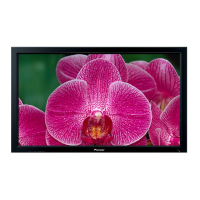
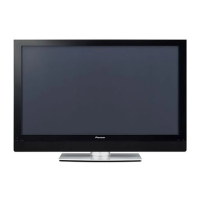
Pioneer PDP-5000EX - User Manual

Pioneer PDP-5000EX
230 pages
Print Icon
To Next Page IconTo Next Page
Loading...
Operating Instructions
Mode d’emploi
Bedienungsanleitung
Istruzioni per l’uso
Gebruiksaanwijzing
Manual de instrucciones
PLASMA DISPLAY
ÉCRAN PLASMA
PLASMA-DISPLAY
DISPLAY A PLASMA
PLASMASCHERM
PANTALLA DE PLASMA
PDP-5000EX
Discover the benefits of registering your product online at
www.pioneer.co.uk (or www.pioneer-eur.com).
Decouvrez les nombreux avantages offerts en enregistrant votre produit
en ligne maintenant sur www.pioneer.fr (ou www.pioneer-eur.com).
Bitte nutzen Sie die Möglichkeit zur Registrierung Ihres Produktes unter
www.pioneer.de (oder www.pioneer-eur.com)
Registra il tuo prodotto su www.pioneer.it (o www.pioneer-eur.com) e
scopri subito quali vantaggi puoi ottenere!
Ontdek nu de voordelen van online registratie! Registreer uw Pioneer
product via www.pioneer.nl - www.pioneer.be (of www.pioneer-eur.com)
Registre su producto en www.pioneer.es (o en www.pioneer-eur.com)
Descubra los beneficios de registrarse on-line:

Table of Contents

Other manuals for Pioneer PDP-5000EX

Questions and Answers

  • K
    Kevin SanchezAug 18, 2025
    Why is there no picture on my Pioneer PDP-5000EX Monitor?
    • R
      revansAug 18, 2025
      If there is no picture on your Pioneer Monitor, verify that the connection to other components is correct. Also, ensure that the Input Select setting is correct and that a non-compatible PC signal is not being input.
  • J
    Juan BakerAug 21, 2025
    How to troubleshoot no power on a Pioneer PDP-5000EX?
    • R
      Robert JohnsonAug 21, 2025
      If you're not getting any power to your Pioneer Monitor, check if the power cord is disconnected and ensure that the main power is turned on.
  • Q
    qcareyAug 23, 2025
    Why does my Pioneer Monitor power off suddenly?
    • M
      Meghan MarshAug 23, 2025
      If your Pioneer Monitor is suddenly turning off, it might be due to an increase in the Plasma Display's internal temperature. Ensure that you remove any objects blocking the vent or clean it. Alternatively, check the power control setting.
  • M
    Maria MurphyAug 26, 2025
    How to fix a Pioneer PDP-5000EX Monitor remote control that is not working?
    • A
      Angela MercadoAug 26, 2025
      If your Pioneer Monitor's remote control isn't working, make sure the batteries are correctly inserted with the proper polarity (+, –). If they are, try replacing them with new batteries. Also, ensure you're pointing the remote control unit directly at the remote control sensor on the Plasma Display and you are not using it under strong or fluorescent lighting. Check if a fluorescent light is illuminated to remote control sensor.
  • D
    darlenechanAug 28, 2025
    What to do if my Pioneer Monitor has images but no audio?
    • M
      margaret35Aug 28, 2025
      If you're getting images but no audio output from your Pioneer Monitor, first check if you've accidentally selected the minimum volume or muted the sound. Also, when using INPUT1, INPUT4, INPUT5, or INPUT6 as the input source, make sure that the audio connectors have been properly connected.
  • S
    Scott RodriguezAug 30, 2025
    What to do if my Pioneer Plasma Monitor cannot be operated?
    • L
      Lucas WalkerAug 30, 2025
      If your Pioneer Plasma Display cannot be operated, it might be due to external influences like lightning or static electricity. Try turning off the power to the Plasma Display, or unplug the power cord and re-plug it in after 1 or 2 minutes, then operate the Plasma Display.
  • K
    Kurt HarrisSep 1, 2025
    How to fix strange color on Pioneer PDP-5000EX?
    • L
      Lucas RobbinsSep 1, 2025
      If you're experiencing strange color, light color, dark or color misalignment on your Pioneer Monitor, try adjusting the picture tone. If the room is too bright, the picture may look dark. Also, check the color system setting.
  • R
    rebecca42Sep 4, 2025
    Why is the picture cut off on my Pioneer Monitor?
    • J
      Janet EdwardsSep 4, 2025
      If your Pioneer Monitor's picture is cut off, ensure the image position is correct and the correct screen size has been selected.
  • M
    Melinda SullivanSep 6, 2025
    How to resolve after-image lag on Pioneer PDP-5000EX Monitor?
    • S
      Steven GouldSep 6, 2025
      If you are experiencing after-image lag on your Pioneer Monitor, playing a rather bright moving image for several minutes may rectify this. Keep in mind that displaying a still image for excessively long periods of time may cause permanent display deterioration.
  • E
    elijahpalmerSep 8, 2025
    What to do if there is no image and audio presented on Pioneer Monitor?
    • J
      Jane BeardSep 9, 2025
      If there is no image and audio presented on your Pioneer Monitor, check the cable connection with the other equipment.

Summary

Important User Guidance

Safety Precautions

General Safety, Electrical, and Repair Precautions

Covers essential safety rules for operation, electrical hazards, and servicing procedures.

Installation and Physical Handling Safety

Details safe methods for installing, mounting, and moving the unit to prevent accidents.

Product Information and Preparation

Initial Setup: Display Installation and Cable Management

Guides on installing the display, connecting power, speakers, and managing cables.

Operation and Menu Navigation

Navigating the On-Screen Menu System

Details how to access and operate the various menu settings for the display.

Picture and Sound Adjustment Settings

Language, Picture Quality, and PureCinema

Covers language selection, basic picture adjustments, and PureCinema feature.

External Equipment Connectivity and Settings

Appendix

Troubleshooting Common Issues

Provides solutions for common operational problems and error codes.

Pioneer PDP-5000EX Specifications

General IconGeneral
Depth98 mm
Width1282 mm
Height750 mm
Weight39800 g
Pixel pitch- mm
Product colorBlack
Audio (L/R) in1
Noise reductionYes
RMS rated power13 W
Display diagonal50 \
Display brightness1000 cd/m²
Display technologyPlasma
Power requirementsAC 110 - 240 V, 50/60 Hz
Contrast ratio (typical)3000:1
Power consumption (standby)0.4 W
Power consumption (typical)420 W

Related product manuals