EasyManua.ls Logo

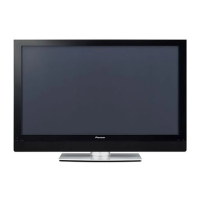
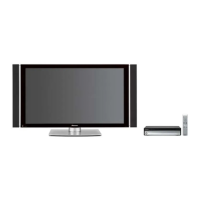
Pioneer PDP-502MXE - User Manual

Pioneer PDP-502MXE
33 pages
Print Icon
To Next Page IconTo Next Page
Loading...
PDP-502MXE
Plasma Display
Operating Instructions

Other manuals for Pioneer PDP-502MXE

Questions and Answers

  • M
    Molly MccarthyAug 8, 2025
    What to do if there is no picture on my Pioneer PDP-502MXE Monitor?
    • K
      Kimberly LeeAug 8, 2025
      If there is no picture on your Pioneer Monitor, make sure all connections are correct and that setup has been done correctly after connection. Verify that the correct input is selected and that a compatible signal is being input. Also, check if picture adjustment is correct.
  • C
    curtisaustinAug 14, 2025
    Why does my Pioneer Monitor power off suddenly?
    • S
      Shane PowersAug 14, 2025
      Your Pioneer Monitor might be turning off suddenly because its internal temperature has increased due to blocked air vents. Remove any objects blocking the vent or clean it. Also, check if the POWER SAVE mode is set to “MODE1” or “MODE2”.
  • C
    Cassandra BoyerAug 18, 2025
    How to fix a Pioneer PDP-502MXE Monitor remote control that is not working?
    • D
      dianepierceAug 18, 2025
      If the remote control for your Pioneer Monitor is not working, first ensure that the batteries are inserted with the correct polarity (+, –). If they are, try replacing them with new batteries. Also, check if the plug is inserted in the CONTROL IN terminal, as this will prevent the remote control's signal from being received.
  • Q
    quinntravisAug 25, 2025
    What to do if the picture is cut off on my Pioneer PDP-502MXE Monitor?
    • B
      Brian PetersenAug 25, 2025
      If the picture on your Pioneer Monitor is cut off, ensure that the selected screen size is correct by switching to another screen size. Also, verify that the SCREEN mode adjustments, such as picture size, are made correctly.
  • S
    Shawn SanchezAug 28, 2025
    Why does my Pioneer PDP-502MXE have strange colors?
    • K
      Kenneth OdomAug 28, 2025
      If you are experiencing strange color, light color, dark picture, or color misalignment on your Pioneer Monitor, try adjusting the picture tone. Also, consider if the room is too bright, as this can make the picture appear dark.
  • C
    Craig MasonSep 2, 2025
    What to do if my Pioneer PDP-502MXE Monitor cannot be operated?
    • K
      Keith HartSep 2, 2025
      If your Pioneer Monitor cannot be operated, it might be due to external influences such as lightning or static electricity. Try turning the main power on and off, or unplug the power cord and re-plug it in after 1 to 2 minutes.

Summary

Plasma Display Safety Precautions

Important Safety Information

Critical safety notices, warnings, and cautions for user protection and equipment safety.

Installation and Connections

Unit Mounting and Placement

Procedures for mounting or setting up the display unit using stands or mounts.

Connecting External Systems

Guides for connecting PCs, audio, power, control, and routing cables.

System Setup and Configuration

Input Source Configuration

Setting up display inputs like PC, audio, and specific sync signals for proper display.

Operations

Display Panel Adjustments

Troubleshooting and Diagnostics

Technical Specifications

Pioneer PDP-502MXE Specifications

General IconGeneral
Screen Size50 inches
Display TypePlasma
Aspect Ratio16:9
Brightness1000 cd/m²
Contrast Ratio3000:1
Viewing Angle160 degrees
InputsComponent, Composite, S-Video

Related product manuals