r
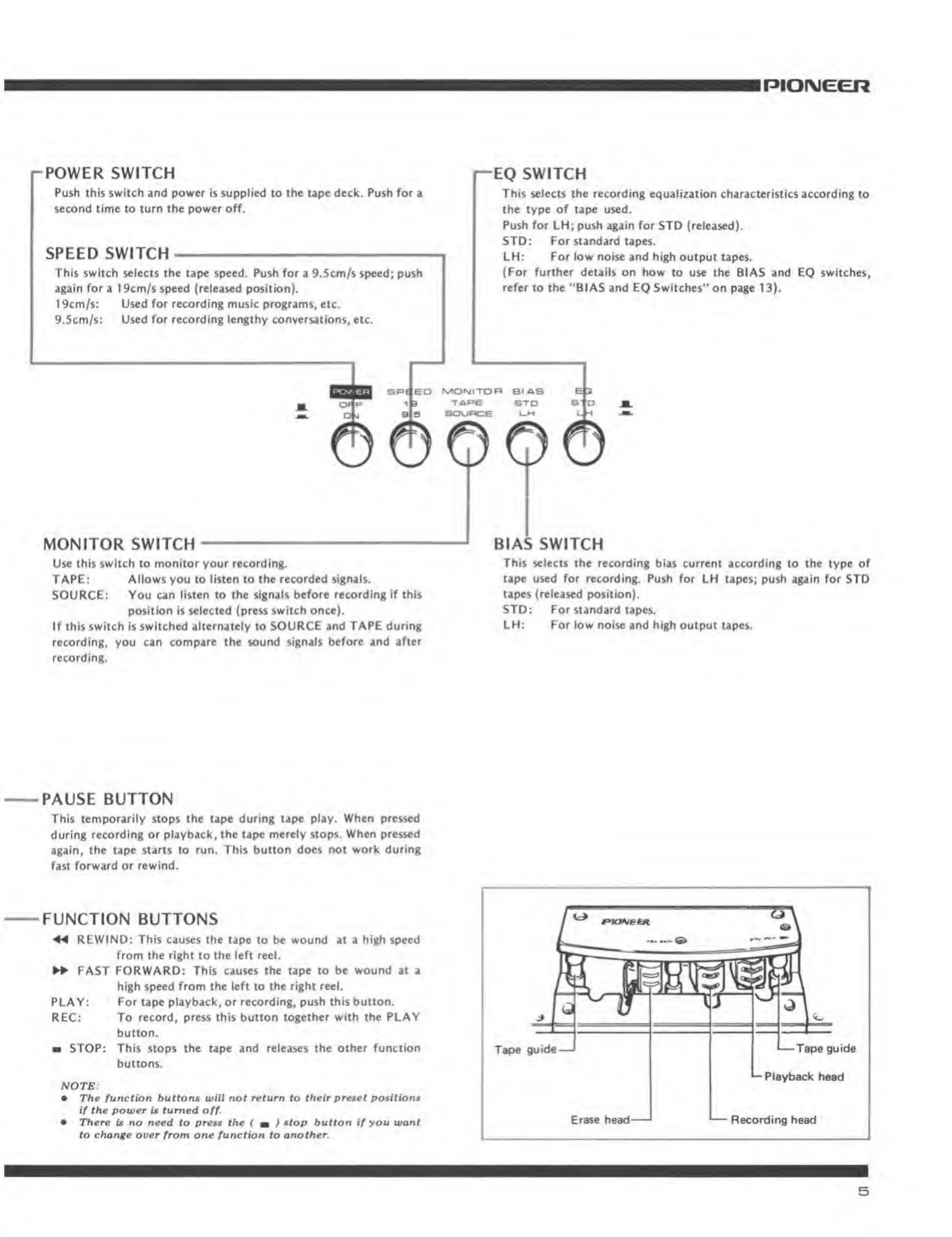
POWER SWITCH
Push this
swiEi:h
and power is supplied
to the tape deck. Push for a
second time to
turn the
power
off.
SPEED SWITCH
This
switch selects the
tape
ipMd, Push
for a 9.5an/£ speed;
push
again fori
19cm/s speed (reteued podtlon).
1 9cm/s:
Used for recording
muilc pnigrami, etc
9.5cm/s:
Used for recordinf lengtiiy conwrsatloni,
eU.
—
EQ
SWITCH
This selecis ihe recording
equalization characteristics
according to
rhe type of tape used.
Push for
LH;
push again for
STO (rtieased).
SID;
For
standard tapes.
LH;
For low noise
and high output tapes.
(For further details on how to use the
BIAS and
EQ switches,
refer
to
the
'*BIAS and EQ Switches'* on
p^
13).
ED
rvlONITDn BIAS
MONITOR SWITCH
Use this switch to
monitor
your recording.
TAPE:
Allows you to listen to the recorded signals.
SOURCE;
You can
listen to the signals before recording if this
position
»s selected (press i^wiich once).
If this
switch
is switched
alternately to SOURCE and TAPE during
recording,
you can compare the sound signals
before
and
after
recording.
LX
©0
BIAS SWITCH
Thh selects tlie recording
blu currant
according
to the type of
tape used for
recording. Push
for LH tapes; push again for STD
tapes (released
position).
STD:
For
siandard tapes,
LH:
For
low noise and high output tapes.
PAUSE BUTTON
Thil
temporarily
stops
the tape during tape play. When pressed
during
recording or playback, the tape merely stops. When pressed
^g^in, the t^pe
siniris
to
run.
Thls button doei not work during
fast
forward or rewind.
FUNCTION BUTTONS
REWIND: This CSMIAS the tape lo be wound
at a
high Speed
from the right lo the
lefl reel.
FAST
FORWARD: This causes the tape to be wound at a
high speed from the left to the right reel.
PLAY; For tape playback, or recording,
push [his button.
REC: To
record, press this burton together with the PLAY
button.
m STOP:
This stops the tape and reJeases the other function
buttot^
NOTE:
•
The funeiton buttons will not return to thmlrpmet po»itiofiM
if the power is turned
off.
• There is no need
to press
the
i
m
) ^^°P
button
if
you
wont
In
rlfo'ic over from one function to another.
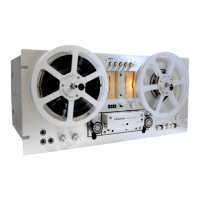
Tape
guide
—
'
—
Tape guide
*-
Playback head
Recording heed


 To Next Page